Answered
Align text with bullet points
Can someone please provide instructions on how i would align the bottom part of the bullet point text with the first line so it lines up with the text and nit the bullet point its self.
Thanks
Can someone please provide instructions on how i would align the bottom part of the bullet point text with the first line so it lines up with the text and nit the bullet point its self.
Thanks
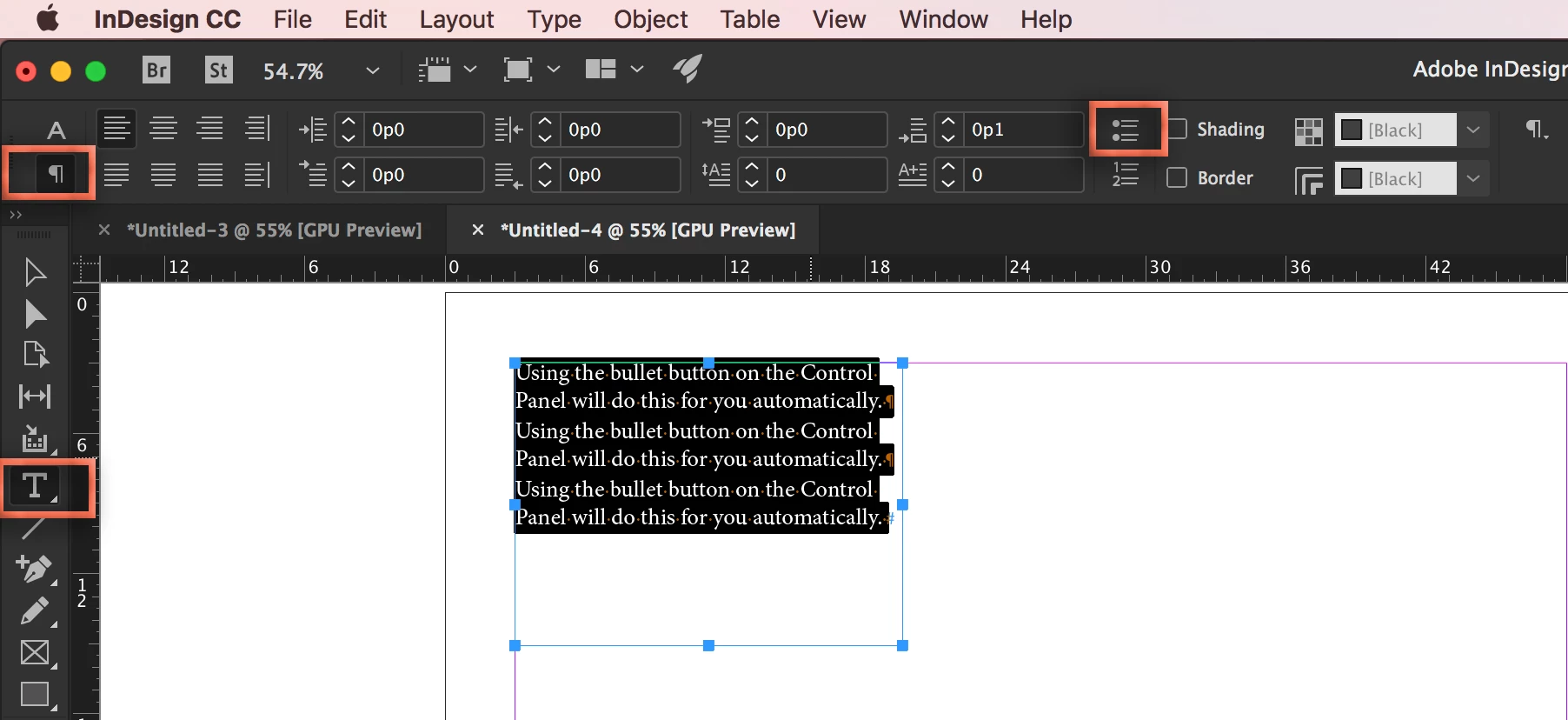
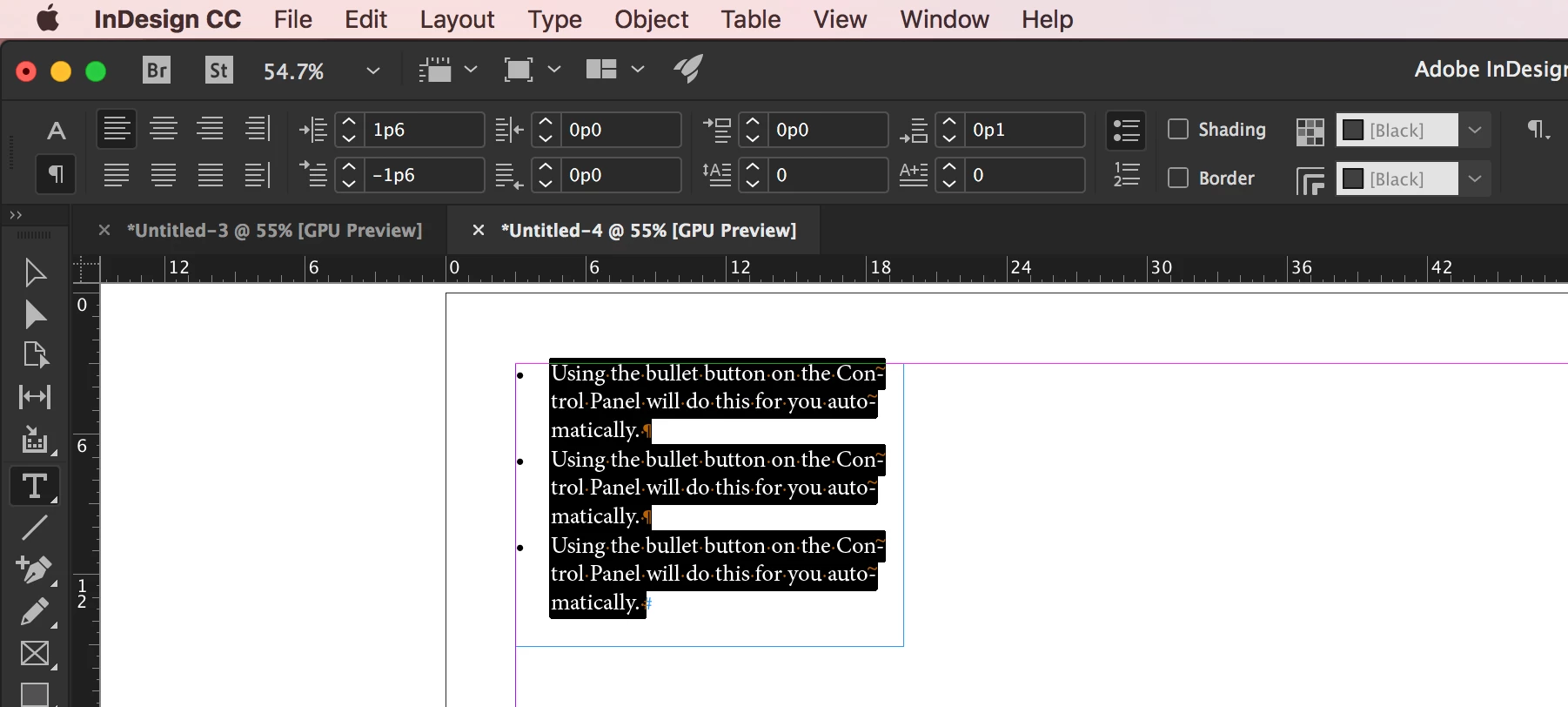
Using the bullet button on the Control Panel will do this for you automatically.
Before:
After:
I'm guessing you put the bullet characters in manually? If so, you will want to pull them back out. Find/change makes this very easy.
~Barb
Already have an account? Login
Enter your E-mail address. We'll send you an e-mail with instructions to reset your password.
 AdChoices