Inspiring
June 17, 2024
Question

Aligning text flush right and left with tab

  • June 17, 2024
  • 2 replies
  • 746 views

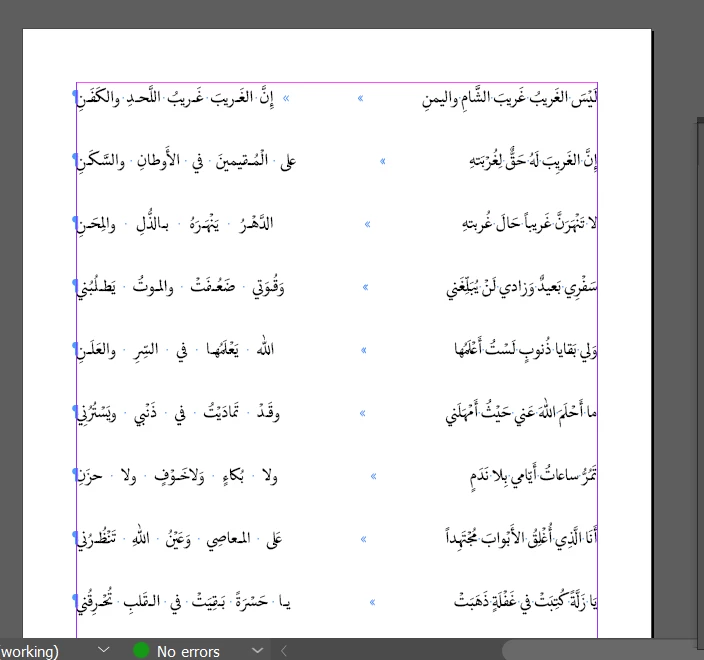
Is it possible to fully justify text on right and left so there is equal space in the middle?


This topic has been closed for replies.

2 replies

rob day
Community Expert
Community Expert
June 17, 2024

Hi @Summayah5FC7 , Just to clarify, you don’t want the uneven middle space you are showing, right? Do you want something like this, where I have set a Right Justified tab at the beginning of the line, and a Left Justified tab at the beginning of the space:


I can flex the size of the space by selecting all of the text and adjusting the 2nd tab:


If you want both sides to be fully justified, I think you will need a table as James suggests.

Inspiring
June 17, 2024

Thats right. I wanted both sides to be fully justified so there is equal space in the middle in all the lines.

James Gifford—NitroPress
Legend
June 17, 2024

Yes. Use Full Justify as the paragraph setting, and put a "Flush Space" anywhere you want the text to spring apart.


Very useful feature, usually called a "spring tab" or something more sensible in most apps, buried under an all but meaningless name in ID.


...which, on second look, appears to be exactly what you're doing. If what you want is a straight column in the middle with text ragged to left and right, the only ways I know to accomplish that is with two tabs (one left-justify, one right-justify), or a 3-column table with invisible strokes.
