
Participant
January 4, 2017
Answered

Aligning Text Frames to Spine with Facing Pages

  • January 4, 2017
  • 2 replies
  • 2333 views

This is my first time creating a highly-detailed document in InDesign that is in bound format with threaded text frames with sections, a table of contents, etc. I've reached an issue that I can't seem to fix.

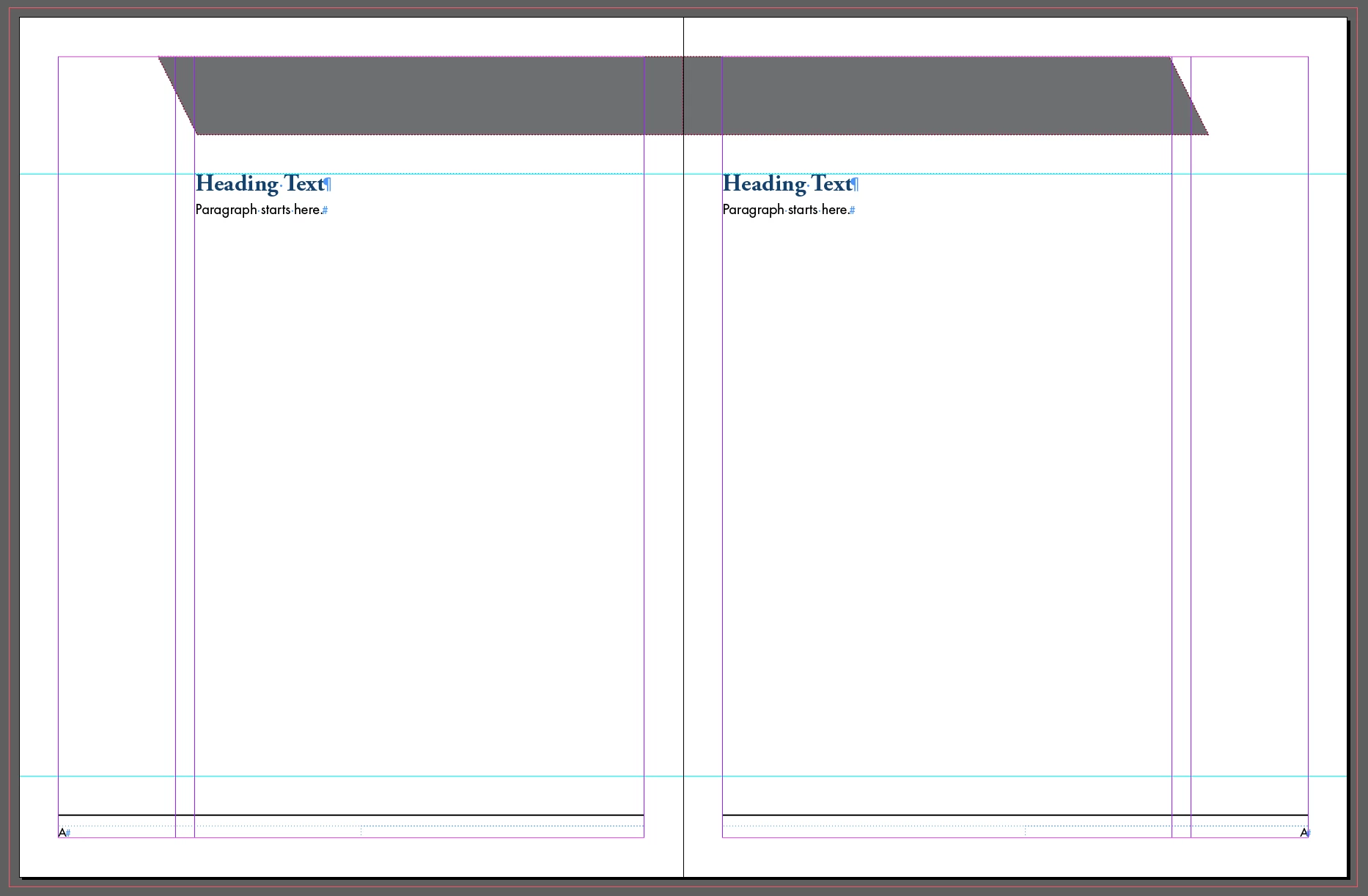
My document is a two-page spread with facing pages (book-style format with a spine). Each page has 0.5" margins on all sides with two columns: a smaller column of 1.5" and a larger column of 5.75" with a 0.25" gutter. The larger column is situated toward the spine with the smaller column on the outside. My primary text frame for every page is within the larger column and spans the entire width of this larger column (see image). The text frames are included in the master and I override them on each page (Cmd+click) to insert my copy. The smaller column is only used for anchored objects (similar to callouts) that reflow with the text.
The problem i'm facing is that when I insert a new page, because I have uneven columns and facing pages, the primary text box is out of position when the pages shuffle (see image).
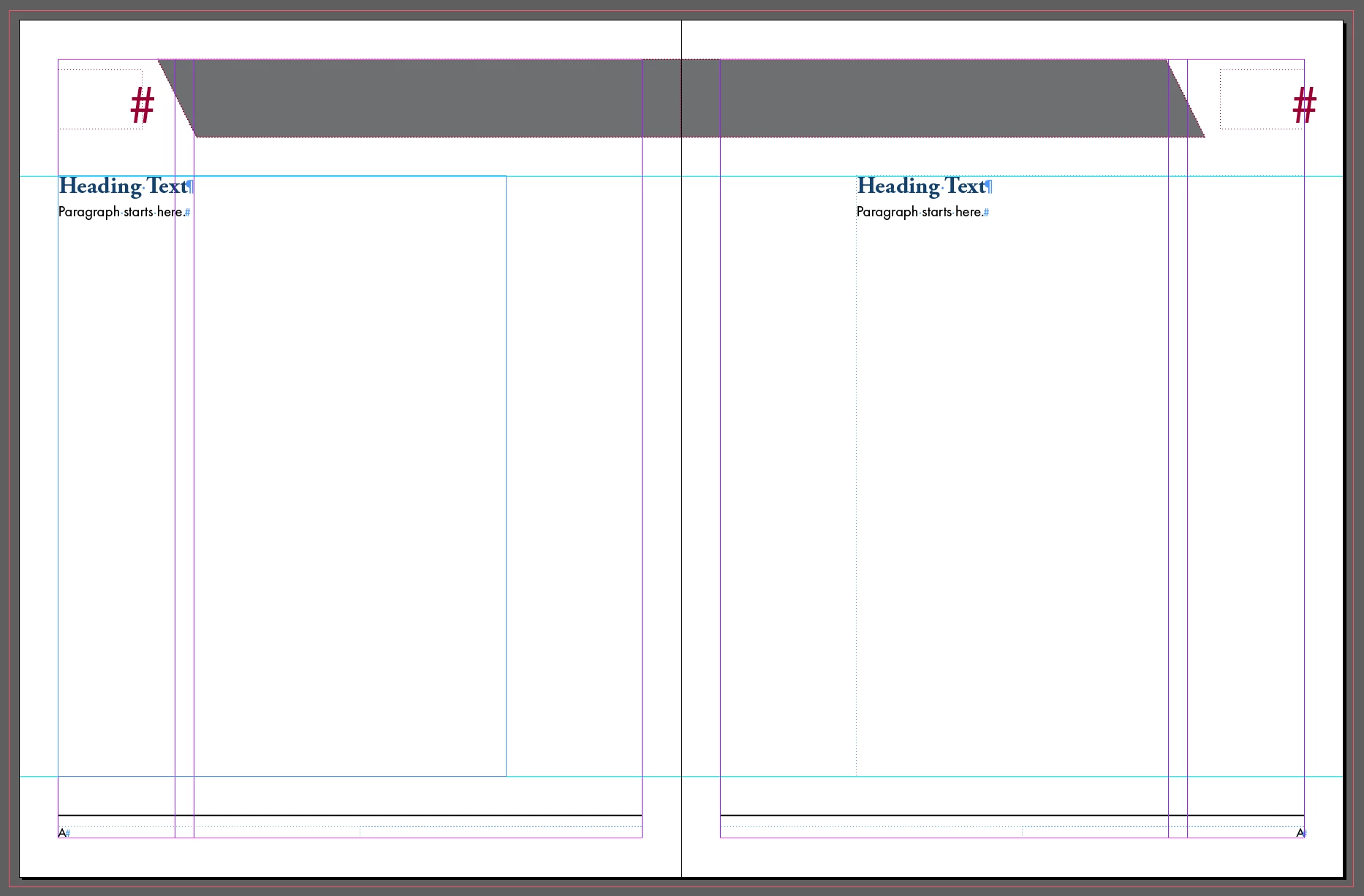
I really need these text boxes to stay aligned toward the spine because the document is huge and it's a big waste of time to have to reposition each text box individually on every page. Is there a way to do this?

Thank you in advance!

This topic has been closed for replies.
Correct answer Geоrge

>> is huge and it's a big waste of time to have to reposition each text box individually on every page

adjust layout script. You have this script already installed with your indesign.

http://indesignsecrets.com/adjust-position-of-objects-when-pages-reflow.php

And never add 1 page to facing-pages publication. ADD TWO pages (=spread).

2 replies

Geоrge
GeоrgeCorrect answer
Legend
January 4, 2017

>> is huge and it's a big waste of time to have to reposition each text box individually on every page

adjust layout script. You have this script already installed with your indesign.

http://indesignsecrets.com/adjust-position-of-objects-when-pages-reflow.php

And never add 1 page to facing-pages publication. ADD TWO pages (=spread).

Remember, never say you can't do something in InDesign, it's always just a question of finding the right workaround to get the job done. © David Blatner
Jeff Witchel, ACI
Community Expert
Community Expert
January 4, 2017

If you want to add Spreads, make sure you're always starting on a left page. If you want to add spreads and the first page to be added is right-hand page, add a single right-hand page first. Then add a Spread.

JCD2013Author
Participant
January 4, 2017

Thank you for the quick response!

Currently I'm trying to add a single right-handed page. That's what's throwing my alignment off. I won't need two pages for the content I'm adding.

Jeff Witchel, ACI
Community Expert
Community Expert
January 4, 2017

Make sure "Allow Document Pages to Shuffle" is checked under the Options menu of the Pages panel. See if that helps.