Hosun
Inspiring
January 7, 2020
Question

alignment of bookmarks

  • January 7, 2020
  • 2 replies
  • 626 views

Hi,


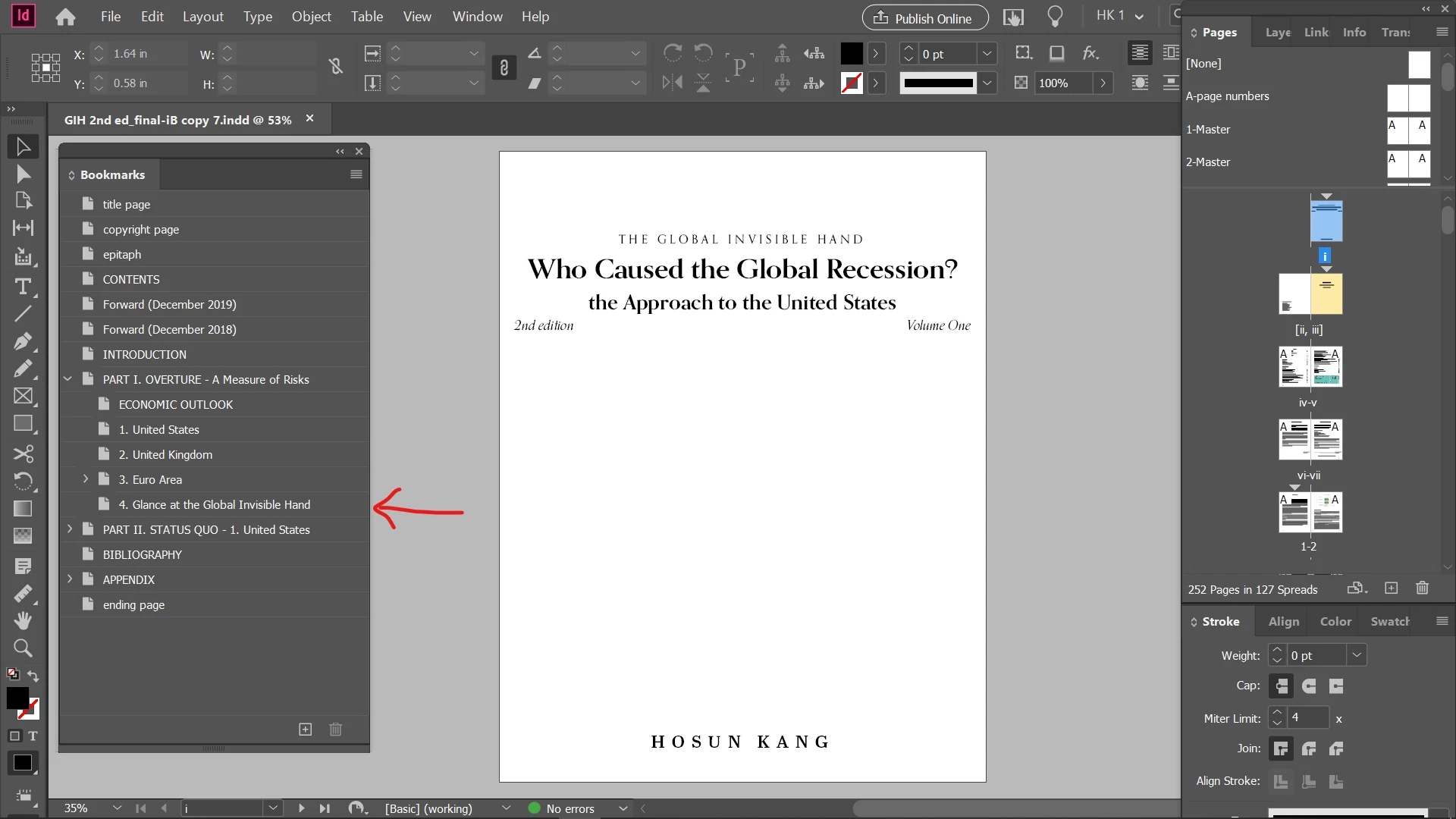
I exported an Id file to pdf and EPUB.


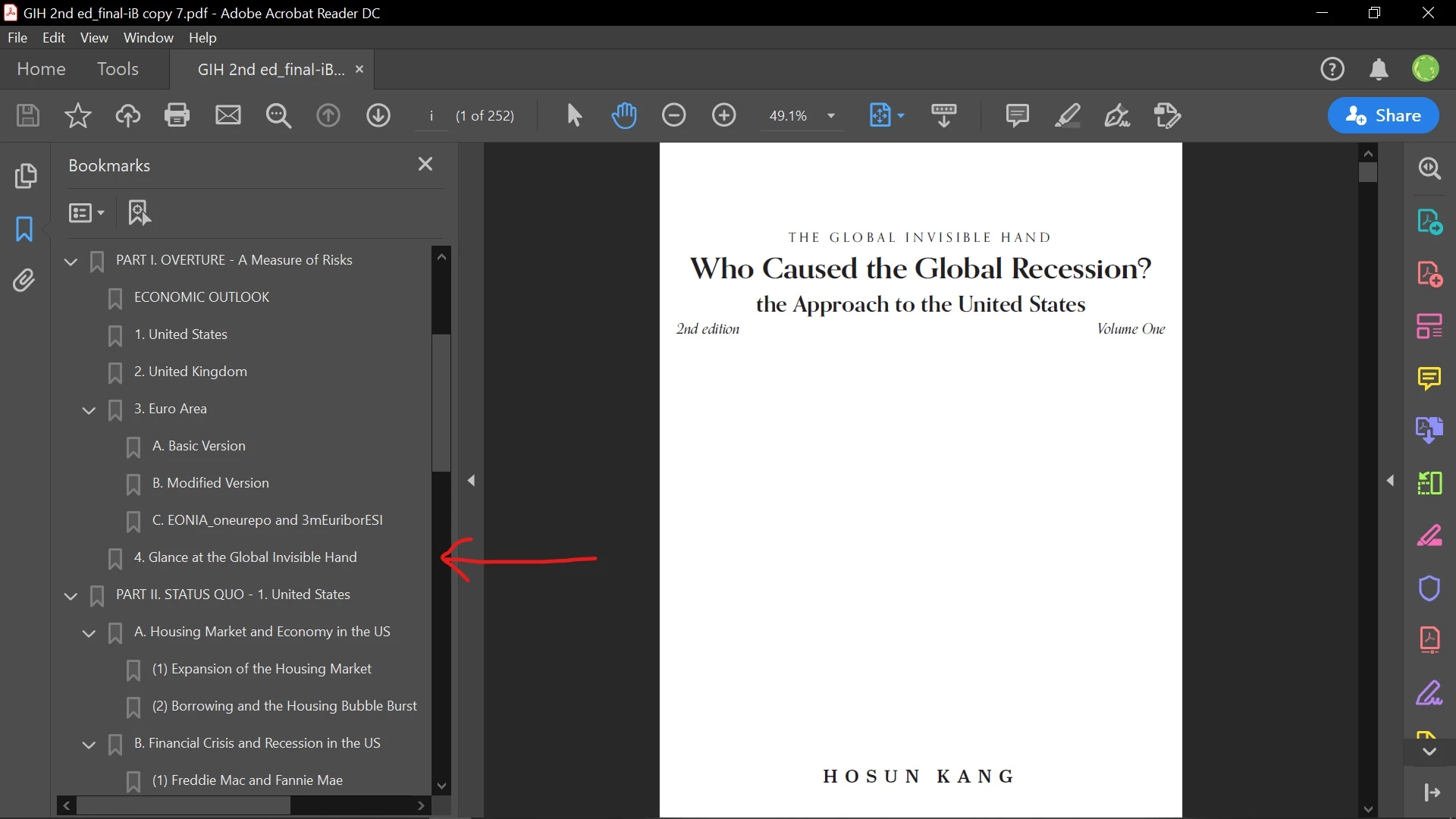
In pdf, “4. Glance at the Global Invisible Hand” is presented the same as Id.


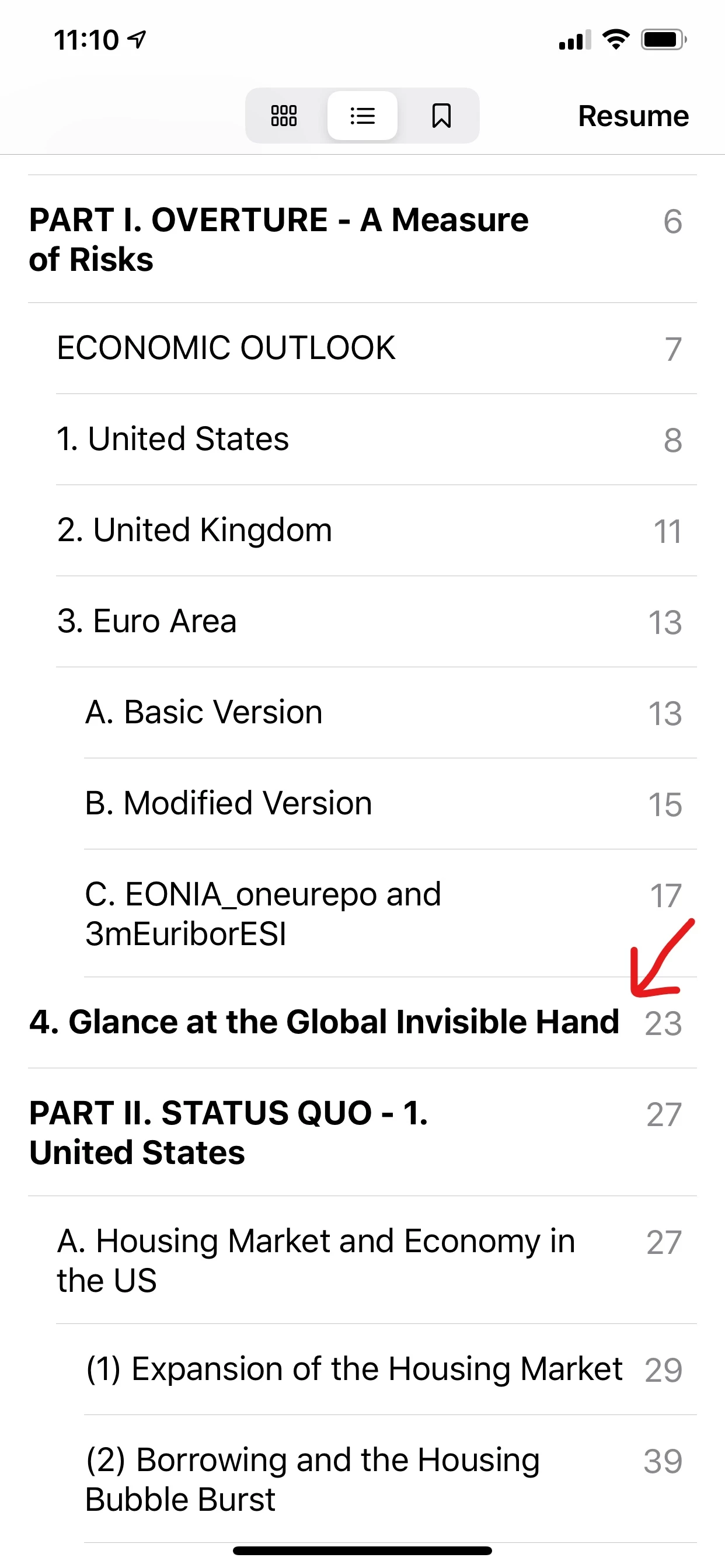
I opened EPUB with the Books app on iPhone.
“4. Glance at the Global Invisible Hand” is positioned on the left edge and in bold.


Could you tell me how I can make the bookmarks appear correctly on EPUB?


Hosun Kang
 

This topic has been closed for replies.

2 replies

Ashutosh_Mishra
Inspiring
January 7, 2020

Hi there,


Thanks for reaching out. In addiion to Chad's response, I'd recommend checking out the help article https://helpx.adobe.com/indesign/using/creating-table-contents.html for more information about Table of Contents.

Hope it helps.


Regards,

Ashutosh

hammer0909
Community Expert
Community Expert
January 7, 2020

It's all based on the settings that you define when building your Table of Contents style in Adobe InDesign. You access this by choosing Layout > Table of Contents. Look at the level defined for each style that you're including in the Table of Contents. Also, go to where item "4. Glance at the Global Invisible Hand" is located in your document and make sure that the correct style is applied to that text. Sometimes it can look correct but a different paragraph style got applied to the text.