Known Participant
July 5, 2021
Answered

Alternative way to expand the photo in other shapes

  • July 5, 2021
  • 2 replies
  • 253 views

Hi 

I have an image that expands across the four shapes and it was inserted in the upper right shape below. 
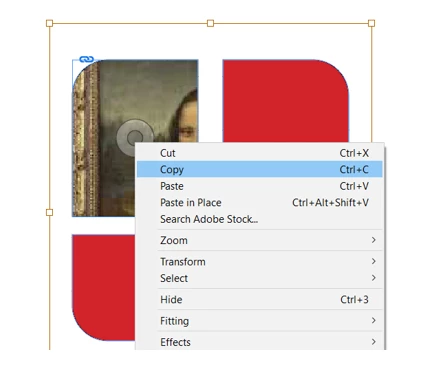
 

If I want to insert the rest of the photo in the other shapes, all it takes is to select copy by right clicking on the content grabber and paste it into the other shapes. Yesterday I was able to do this operation without selecting copy in the menu above. All I did was clicking once the content grabber, select the rest of the shapes, and chose paste into and it worked, but the steps I just mentioned are not working today.  Could anyone tell me what I am doing wrong? Thank you very much for your answers

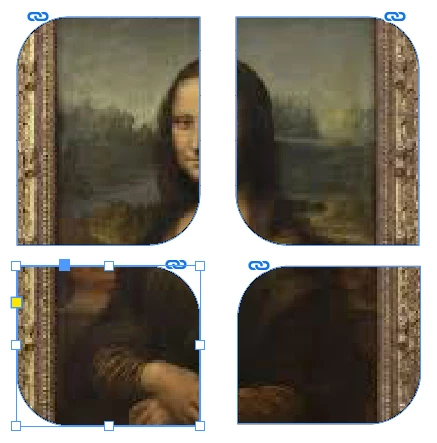
Final result:


This topic has been closed for replies.
Correct answer Willi Adelberger

Make compound paths before placing.

2 replies

J E L
Community Expert
Community Expert
July 5, 2021

@Ignacio5C4E I can't do it your way at all. I tried several times and ways with your steps but it doesn't work. I can only achieve this effect by creating and grouping the frames first, using Objects > Paths > Make Compound Paths and then placing the file. I use the content grabber to move the image around if needed. I wonder if you were achieving this by cutting-and-pasting the image into the first box instead of placing the image there? 

Willi Adelberger
Community Expert
Willi AdelbergerCommunity ExpertCorrect answer
Community Expert
July 5, 2021

Make compound paths before placing.

Geоrge
Legend
July 6, 2021

And here the video for a lasy users - 


Remember, never say you can't do something in InDesign, it's always just a question of finding the right workaround to get the job done. © David Blatner