


An open letter to the Adobe InDesign Team
I already know that I can post the in Bug Forums, or the Feature Request - or using Feature Request/Bug Report Form
And I know that the Adobe team rarely visit the forums - however, we have a rich abundance of InDesign users on here and with your support we can get things fixed.
However, I feel an open letter is best served as there's quite a few things to get through.
New Dialog Box
The new dialog box for New Documents in InDesign is horrendous. It's clearly a push to get people to see that Adobe Stock has templates for InDesign that you can purchase. I know the reasons why - you want more sales!
It's very slow to open, it's ugly, it's badly designed with the New Document measurements tacked onto the side that you need to scroll up and down to get to all the settings. (See points 1-5 below)
You might also notice on the New Dialog box that is being flaunted in front of us some sort of new genius way to start a new document - "an update" that some clever clogs has forgotten to add the PREVIEW option which is in the Legacy (see below) New Document dialog box.
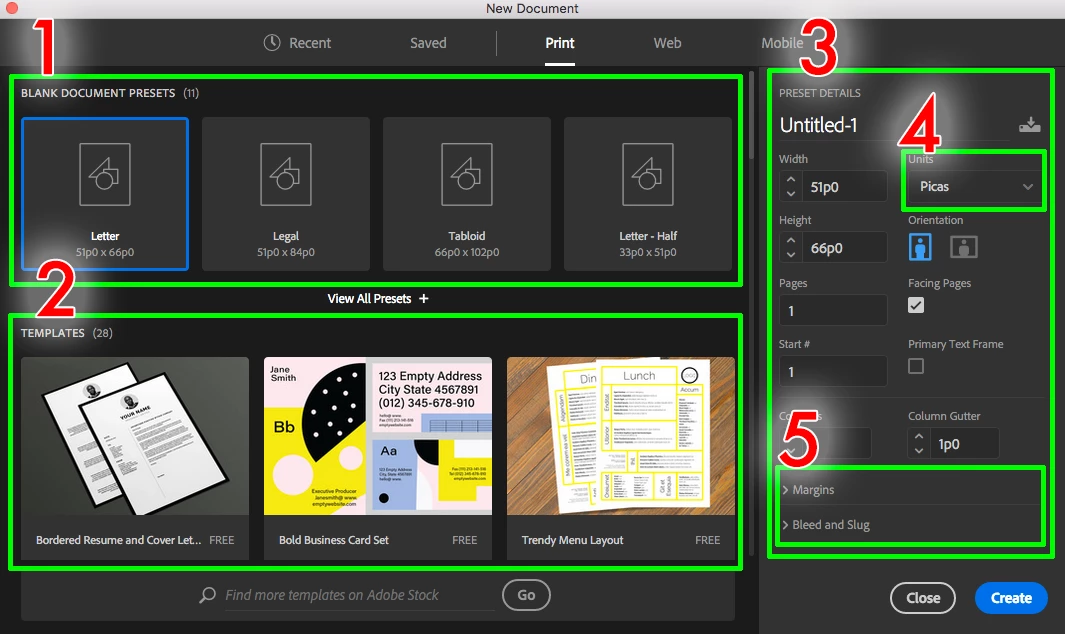
1: The blank document presets are useless. Why not have A4, A3, A2 etc. With B4 B3 etc. The last time I opened up a document to do "Tabloid" or "Letter Half" was in 1962 when I wasn't even born.
2: Templates - Clearly a marketing strategy that takes up 40% of the New Dialog box. I don't mind if there's a File>New from Templates in the drop down, but hogging up the all important New Document dialog box with 40% marketing and 33% of document sizes that people don't use is frustrating to see.
3: Preset Details.... Where to start
4: Units - I don't know many people that use Picas - at least a lot of my clients who I deal with on a regular basis (562 clients to be precise), never even heard of Picas - so why is it an option this day and age - we are not in 1950's print industry any more - most people use mm/cm/inches - that is not to say that Picas is not widely used, however, I'm going to go out on a limb and say that it's not used by the general users not in the print trade.
- I also know that this can be changed in the Preferences with no documents open - however I'll get to that soon.
- lt's also true that when you change the units to MM (which is handy) and select a different template, the units revert! Frustrating!
5: Margins / Bleed and slug
Arguably the most important part of a New Document is setting up your Margins/Bleeds/Slugs especially if you are in the design for print business - the Bleeds and Slugs need to be inserted. Why are these 2 very important settings optional drop downs? Why are they almost hidden - why do I have to scroll through the New Document dialog box to get to these settings?
In summary
- The New Dialog box is 80% faff and 15% useful with 5% of the important necessary stuff hidden into drop down menus.
- This needs to be changed back to the original way PRONTO - forget the FAFF - there's other ways to sell your products!
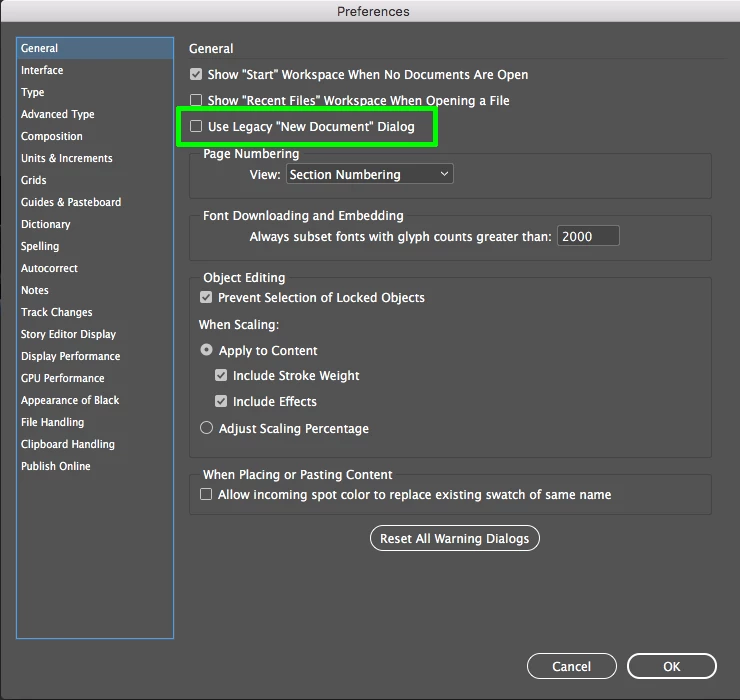
For those still reading - you can change this behaviour with No Documents Open - and go to InDesign preferences however I'll get to that soon.
Pop Up Notifications
This is not an attack on the features of Indesign - but rather on how they are thrown in your face.
Pop Up Notifications went out with the dinosaurs - why did InDesign team feel necessary to include here? Who knows - it takes up my time, which is valuable, and it's not needed. What's the first thing you do with a website that throws up a pop up - you close the website and find a different one - at least I do. I don't want to speak for everyone - but that's how I feel.
On the first export of a PDF from InDesign this monstrosity pops up (takes 1 second exactly to fully appear) and it takes over a very large portion of the screen smack bang in the middle - telling you about "Publish Online". however I'll get to this soon
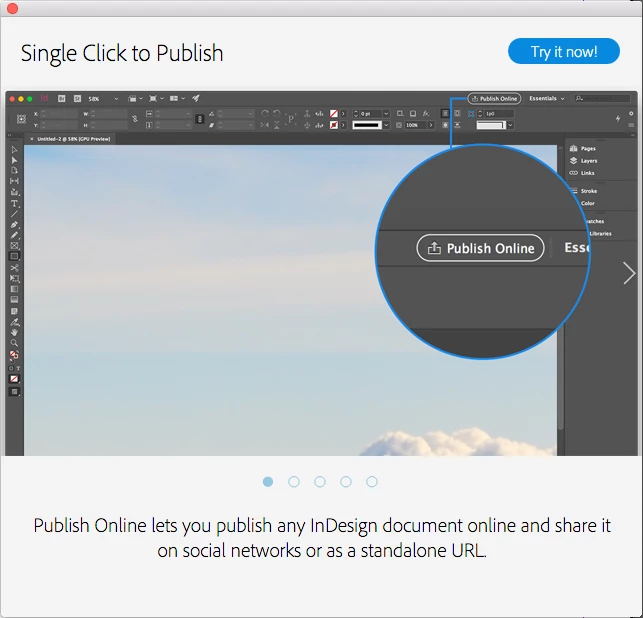
Not only this - but there are more pop ups throughout the day .
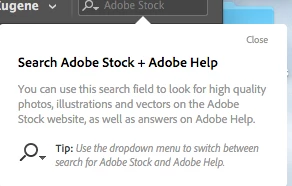
Once again - Plugging their own products to increase their own profits!
Nothing wrong with this - however, it's intrusive, and it's certainly not what I hoped the money from Creative Cloud Subscriptions would be used for!
Preferences
Tip: If you don't already know - you can set preferences for all new documents by changing your preferences with no documents open.
My main preferences changes are as follows:
General: Use Legacy "New Document" dialog
Units & Increments: Millimetres (to be clicked twice - just in case you want to use MM going across and AGATES going down...
Dictionary: English UK
Spelling: Enable Dynamic Spelling (why this is turned off every time I will never know)
Autocorrect: Enable - set the language to English UK (two things)
Publish Online: Disable
- Now - I know everyone has different Preferences and how they want to be setup - but they're mine and you have yours - however I'll get to that soon
******************************************************************************************
The part about "However I'll get to that soon"
All of the above items RESET once InDesign crashes - or you need to reset the preferences due to irregular behaviour (Troubleshooting 101: Replace, or "trash" your InDesign preferences )
There's 4 sections before you start a new document that you have to go back and redo - simply because InDesign crashed (or the computer or something else went wrong).
I, like a lot of people here, work in a very fast paced business. Perhaps you don't work in a studio - perhaps you work for yourself, for someone else, for a team, for a company! Whoever you are, you know what I am talking about - time is money!
As I work on a multitude of items every day - every week and every month - software, computers, hardware etc all fail at some point. For me it happens more times than I care to count.
Ok - my computer issues aside, despite working on Mac and PC in tandem, where the PC is very new with very high spec - yet at random times computers fail. It's inevitable. As with software. Ok - I might have a crash once a week. Or it could happen 3 times day.
I hate when InDesign crashes, the computer crashes, the server goes down briefly, InDesign fails - all the time I have to get rid of that ugly who cares for new dialog box that nobody likes - I have to close all those hideous pop ups - I've to setup all my preferences again.
Notes:
- This is not about me - it's about the annoying changes being implemented to InDesign.
- This is about the way things are implemented - it's about the forever ways we have to come up with to combat the generous updates to the software that we pay a monthly subscription for
- Once InDesign is set to work a certain way - whether it crashes or not - the Preferences/Presets/Options previously chosen should remain the same.
- I am very frustrated by the whole thing - very frustrated indeed!
Kind regards
Eugene
ACP


 AdChoices