
Participating Frequently
February 23, 2024
Question

Anchored images not showing in correct reading order in accessible PDF

  • February 23, 2024
  • 4 replies
  • 1013 views

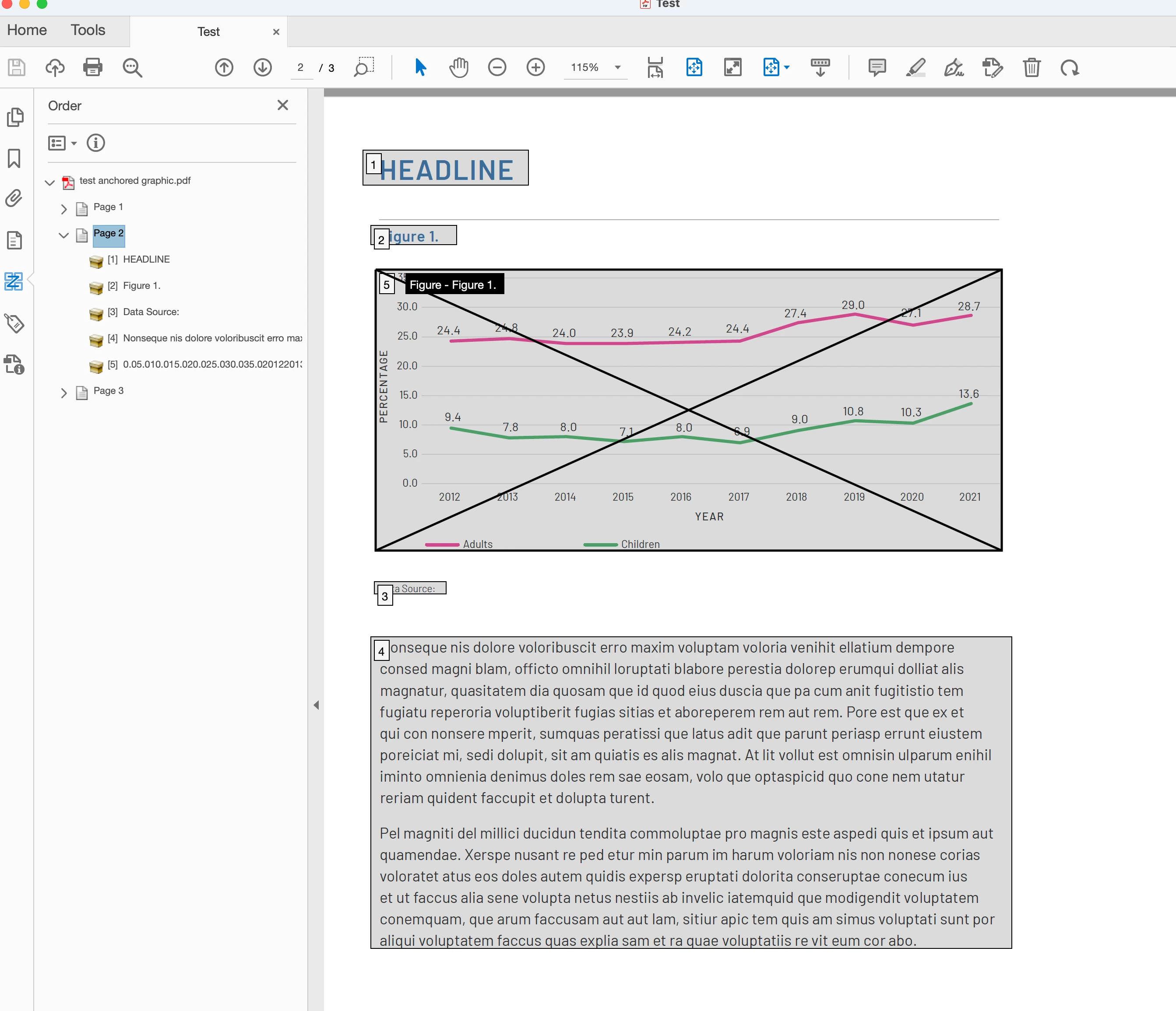
All the help files and forums say you can anchor an image within a text block eg at the end of a paragraph, and that graphic will read in that order in an accessible PDF (when viewing under the ORDER/Z in the PDF). But I can't get it to order it that way at all – it always drops it to the last reading order on the page no matter where the graphic is anchored to in the text (see screenshot). I just can't figure this out.
I've attached the files in case that helps. 
 

4 replies

Participating Frequently
October 10, 2025

I am having the same issue. Accessibility testing is flagging this as a read order violation and there doesn't appear to be a way to fix this in InDesign. As another user has stated, different screen readers read the content differently. Some use the tags pane and some go by the read order pane. It passes in the tags pane, but not the read order pane and they are both required to match for proper accessibility protocol.

karenpyAuthor
Participating Frequently
March 17, 2024

Anyone have any ideas on how to get it right from IND?

Participant
September 10, 2025

This blog posts suggests that the reading order numbering doesn't actually relate to how screen readers read out the content https://www.highlander.co.uk/blog/accessible-pdf-correct-reading-order


"One source of confusion I often find is users relying on the Order panel or Acrobat’s Reading Order tool, believing it to be a reliable source of information for the read order. Its understandable, I mean it’s called the reading order tool, and it puts little numbers on every box on the page. Unfortunately this is misleading, as this is showing the visual rendering order of the content on the page which typically relates to the order in which content was added to the page during the documents creation. It is not referring to the order in which accessible devices like screen readers will read the document, and such devices will rely on the order of the tags in the tags panel."


Think I will tell clients that accessible PDFs are impossible next time, and insist it should be in HTML.

karenpyAuthor
Participating Frequently
September 10, 2025

Thanks for this info - most helpful. When I first trained on this I believe I was told that some screen readers use the tag order and some use the reading order so we should make sure that both are correct. So either this was incorrect info or times have changed. Thanks again for taking the time to post this – really appreciate it.

karenpyAuthor
Participating Frequently
March 1, 2024

I'm really hoping someone can help on this.

Harshika Verma
Community Manager
Community Manager
March 1, 2024

Hi @karenpy,

Sorry for the delay in response. Is it happening with this specific file or all files? Is it possible for you to share the file with me so that we can investigate at our end?


We will try our best to help.


Thanks,

Harshika

karenpyAuthor
Participating Frequently
March 1, 2024

Hi,

It happens with all my files – I’ve never been able to get it to work as advertised. I included the files for download on the forum but you can download from:
https://jumpshare.com/b/r83ctLZniHeoQiFrFLPf

Hopefully you can let me know what I’m doing wrong (if it’s user error) or what the fix is. Thanks.


Cheers,
Karen

. . . . . . . . . . . . . . . . . . . . . . . . . . . . . . . . . . .
Karen Parry | Black Graphics
<Personal Info Removed By Moderator>

Harshika Verma
Community Manager
Community Manager
February 23, 2024

Hi there, 

Thank you for reaching out. It looks like one section in this article mentioned that-

Anchor images within the content flow:-

Images in a print layout can appear anywhere in a spread, and sighted users can make the connection between the image and relevant text as they read. Screen readers process content in a linear fashion. Because screen readers use text-to-speech facilities to describe images, they should be placed as close as possible to the text that pertains to the image. InDesign’s drag-and-drop object anchoring makes it simple to place the reference to the image in an appropriate location without affecting the print layout.

Please let us know if that helps you. We'll be happy to assist you further.


Thanks,

Harshika

karenpyAuthor
Participating Frequently
February 23, 2024

Thanks for replying. Yes I had read that already and so expect the image to be read where I anchor it but as you can see in my example it is not doing that.  If you have any ideas on what I need to do to fix the reading order please do let me know.