



Anchored Object Insertion Point Has Width?
Hello,
I have a problem on somewhat narrow columns where it seems that the insertion point on an anchored object is treated as a space, or fixed with, and causing text to hang over the edge of the frame.. I've never seen it before and wonder if you have ideas on how to remove it?
Here are a few pictures -
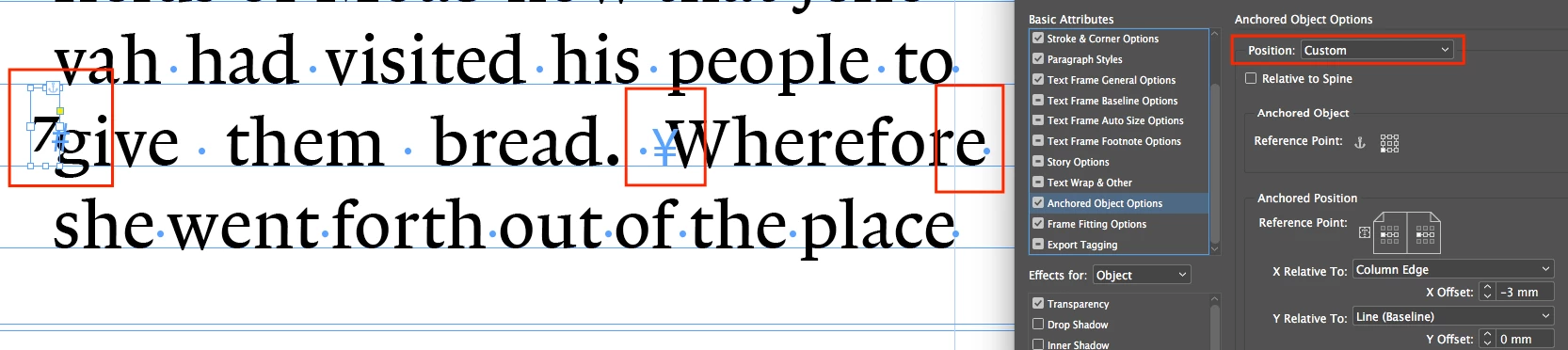
1. The problem. I am using a custom position and placing the frame on the left side (with the 7 in it). You can see the insertion point after the space before the W. The "e" on the end of wherefore is hanging out of the text frame.
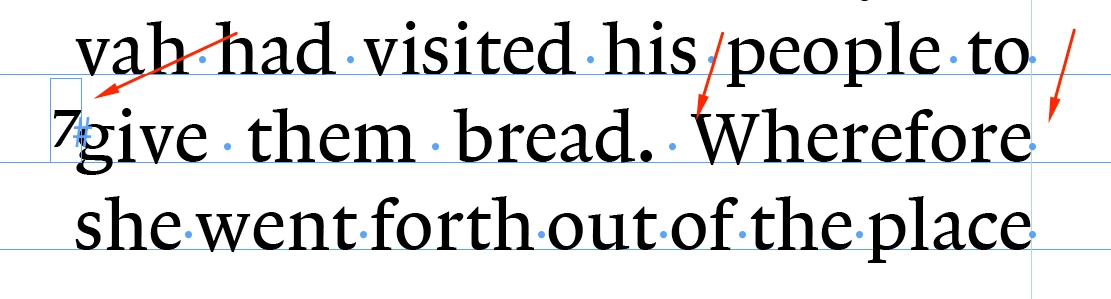
2. Object released. If it release the anchored object you can see that the "e" pops back into the frame. I really need to keep it anchored so this won't help me.
3. Change to "in line". If I change to inline anchor it oddly pops the "e" back in! Hows come?

If any one has ideas on how to fix this I'd appreciate it! I tried in different fonts and have the same issue.
It looks like someone else had the same problem before but no solution was found -
Anchored object not aligning at top correctly
I've attached an ID file with an example of the problem in google drive. insertion_point_error.indd - Google Drive
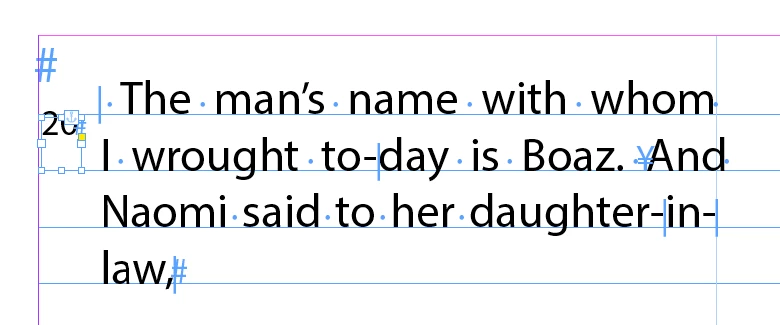
This is what the file looks like on my Mac -
Thanks!!
Christopher
 AdChoices