
Inspiring
January 19, 2024
Answered

Anchored objects - gap between

  • January 19, 2024
  • 2 replies
  • 535 views

Hi

In a text frame that contains some anchored objects (also text frames), I don't want to have any space between the objects.
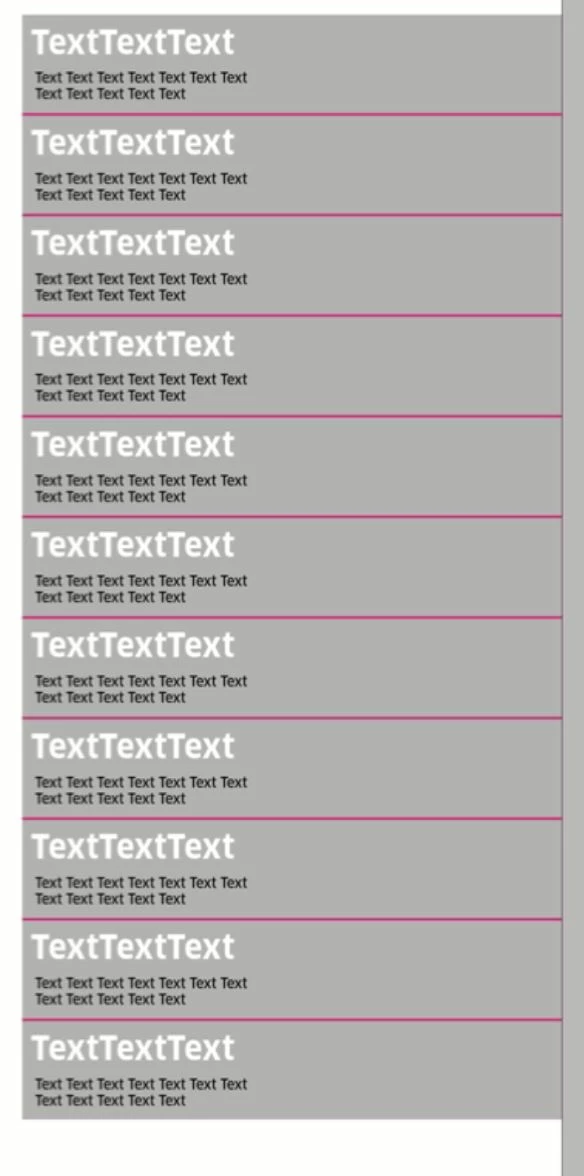
 

Now the line spacing is set to automatic. When I change it manually there is no gap but also no clean arrangement. How can I make the anchored objects run cleanly one after the other without any gaps?


regards

This topic has been closed for replies.
Correct answer Willi Adelberger

This can be done faster with paragraph styles with paragraph borders and fills.

2 replies

cmoke73Author
Inspiring
January 19, 2024

I´ve got it:

The main frame had a text size. It shouldn´t. I put it on 0,1 pt and now it´s fine.

Willi Adelberger
Community Expert
Community Expert
January 19, 2024

My questiion is, why do you anchor you one text frame after the other? I don't see any need for it.

Reasons for a gap here could be:

  • Text Wrap Settings
  • Fixed Leading in the host paragraph or space before and after
  • Alignment to Baseline Grid.


But why this complicated method? why?

cmoke73Author
Inspiring
January 19, 2024
quote

My questiion is, why do you anchor you one text frame after the other? I don't see any need for it.

But why this complicated method? why?


By @Willi Adelberger


Thanks Willy!


Okay, you asked me several times so I'll try to explain 🙂


It is a table of contents. I know there are many other ways to deal with this. But in this particular case I need separate “blocks” that can be quickly changed in order and its background color manually: via drag and drop.


Willi Adelberger
Community Expert
Willi AdelbergerCommunity ExpertCorrect answer
Community Expert
January 20, 2024

This can be done faster with paragraph styles with paragraph borders and fills.