You're probably quite close to an acceptable result. One thing I did not make clear is that the position settings in my example are just that, examples — ones that worked well for my sample layout.
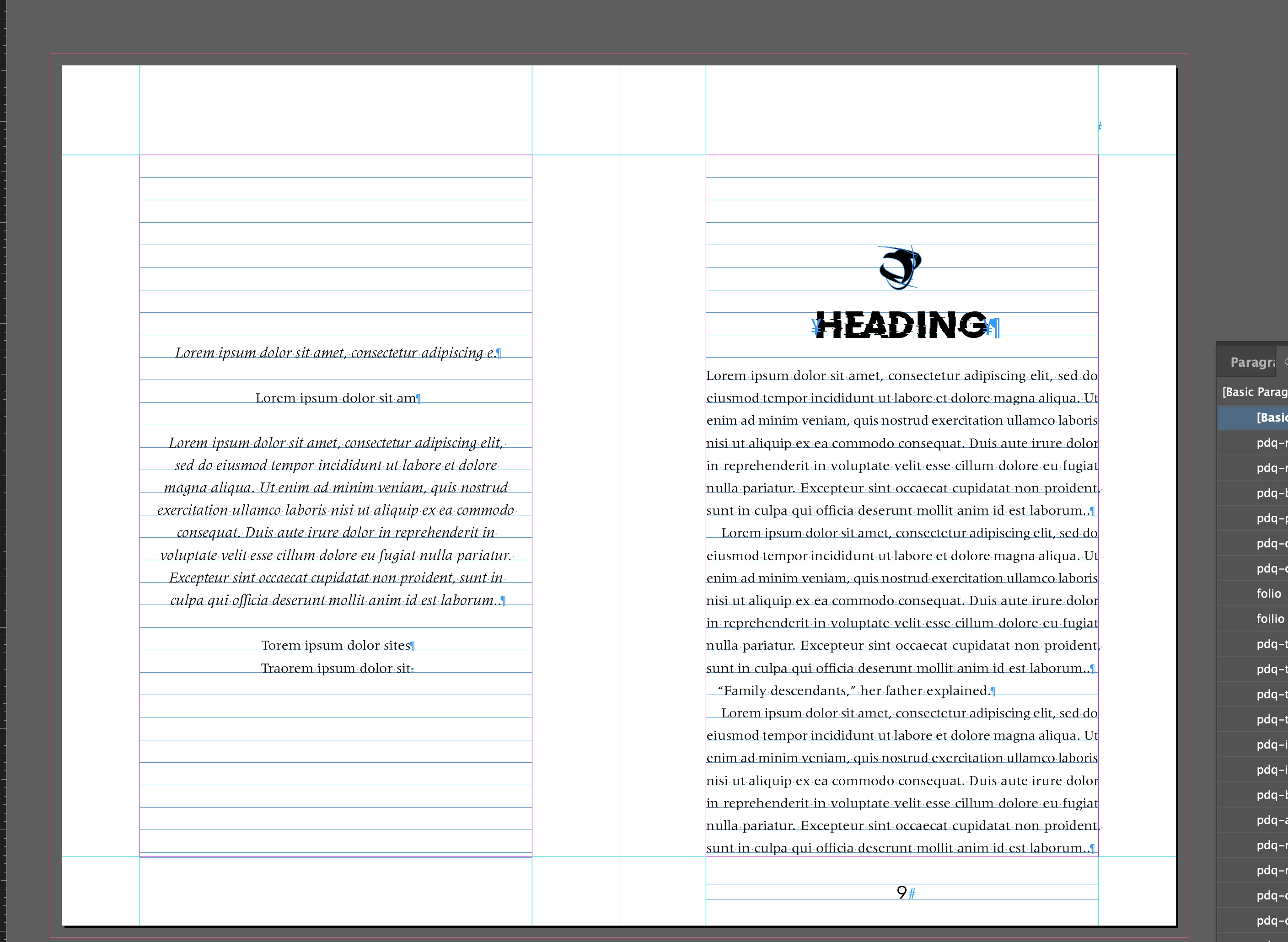
The two elements (heading paragraph, and icon image) are not as closely 'coupled' as in InDesign and can be positioned independently in EPUB.
Adjust the four values of spacing to get each one where you want it on the EPUB display, and relative to each other:
- Paragraph top spacing value in ID (this will set space between top page margin and top of heading);
- Paragraph bottom spacing in ID (space between heading and following text);
- Top spacing value in Object positioning menu (sets spacing between top margin and top of image);
- Bottom spacing value of Object (may be of little effect but can control space between the elements).
Adjusting those should get you to the EPUB page spacing you want. Remember it's about 144px per screen inch, which may be a scaled value depending on the reader.
Also, make sure there are no other spacing definitions in play — such as a top spacing value in the text frame. These are usually discarded in the export process, but some settings can stack and cause confusion.
In the "Rule Above" spacing to get the heading down in the InDesign layout, I recommend using a thin rule (1 pt, set to color None) and a large offset (such as 18 picas or 3 inches), rather than a thick line setting. The line is passed to the EPUB export, and is usually ignored or irrelevant, but it it not always predictable how the reader will handle it.

 AdChoices