Answered

This topic is closed to new replies. Start a new post to keep the conversation going.
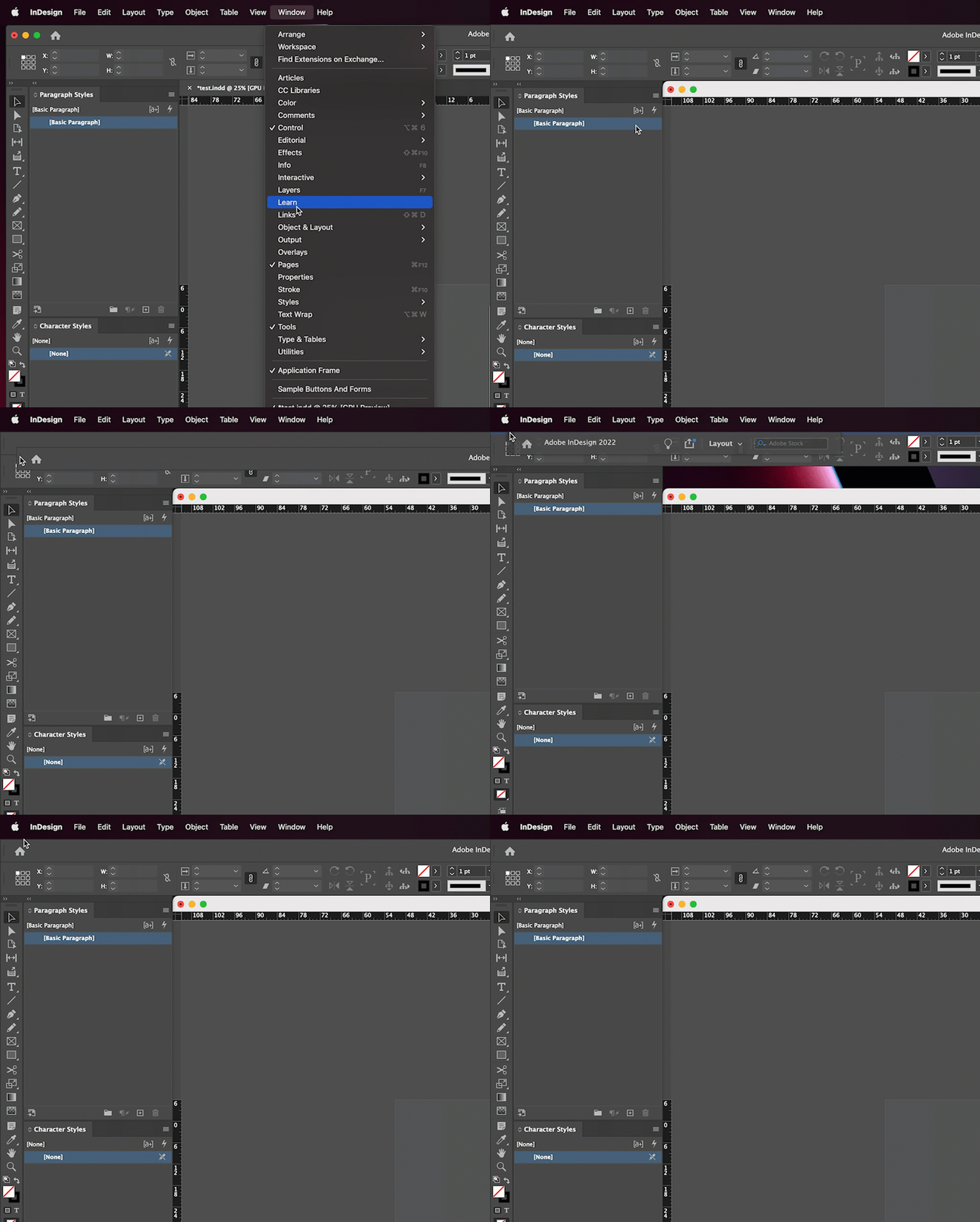
When you work with Window > Application frame disabled on a Mac, you can inadvertently undock the title bar and overlap the Control panel, as per your screen shot.
You can re-dock it, or you can enable the Application frame, as per Bob. If you don't like the Application frame—and many long-time Mac users do not—just re-dock it. Watch for the blue horizontal bar.
~Barb


Sign up
Already have an account? Login
To post, reply, or follow discussions, please sign in with your Adobe ID.
Sign inSign in to Adobe Community
No account yet? Create an account
To post, reply, or follow discussions, please sign in with your Adobe ID.
Sign inEnter your E-mail address. We'll send you an e-mail with instructions to reset your password.
 AdChoices