Inspiring
November 21, 2025
Answered

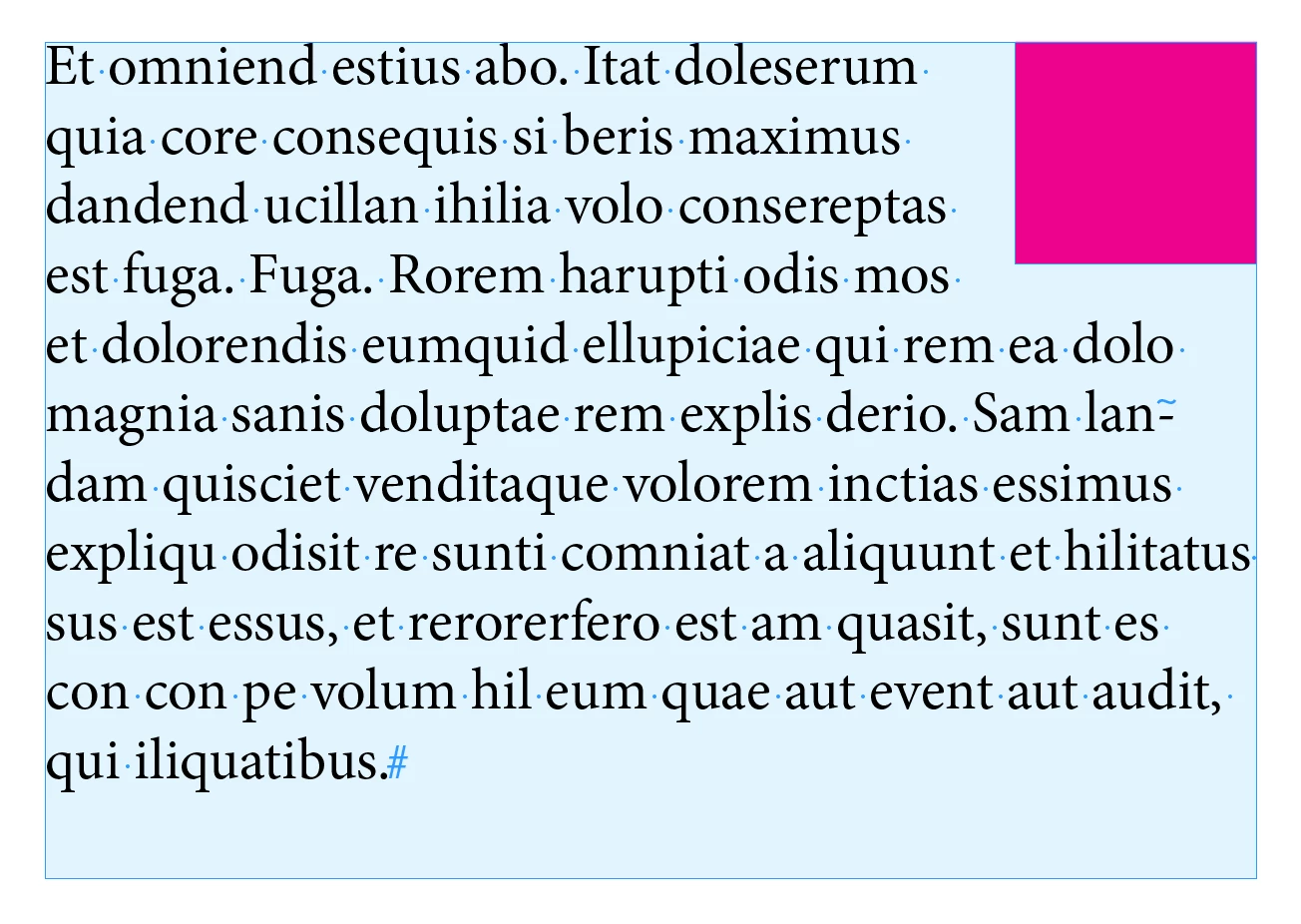
Any hope of anchoring like this?

  • November 21, 2025
  • 2 replies
  • 397 views

The anchored object needs to be at the top of the Text Frame, but move along with the text  if the text moves. (wherever it's anchored.)
Doing this in the "standard" way doesn't work if it has to be on the top line in a Text Frame.

Thanks


thanks


Correct answer Joel Cherney

It does! But I don't think that anchored objects like the one you want to use flow particularly well across pages. 
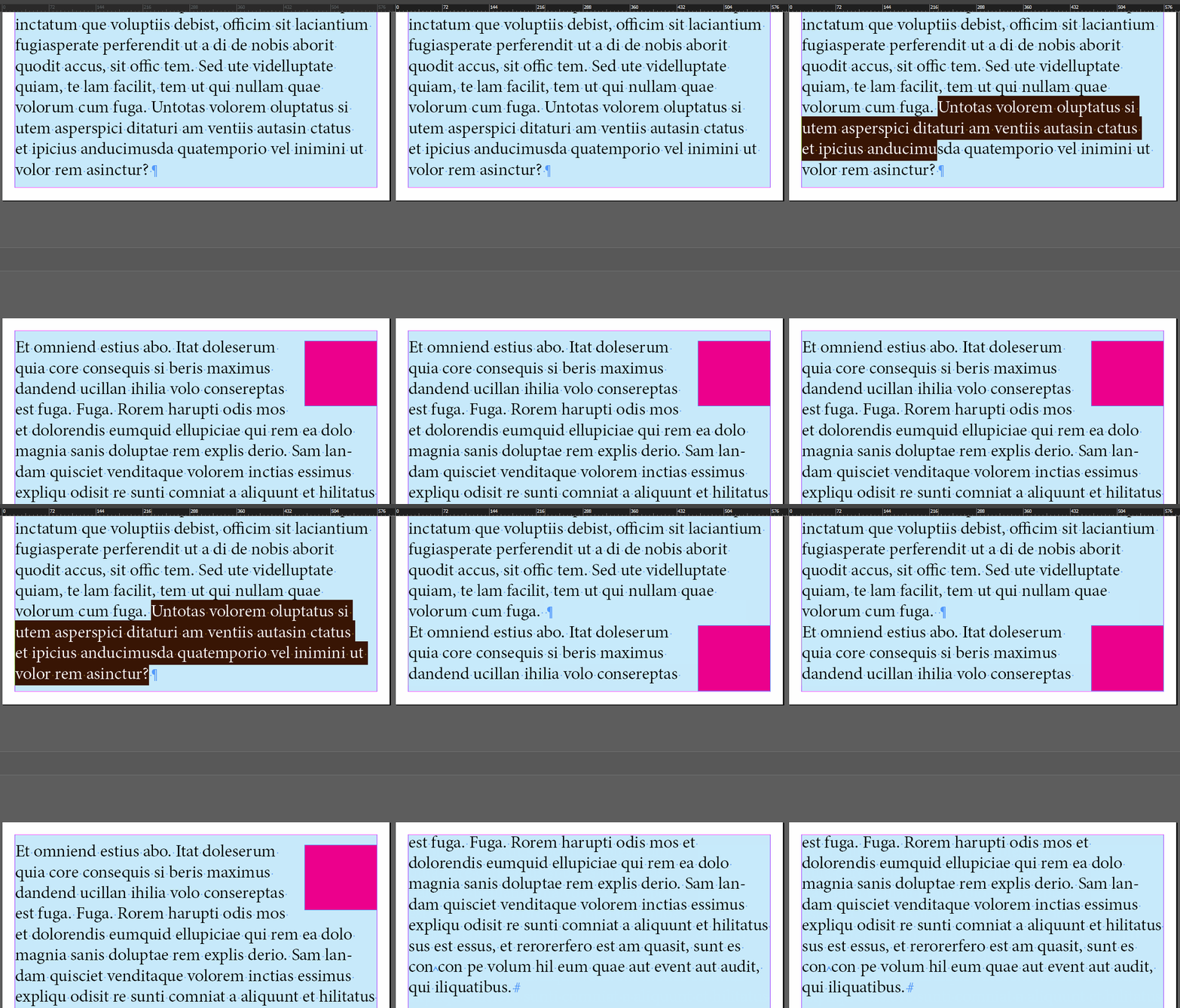


Note that I've deleted three lines at once to avoid a possibly undesired custom anchored object behavior:
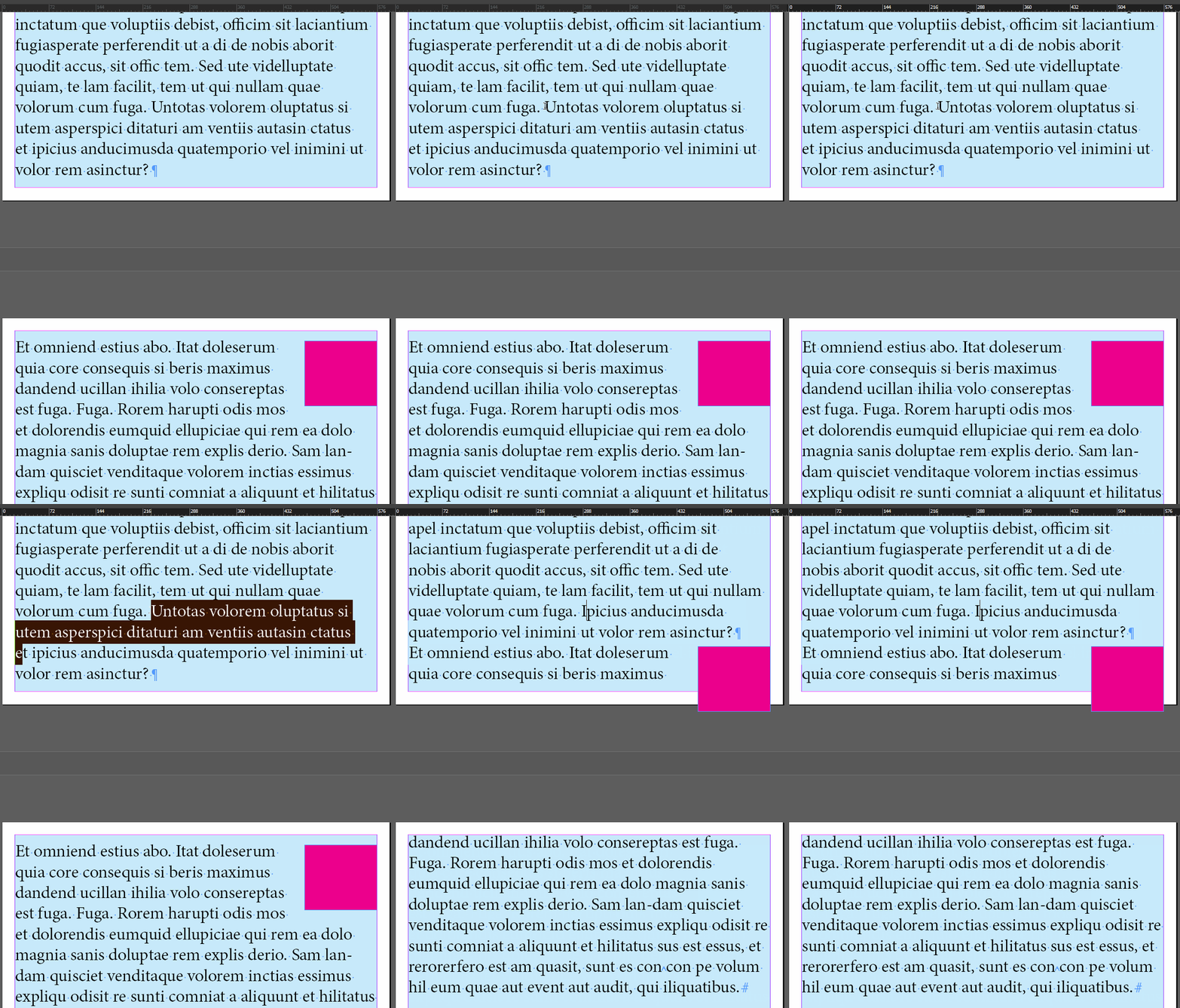


It's an edge case, formatting-wise. There are a few possible use cases here - perhaps you want to build a file that is a template, and don't want to mess with anchored images when you fill the template with new text? Perhaps you're building a file that is going out for translation into a large number of languages? Perhaps you need the alt text for the red square read with the paragraph it's next to? It's not possible for me to guess, and each answer is going to be a different partially-unsatisfactory workaround. 


Maybe you just want to go fill out a feature request for the text wrap of custom anchored objects to be respected by the paragraph in which they're anchored? 


I typically anchor them elsewhere - that is, not in the paragraph that I need to wrap around it - and to insure correct placement and wrap, I include a post-DTP review stage "Use the Find/Change Dialog to Search for the Custom Anchored Object Anchor Character, and Eyeball Every Single Anchored Object in Every Language in This Twenty Language Translation Project" before delivery.


2 replies

Joel Cherney
Community Expert
Community Expert
November 21, 2025

You must be referring to the fact that the paragraph in which the text is anchored won't obey the text wrap placed on the red square, right? I've always gotten around this by using the dirty trick of putting a tiny empty paragraph directly above "Et omiend" and anchoring the object to the empty paragraph. It might require some additional dirty tricks in the Baseline Options of the Text Frame Options to get a 0.1 point, 0.1 leading, 1% vertical scale empty paragraph to not create an unnecessary gap. 

turner111Author
Inspiring
November 22, 2025

Yes, that's correct... unfortunately, it also needs to flow within and across text boxes.

Joel Cherney
Community Expert
Joel CherneyCommunity ExpertCorrect answer
Community Expert
November 22, 2025

It does! But I don't think that anchored objects like the one you want to use flow particularly well across pages. 


Note that I've deleted three lines at once to avoid a possibly undesired custom anchored object behavior:


It's an edge case, formatting-wise. There are a few possible use cases here - perhaps you want to build a file that is a template, and don't want to mess with anchored images when you fill the template with new text? Perhaps you're building a file that is going out for translation into a large number of languages? Perhaps you need the alt text for the red square read with the paragraph it's next to? It's not possible for me to guess, and each answer is going to be a different partially-unsatisfactory workaround. 


Maybe you just want to go fill out a feature request for the text wrap of custom anchored objects to be respected by the paragraph in which they're anchored? 


I typically anchor them elsewhere - that is, not in the paragraph that I need to wrap around it - and to insure correct placement and wrap, I include a post-DTP review stage "Use the Find/Change Dialog to Search for the Custom Anchored Object Anchor Character, and Eyeball Every Single Anchored Object in Every Language in This Twenty Language Translation Project" before delivery.

jmlevy
Community Expert
Community Expert
November 21, 2025

Like this?

turner111Author
Inspiring
November 22, 2025

Not exactly... It needs to be inline & have its wrap working on all lines... 🙂