

Chris  P.  Bacon
Inspiring
December 11, 2022
Question

Any way to fit frame to graphics in InDesign?
  • December 11, 2022
  • 2 replies
  • 276 views

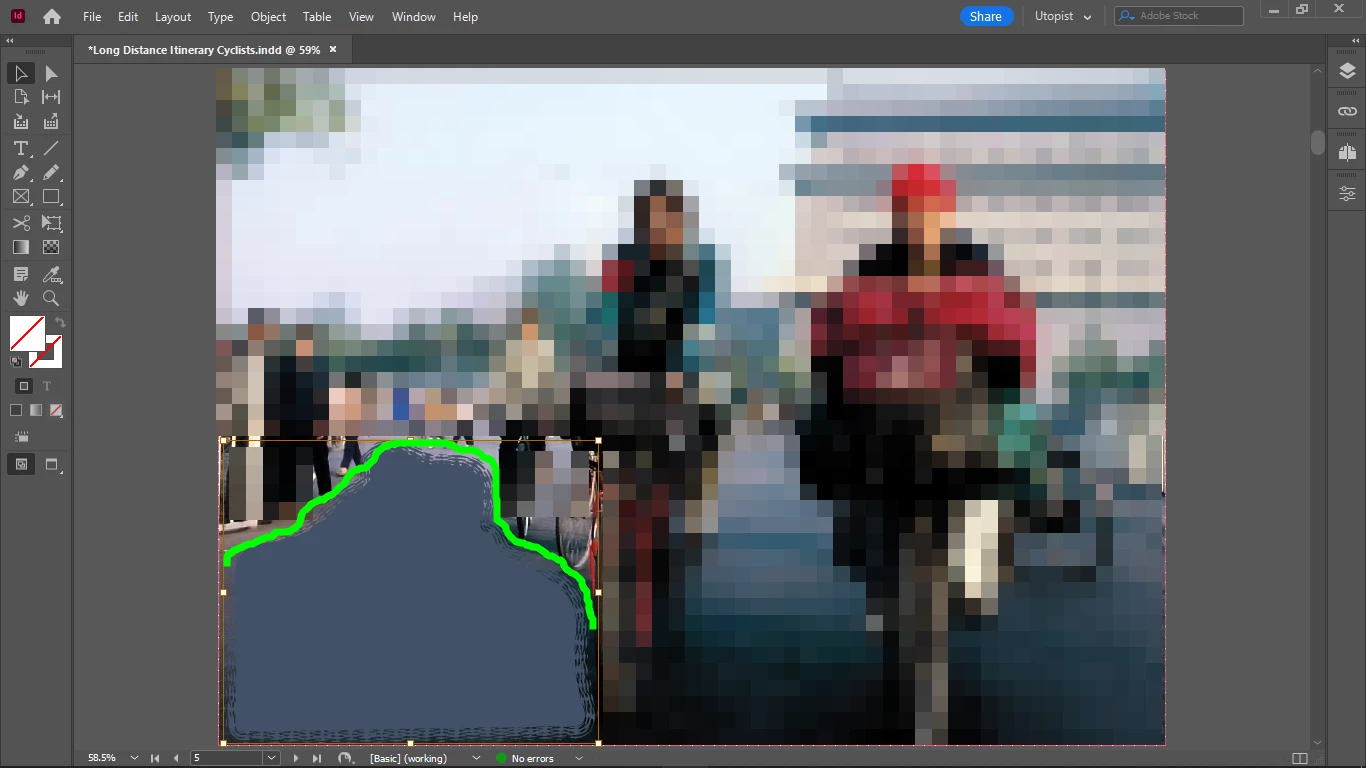
Fit frame to content doesn't work with graphics it seems, but it wouldn't work with text in this shape either, it just fits max width and max height, it doesn't follow the shape of the graphic.

This might cause issues with interactivity (if the shape is clickable or has a scroll trigger - to get something scrolled to that point) or with blend modes (but I don't think that transparent parts can interfer with other blends, but I am not sure).

Is there no way to fit the frame to the graphics, or the frame must always be rectangular or ellipsoid?

This topic has been closed for replies.

2 replies

James Gifford—NitroPress
Legend
December 11, 2022

Fit frame to content means just that: it brings the frames to the edges of a (usually rectangular) image or graphic.


ID has no feature to fit the frame to visual content, even if it's a circle on a white background. The frame will fit to the nearest edge of the whole graphic on each side.


Chris  P.  Bacon
Inspiring
December 11, 2022

Yes I realized that but I use document size "guard frames" together with my pasted objects (from Illustrator) because I noticed that if I do that, the object will be pasted in the exact same location as in Illustrator.

That's important because I work with custom shapes.

But it's getting pasted as a document size frame as EPS (the size of the guard frame I made in Illustrator to lock the shape in position, didn't even need to group the 2), transparent except the shape.

That means that it's a full document size frame.

That means you cannot make it a button, you cannot make it clickable in interactive e-books, you cannot accurately trigger a scroll to that exact location from the tables of content, etc.

Hopefully the transparent part of it wouldn't interfer with blending of other elements in InDesign, but that frame shouldn't be full document size.

If that shape is a button or a clickable area, if the frame doesn't fit its shape, it will be clicked also if people tap outside of it. 

Willi Adelberger
Community Expert
Community Expert
December 11, 2022

This command works. If you get that result your original graphic extends to that area.


You can get this result with appropriate Object Style.

Chris  P.  Bacon
Inspiring
December 11, 2022

Which command?