
Known Participant
March 12, 2025
Answered

Anyone have a script to export pdf and png at same time?

  • March 12, 2025
  • 6 replies
  • 789 views

I have a lot of documents to export to png and pdf (384 documents, basically the same documents, 12 shells and 32 different sales people names).  I found the script below but it's not working in Indesign 20.2, and I'm too dumb to edit it. I thought the pdf preset name was the issue, but none seem to work. 


In a perfect world, this script would work on all open documents (I generally open 32 at a time), but I think that's pushing it. Any help is appreciated. 


var doc = app.activeDocument;

// PDF Export
function exportPDF() {
var pdfExportPath = doc.filePath.parent + "/" + doc.name.split(".")[0] + ".pdf";
doc.exportDocument({
file: new File(pdfExportPath),
exportPDFOptions: {
presetName:"

[PDF/X-4:2008]"
},
});
}

// PNG Export
function exportPNG() {
var pngExportPath = doc.filePath.parent + "/" + doc.name.split(".")[0] + ".png";
doc.exportDocument({
file: new File(pngExportPath),
exportJPEGOptions: {
fileFormat:ExportFileFormat.PNG,
},
});
}

// Call the functions
exportPDF();
exportPNG();
Correct answer Kasyan Servetsky

I found the script below but it's not working in Indesign 20.2

This script can't work in any version: everything is wrong there.

Here I made a working version. Tested in Indy 19.5 and 20.0.

var doc = app.activeDocument;
var docPathNoExt = doc.fullName.absoluteURI.replace(/\.[^\.]+$/, "");

// PDF Export
function exportPDF() {
	var pdfFile = new File(docPathNoExt  + ".pdf");
	var pdfPreset = app.pdfExportPresets.item("[PDF/X-4:2008]");
	doc.exportFile(ExportFormat.PDF_TYPE, pdfFile, false, pdfPreset);
}

// PNG Export
function exportPNG() {
	var pngExportPrefs = app.pngExportPreferences;
	
	with (pngExportPrefs) {
		pngQuality = PNGQualityEnum.MAXIMUM;
		transparentBackground = true;
		exportResolution = 72;
		pngExportRange = PNGExportRangeEnum.EXPORT_ALL;
		pngSuffix = "_page_^P";		
	}

	var pngFile = new File(docPathNoExt  + ".png");
	doc.exportFile(ExportFormat.PNG_FORMAT, pngFile, false);
}

// Call the functions
exportPDF();
exportPNG();
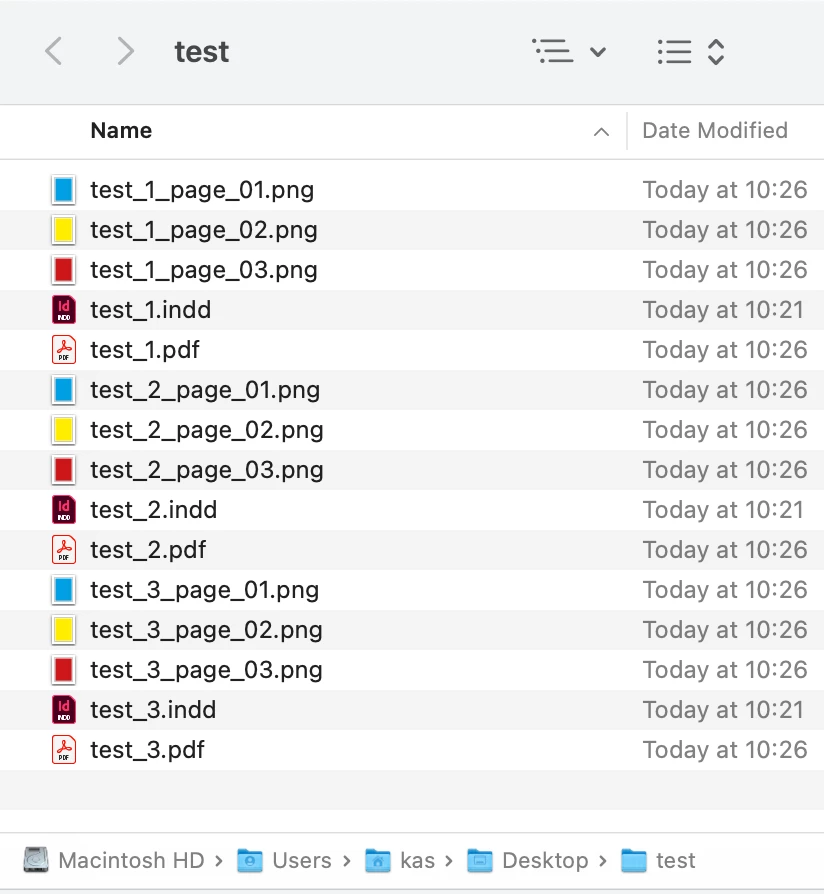
Change PNG export prefs to whatever you need.


In a perfect world, this script would work on all open documents (I generally open 32 at a time), but I think that's pushing it. Any help is appreciated.

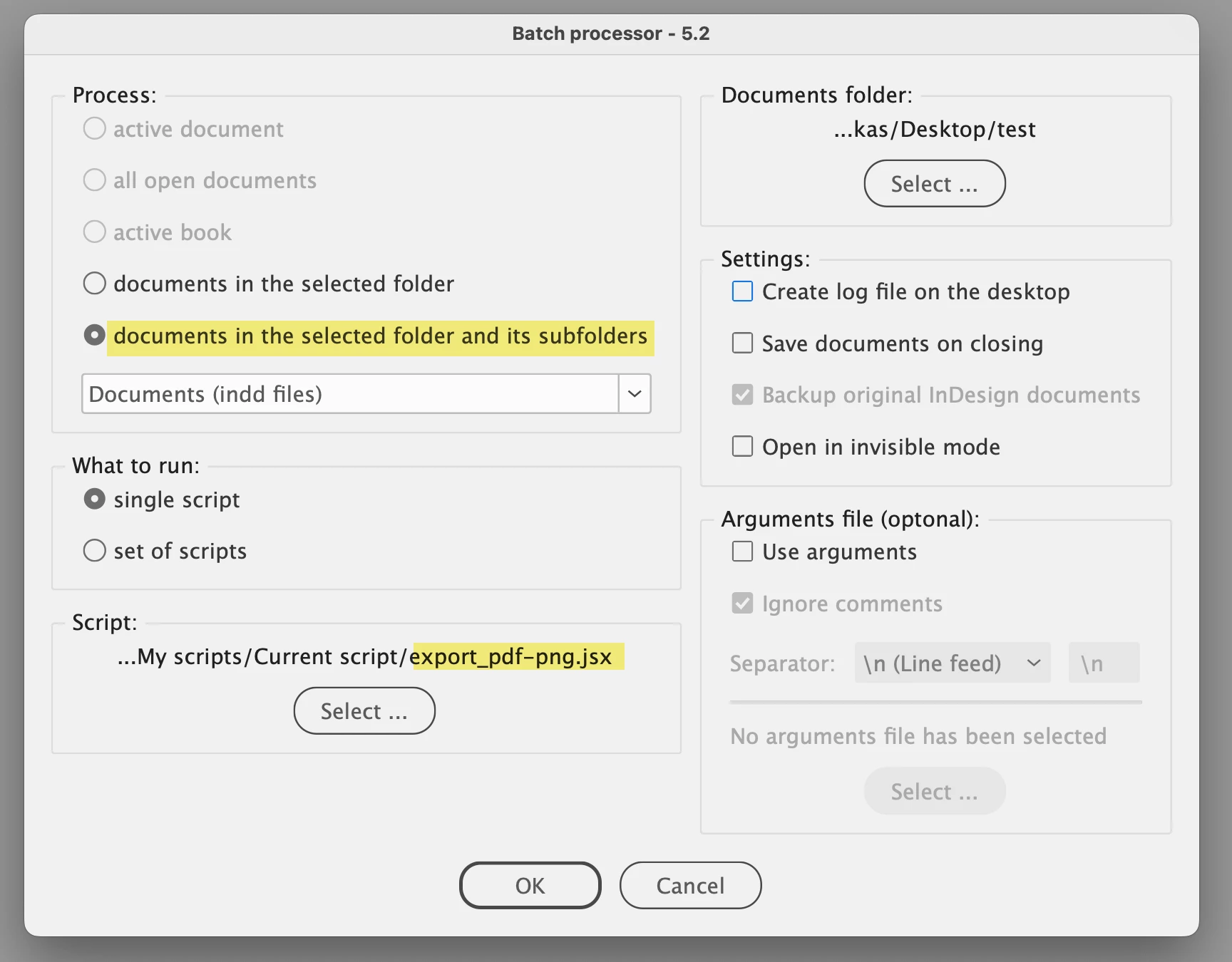
It's possible with my Batch processor script. You can process all files in one go, running them through all folders and subfolders.


6 replies

Community Expert
March 13, 2025

To all:

regarding scripting and there the Folder object with InDesign 2025 version 20.1 (perhaps also above) there is a bug that could hurt. Read this article by Marc Autret:


The Great Folder Fiasco: A Tale of InDesign 20.1 and macOS
Marc Autret, January 31, 2025 | Snippets | en
https://indiscripts.com/post/2025/01/the-great-folder-fiasco


Regards,
Uwe Laubender
( Adobe Community Expert )

Kasyan Servetsky
Kasyan ServetskyCorrect answer
Legend
March 13, 2025

I found the script below but it's not working in Indesign 20.2

This script can't work in any version: everything is wrong there.

Here I made a working version. Tested in Indy 19.5 and 20.0.

var doc = app.activeDocument;
var docPathNoExt = doc.fullName.absoluteURI.replace(/\.[^\.]+$/, "");

// PDF Export
function exportPDF() {
	var pdfFile = new File(docPathNoExt  + ".pdf");
	var pdfPreset = app.pdfExportPresets.item("[PDF/X-4:2008]");
	doc.exportFile(ExportFormat.PDF_TYPE, pdfFile, false, pdfPreset);
}

// PNG Export
function exportPNG() {
	var pngExportPrefs = app.pngExportPreferences;
	
	with (pngExportPrefs) {
		pngQuality = PNGQualityEnum.MAXIMUM;
		transparentBackground = true;
		exportResolution = 72;
		pngExportRange = PNGExportRangeEnum.EXPORT_ALL;
		pngSuffix = "_page_^P";		
	}

	var pngFile = new File(docPathNoExt  + ".png");
	doc.exportFile(ExportFormat.PNG_FORMAT, pngFile, false);
}

// Call the functions
exportPDF();
exportPNG();

Change PNG export prefs to whatever you need.


In a perfect world, this script would work on all open documents (I generally open 32 at a time), but I think that's pushing it. Any help is appreciated.

It's possible with my Batch processor script. You can process all files in one go, running them through all folders and subfolders.


Participating Frequently
March 13, 2025

THANK YOU! Full disclosure - I've already exported all these files manually 3 times. Client likes to make changes after they say everything is approved. 

TᴀW
Legend
March 12, 2025

If you want a paid-for solution, my Extract Pages is quite popular: https://www.id-extras.com/products/extract-pages/

Visit www.id-extras.com for powerful InDesign scripts that save hours of work — automation, batch tools, and workflow boosters for serious designers.
Robert at ID-Tasker
Legend
March 12, 2025
quote

If you want a paid-for solution, my Extract Pages is quite popular: https://www.id-extras.com/products/extract-pages/


By @TᴀW


In that case - paid solutions - can I suggest my ID-Tasker tool? But it's Windows only. It will automatically process any number of files - including subfolders.


Robert at ID-Tasker
Legend
March 12, 2025

@rickwtexas


What error do you get? 


Is it ChatGPT generated? 


Participating Frequently
March 12, 2025

thanks. Its in jsxbin format, all the online converters have been taken down (

Community Expert
March 13, 2025

Hi @betsyl1670440 ,

well yes, Peter Kahrel's script is jsxbin format.

Nevertheless you can download the script file and move it to your personal Scripts User folder and start it from there.


Note: I would recommend Peter Kahrel's scripts as "trusted sources".


Regards,
Uwe Laubender
( Adobe Community Expert )

Robert at ID-Tasker
Legend
March 13, 2025
quote

Note: I would recommend Peter Kahrel's scripts as "trusted sources".


As long as downloaded from a "trusted source" - creativepro website. 


Community Expert
March 12, 2025

Hi @rickwtexas ,

look into this script by Peter Kahrel:


Batch-process (convert/export/import) documents
by Peter Kahrel, latest version from 21 Jan. 2025
https://creativepro.com/files/kahrel/indesign/batch_convert.html


Regards,
Uwe Laubender
( Adobe Community Expert )