Apparent Bug in Adobe Acrobat DC 22.002,20212.0 (64-bit)
I was creating a book using Adobe Indesign 17.4 with 358 pages with many color photos and images. While preparing a "dummy" for printer I saved the file by creating a PDF using print function Microsoft to PDF. in one of the frames 50% of photo was replicated into a frame where it did not belong on page 291. I checked the InDesign file and everything looked good. No photo was embeded and I checked the folders for the chapter and the errant photo was not in the folder from which the image should have been drawn from (ruled out that error. So the "errant photo" was properly located in its folder and properly visible in its assigned frame; but somehow was duplicated in the lower half of a later chapter's frame. Printer can replace photo on PDF using Adobe Professional, but some glitch caused this. Interestingly, this error is not generated when I select only page 291.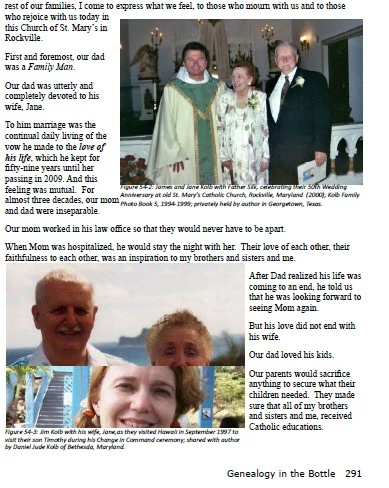 Since I have completed the book and the printer can fix, I am just reporting this bug. I am curious if anyone knows what caused it. CJK
 AdChoices