
Appearance of numbered figure captions vary even though using the same style
Hi. Using ID 15.0.3 CC on Windows 10 currently updated.
I am using a single numbered figure caption style for two captions, and the style seems to produce two different effects. There appear to be no overrides in place. (There is another figure caption style to start/restart numbering at Figure 1. That style is not misbehaving.) Fig 1 and Fig 2 appear correctly; fig 3 and subsequent do not.
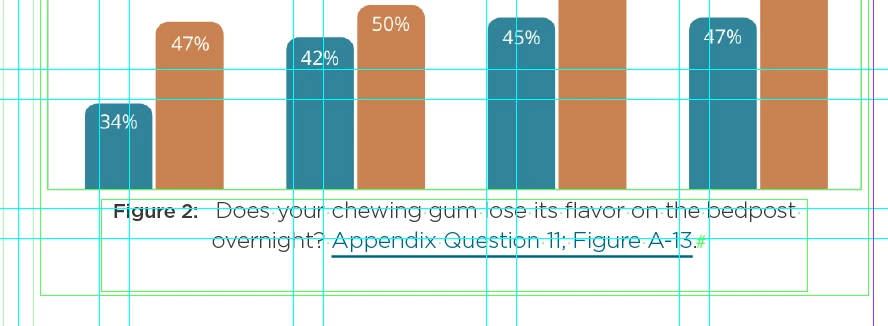
Figure 2 -- centered with a small space (tab) between the figure number and the caption. (The tab is used later to align figure numbers in the TOC.)
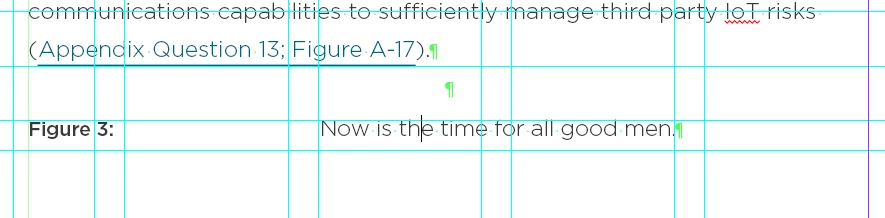
Figure 3 -- appears left-justified with a large space (tab) between figure number and caption.
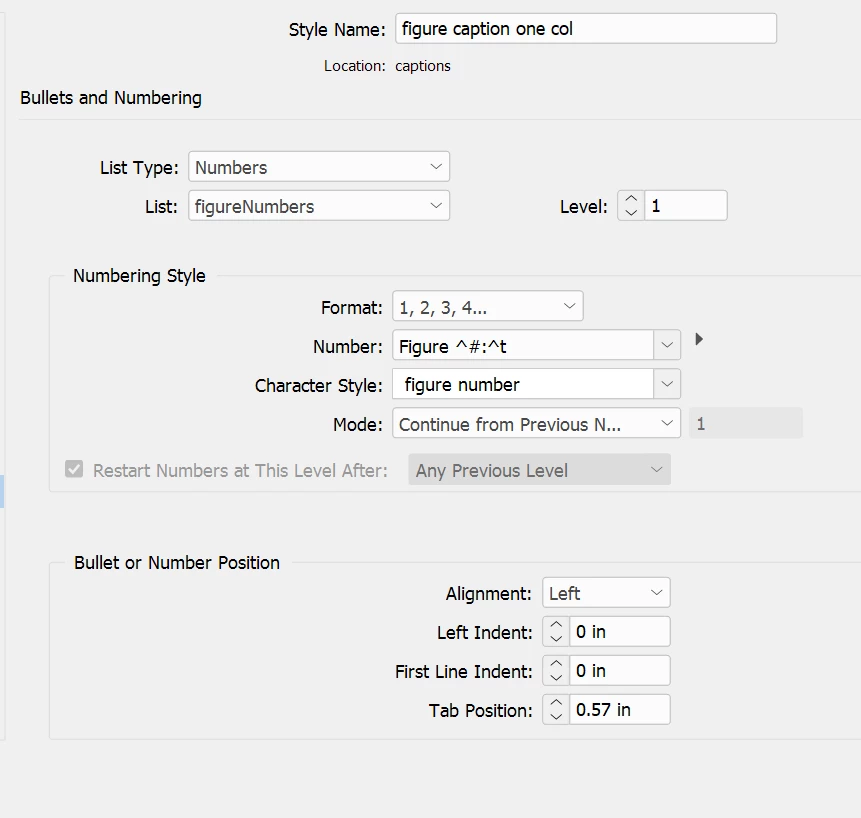
Here is the defintion (I think I have included the important parts of the dialog). This one style is selected and applied to both figures above.
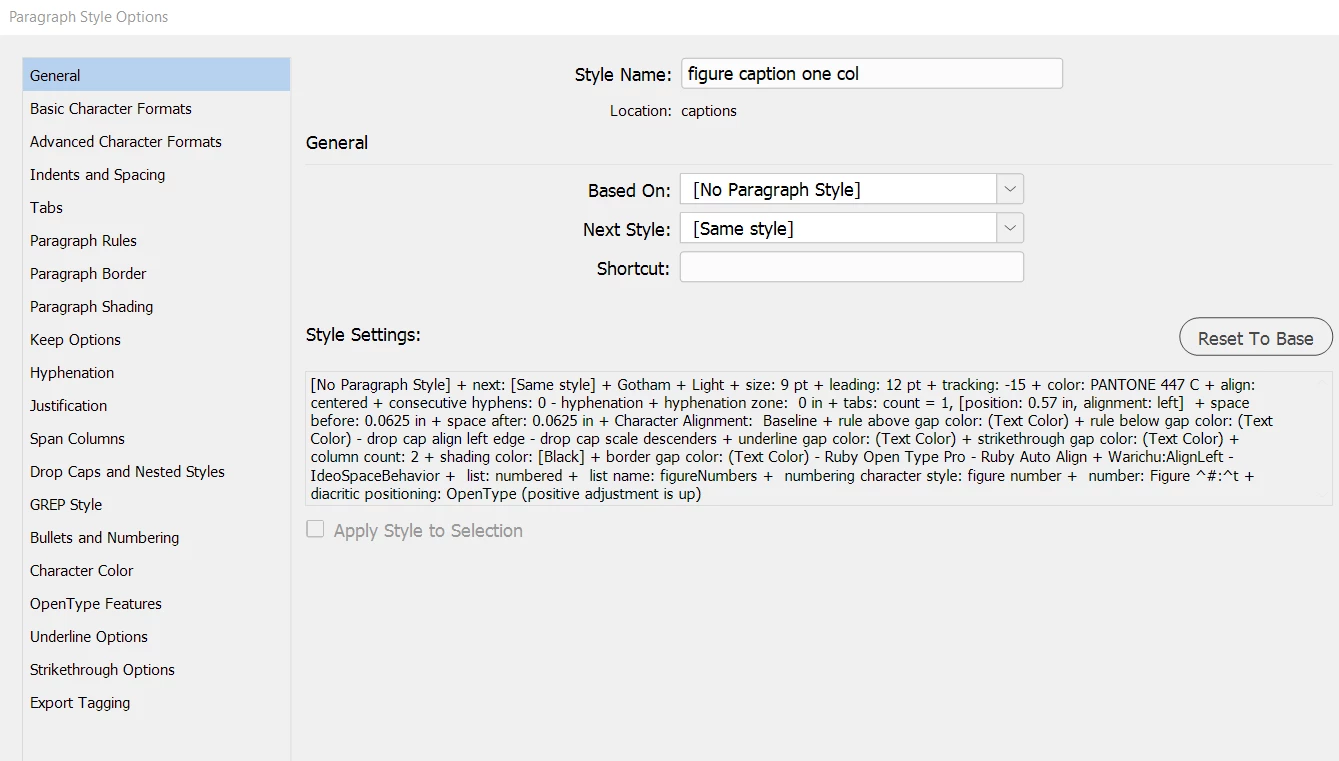
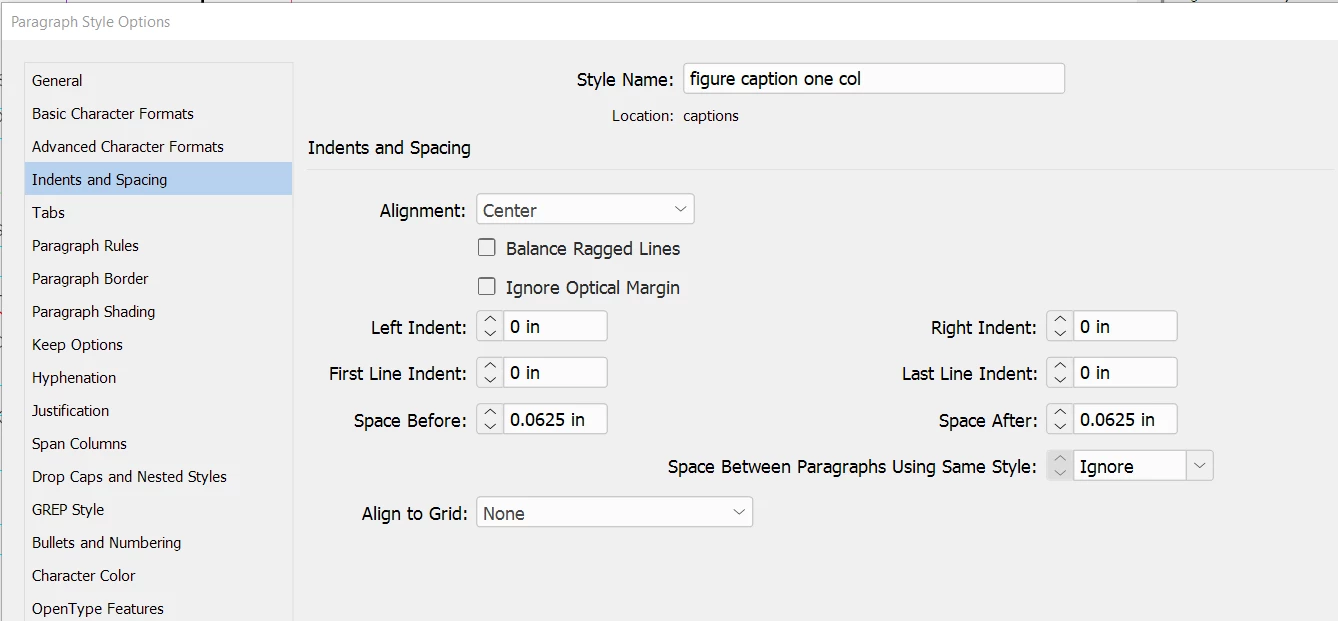
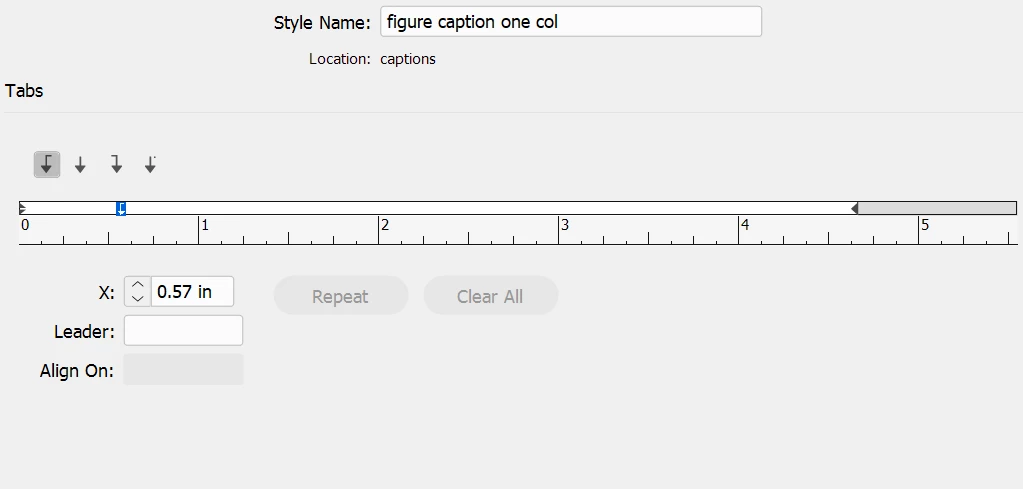
There appear to be no overrides applied to the text. I have tried closing and restarting the program. No improvement. I have not saved the doc as IDML or any other intermediate format. The two graphics and their captions are on sequential pages, and I don't see anything (obvious) between the two pages that would have triggered such odd behavior. I have not seen this effect previously. I have not to my knowledge triggered any kind of horizon conditions (like having many different caption number streams or labeling two streams the same).
This has me puzzled. Something has corrupted the interpretation of the style definition between two sequential pages in the document.
Thanks to the community (as always) for any help.
-j


 AdChoices