
Participant
June 25, 2024
Question

Applescript and InDesign - insert group into text frame

  • June 25, 2024
  • 5 replies
  • 415 views

Hi Experts,

I have a very specific question.

I am using applescript to automate InDesign for a while, but now I got stucked. 

So, basically my problem is that in the InDesign user interface I can easily insert a group/graphic/text frame/etc into an other text frame with no problem. See picture below:
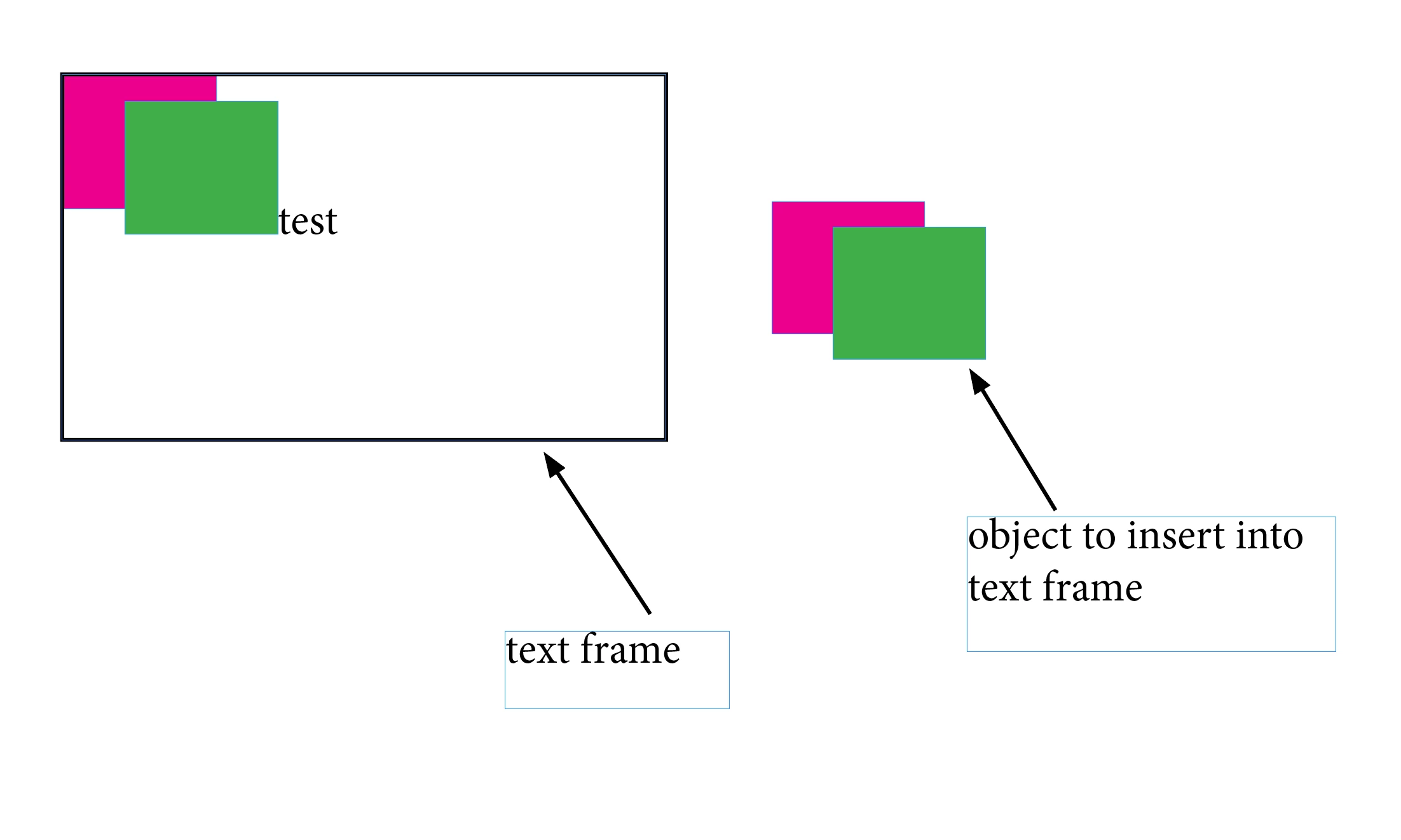
From Applescript I can read out the content of the text frame, which says it is still "test" only, but anyway, I can find the inserted object in the page items of the text frame. So If there is a text frame that contains such an object or page item, I can read out.

BUT, and here is the question: how can I insert the object into the text frame using Applescript? It's not enough if I just anchor the objects together, because in the user interface of InDesign I insert the object directly into the content.
Does that make sence? Can someone help me out?


Thank you very much in advance.

Ravast


This topic has been closed for replies.

5 replies

rob day
Community Expert
Community Expert
June 25, 2024

Hi @Raavst , You would use paste into if you wanted to paste a group into a text frame replacing the text. If you want to anchor the group you would select an insertion point and paste (not paste into).


So paste into:


tell application id "com.adobe.indesign"
	--the document’s first text frame
	set tf to item 1 of every text frame of active document
	--a selected group
	set sel to item 1 of selection
	
	--copy and paste into the text frame
	copy
	select tf
	paste into
	
end tell


Before and after:


Or to anchor the selected group:


tell application id "com.adobe.indesign"
	set tf to item 1 of every text frame of active document
	set sel to item 1 of selection
	copy
	
	--paste at the text frame’s first insertion point
	select insertion point 1 of tf
	paste
end tell


After:


RaavstAuthor
Participant
June 25, 2024

Hi rob day


Wow, you are my hero. 🙂

How the hell could you find it out? I mean, what is the logic behind taking item 1 of selection? What is exactly item 1?

I really would like to understand this logic a bit deeper.

Wow again 🙂

Thank you 

Robert at ID-Tasker
Legend
June 25, 2024

@Raavst


"1" is an index of an element in the collection "of something". 


Robert at ID-Tasker
Legend
June 25, 2024

I don't know AS but in order to place object in the text you need to select InsertionPoint - or get a reference to it - and then do Paste.