

Todd_Morgan
Legend
October 9, 2025
Answered

apply guides globally button

  • October 9, 2025
  • 5 replies
  • 654 views

where???


EDIT: thanks for the replies, but I am aware of master pages but what I want to do is create a guide on a live page (without having to use master page as I can't see content on the page I need) where that guide will line up with content, then go to next page and see that same guide so I can line up more similar content. And then delete those guides. Using master page is not helpful in this manner.


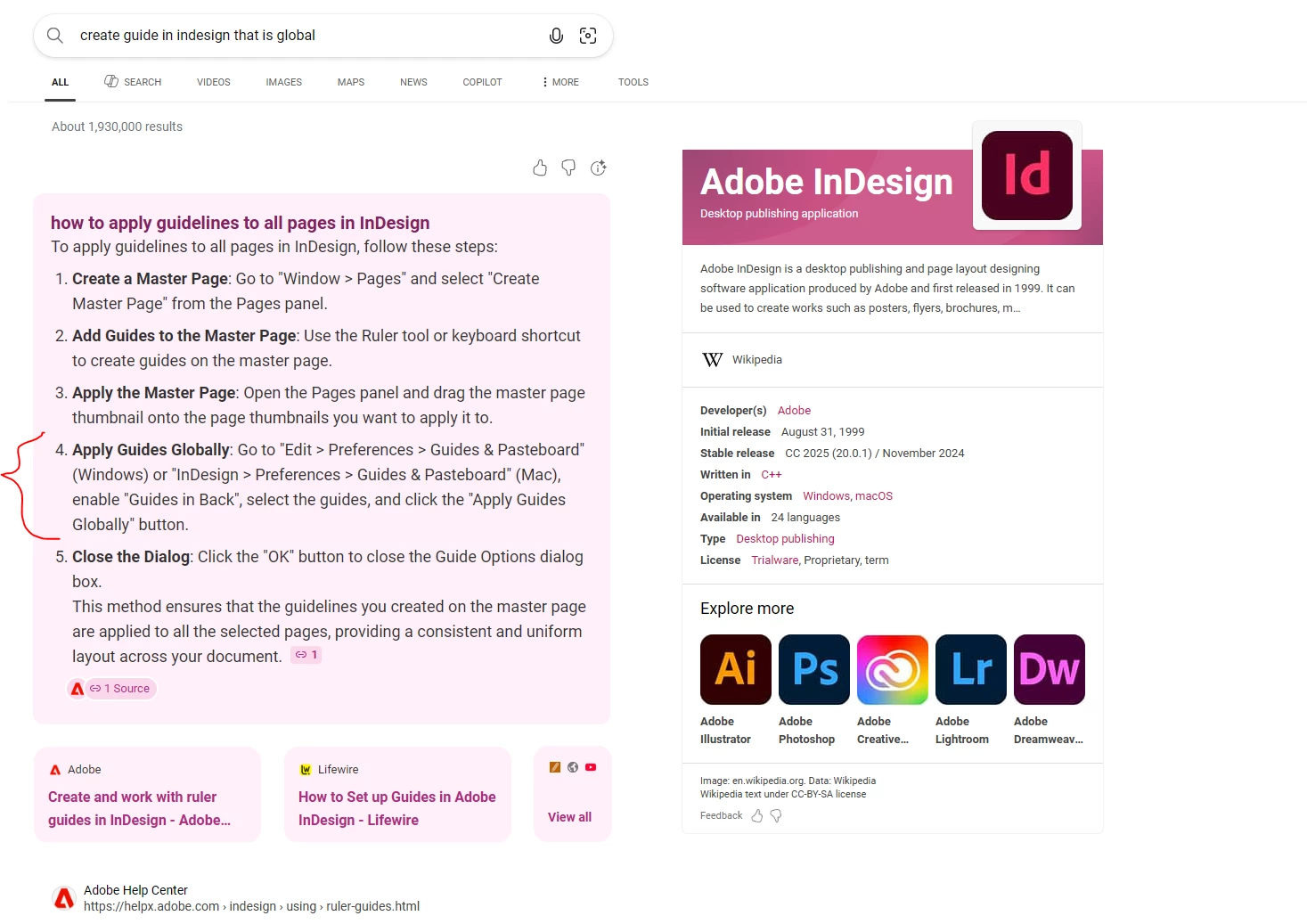
Regarding the "button" here is a search result:
 

Correct answer Peter Spier

You could use one Mater/Parent page to hold only guides and then set up all other Master/Parent pages as based on that first one. Add and remove guides from the Guide Mater and they should appear/disappear on all your other pages.

5 replies

Inspiring
October 13, 2025

I'm genuinely curious as to your design process, because the issue you're describing is precisely why Master Pages exist.


You set up your templates as Master Pages, apply those templates as needed throughout your document, and your content would then line up as one would expect.

Todd_Morgan
Legend
October 14, 2025

What I am using the guides for are for temp alignment and remove... 

Peter Spier
Community Expert
Peter SpierCommunity ExpertCorrect answer
Community Expert
October 14, 2025

You could use one Mater/Parent page to hold only guides and then set up all other Master/Parent pages as based on that first one. Add and remove guides from the Guide Mater and they should appear/disappear on all your other pages.

leo.r
Community Expert
Community Expert
October 10, 2025
quote

Regarding the "button" here is a search result:


By @Todd_Morgan


This is not the actual "search result", it's one of those pathetic "AI summaries". If you click the actual link they "summarized", it doesn't even contain the information they display in the summary. Plus it's Bing. Google, in this particular case, would provide more accurate results.

rob day
Community Expert
Community Expert
October 10, 2025

Regarding the "button" here is a search result:


AI hallucinating?

Peter Spier
Community Expert
Community Expert
October 10, 2025
quote

AI hallucinating?


By @rob day

Looks like...

Mike Witherell
Community Expert
Community Expert
October 10, 2025

Whatever you build on Parent Pages trickles down to the actual pages, so build your guides on the Parent Pages.

https://helpx.adobe.com/indesign/using/parent-pages.html

Mike Witherell
Community Expert
October 9, 2025

Hi @Todd_Morgan ,

for guides that should show up for all spreads and pages put them on the parent pages that are applied to the document pages. Perhaps make sure that they are on its own layer…


Kind regards,
Uwe Laubender
( Adobe Community Expert )

Todd_Morgan
Legend
October 9, 2025

Rather hoping for a real solution, as I am aware of this workaround. But back to my actual question - where is this Apply Guide Globally button that I see in all these search results??

Community Expert
October 10, 2025

Hi @Todd_Morgan ,
Im not aware of a button like that in InDesign. At least not one that has an effect on all spreads of a document.
Maybe your search results are showing a script with its interface?

Kind regards,
Uwe Laubender
( Adobe Community Expert )