July 26, 2011
Answered

Applying Feathered Gradient in AppleScript?

  • July 26, 2011
  • 1 reply
  • 466 views

Looking to be able to control feathered gradient in AppleScript but can't seem to get anywhere.  Tried using graident options that I could find but don't seem to be doing anything?  Thanks.

This code doesn't seem to do anything.

  set myColor to make color with properties {model:process, color value:{50, 50, 10, 0}, name:"myColor"}

  tell rectangle 1
   set fill tint to 20
   set fill color to "myColor"

--Tried various setting below but NG--
   set gradient fill start to {0, 20}
   set gradient fill length to 25
   set gradient stroke length to 50
   set gradient stroke start to {0, 20}
  end tell

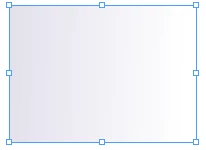
Would like to do some effect like below if possible:
This topic has been closed for replies.
Correct answer Muppet Mark

If you create a new gradient by default you will have a two stop gradient with a mid point of 50… Either add to or alter the stops that are there… Here I have added 2 new colors then created a grad then put the new colors in the stops…

tell application "Adobe InDesign CS5"

     tell document 1

          set ColorA to make color with properties ¬

          {model:process, color value:{50, 50, 10, 0}, name:"Color A"}

          set ColorB to make color with properties ¬

          {model:process, color value:{0, 50, 100, 0}, name:"Color B"}

          set GradAtoB to make new gradient ¬

          with properties {name:"Gradient A-B"}

          set stop color of first gradient stop of GradAtoB to ColorA

          set stop color of last gradient stop of GradAtoB to ColorB

          set fill color of the first rectangle to GradAtoB

     end tell

end tell

1 reply

Muppet MarkCorrect answer
Inspiring
July 26, 2011

If you create a new gradient by default you will have a two stop gradient with a mid point of 50… Either add to or alter the stops that are there… Here I have added 2 new colors then created a grad then put the new colors in the stops…

tell application "Adobe InDesign CS5"

     tell document 1

          set ColorA to make color with properties ¬

          {model:process, color value:{50, 50, 10, 0}, name:"Color A"}

          set ColorB to make color with properties ¬

          {model:process, color value:{0, 50, 100, 0}, name:"Color B"}

          set GradAtoB to make new gradient ¬

          with properties {name:"Gradient A-B"}

          set stop color of first gradient stop of GradAtoB to ColorA

          set stop color of last gradient stop of GradAtoB to ColorB

          set fill color of the first rectangle to GradAtoB

     end tell

end tell

July 27, 2011

That works great, I would have never figured that out.  Thanks!