
Participating Frequently
January 3, 2023
Answered

Applying style display glitch- phantom text

  • January 3, 2023
  • 2 replies
  • 327 views

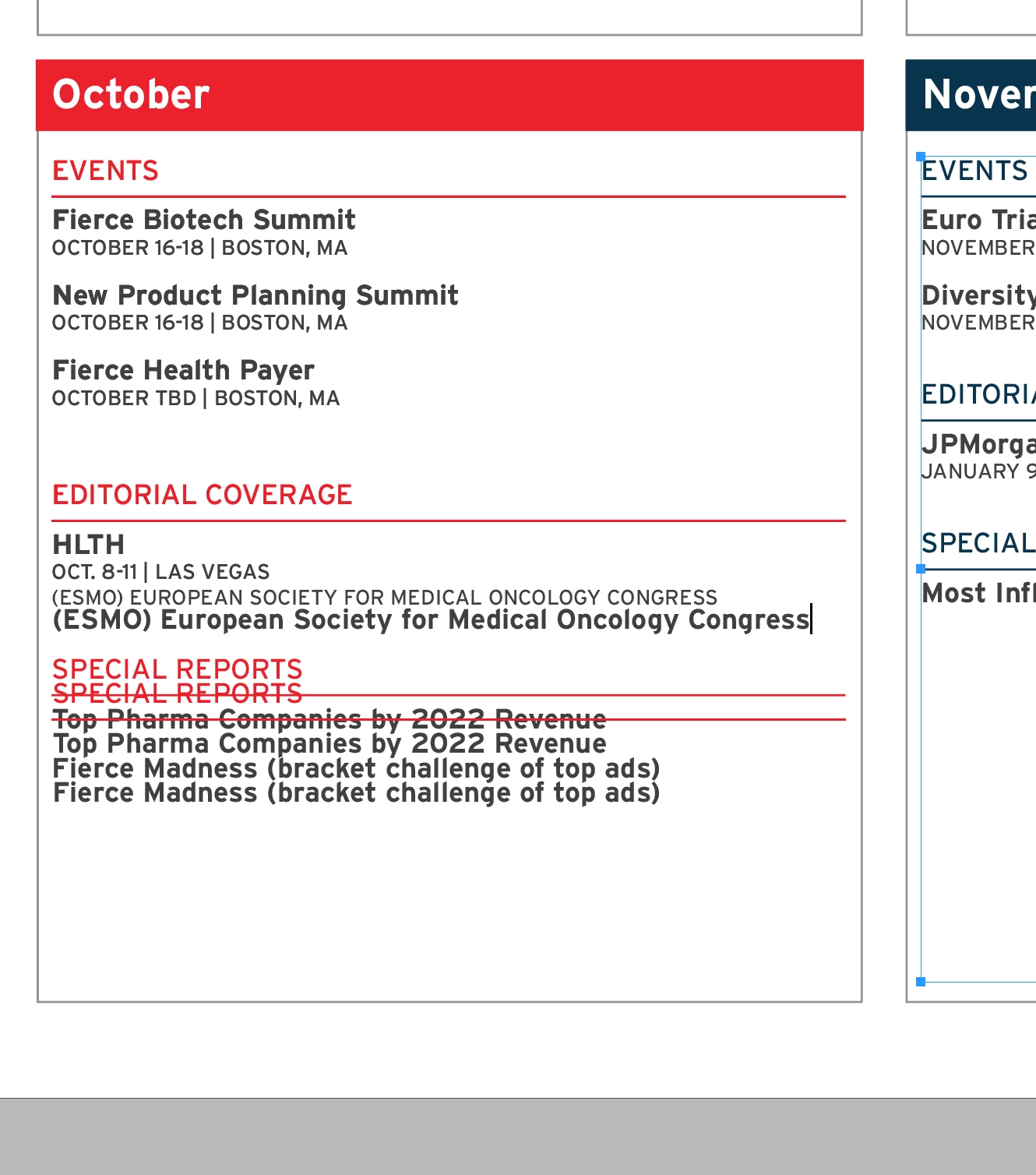
When I apply paragraph styles I often get a "double" of the text appearing on top of the old text. Stays until I zoom in or out, happens below text taht should have been restyled.


In the case below, I applied a paragraph style to the line beginning with ESMO- it applied the sytle, but left the original line, and made a double of all text after appearing on top of the original. Always dissapears when I zoom in or out. Can't select the old "phantom" text.


Indesign 18.1 on imac 27" 5k running Montery (currently). This was happening under my previous OS as well (don't recall what version the InDesign was).


This topic has been closed for replies.
Correct answer Steve Werner

I suspect that it's because you have the GPU Preferences turned on in Preferences > GPU Preferences. Try unchecking it.

2 replies

Steve Werner
Community Expert
Steve WernerCommunity ExpertCorrect answer
Community Expert
January 3, 2023

I suspect that it's because you have the GPU Preferences turned on in Preferences > GPU Preferences. Try unchecking it.

Participating Frequently
January 3, 2023

Yes it is indeed turned on, I will disable and see if that fixes the issue, thank you.


Susan Culligan
Inspiring
January 3, 2023

I often get "ghost" text when appying styles, and it's always just a display issue. I just scroll up or down past the ghost text, and it disappears. It sounds like zooming in or out does the same thing—it just refreshes the page. Hope this helps.