
Inspiring
November 23, 2022
Answered

Arial font shown as missing when it is not

  • November 23, 2022
  • 2 replies
  • 1164 views

I am using this tool to generate barcode for ISMNs to apply to music books.

I download them as SVGs and add them to the InDesign files.

Once done, Preflights shows a font-missing error. Upon inspecting it tells me that ARIAL is the missing font.

Of course, ARIAL is installed on my Mac, and the Find/Replace font can do nothing about it, since the issue is just non-existing. The missing font is shown as "in graphic" but I cannot replace it.
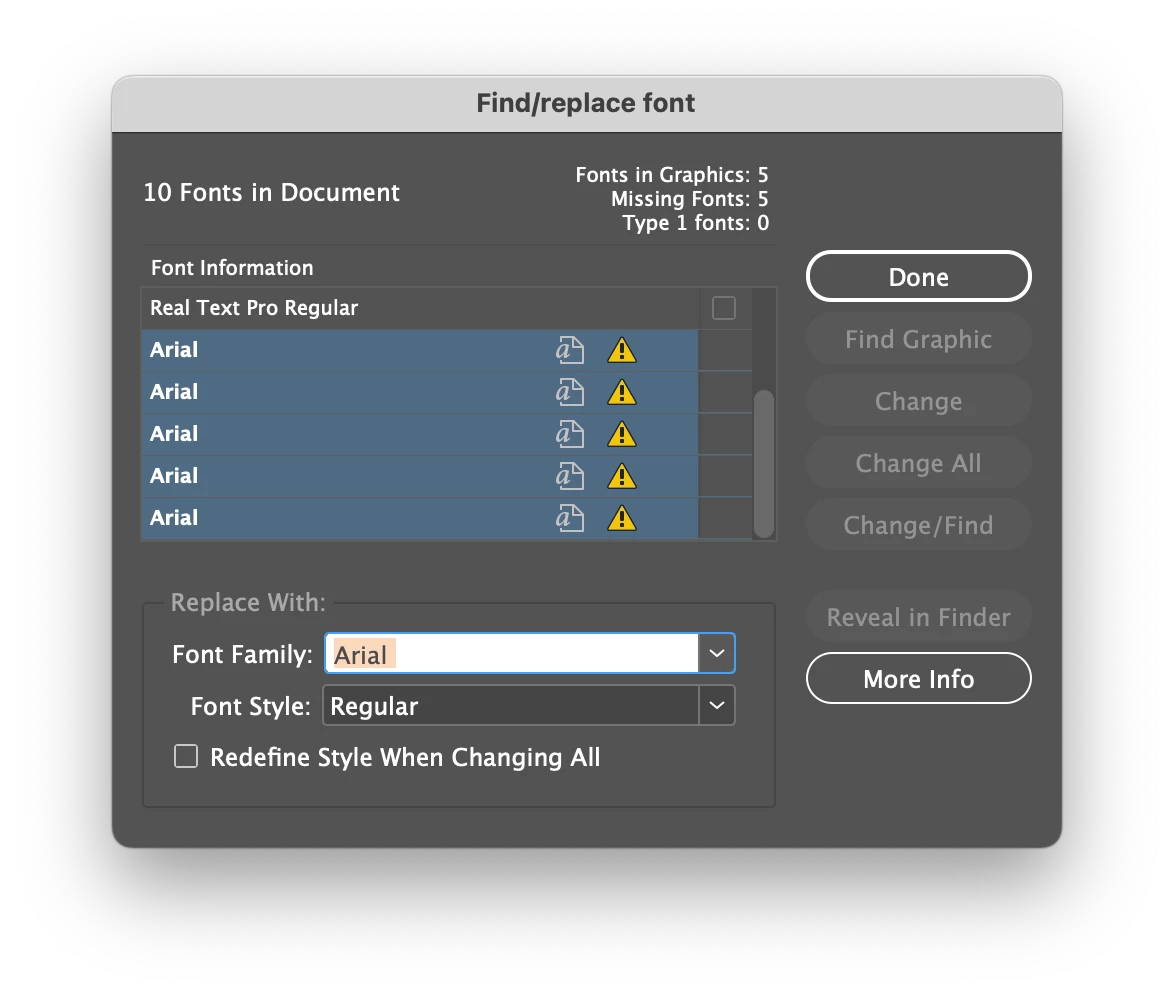
Have you ever encountered this issue? What should I do?

Thanks

This topic has been closed for replies.
Correct answer aniri5j9ox8tw2ln

Open the SVG in Illustrator, find & replace the Font with your Arial and save the SVG again. That's it!

2 replies

aniri5j9ox8tw2ln
aniri5j9ox8tw2lnCorrect answer
Legend
November 23, 2022

Open the SVG in Illustrator, find & replace the Font with your Arial and save the SVG again. That's it!

Inspiring
November 23, 2022

Interestingly enough, Illustrator didn't throw any error. 

Replacing font in there worked, though!

Thank you!

Willi Adelberger
Community Expert
Community Expert
November 23, 2022
  1. How are you so sure that THIS Arial is installed on your computer?
  2. Where it is installed?
Inspiring
November 23, 2022
  1. When I try to substitute font, I get an equally named Arial from my dropdown list, but when I select it, "Change All" or "Change" is greyed out (see picture above)
  2. Font Book > Computer tab, there it is

Willi Adelberger
Community Expert
Community Expert
November 23, 2022

Important to know is not that this font is on your Computer (as it is within any Microsoft Program), but if it installed for all programs. Therefore I ask again: Where is it installed.