



Ask for help with a complete auto-form script.
I've asked you before, but it's a bit sporadic.
This feature should be used by many people.
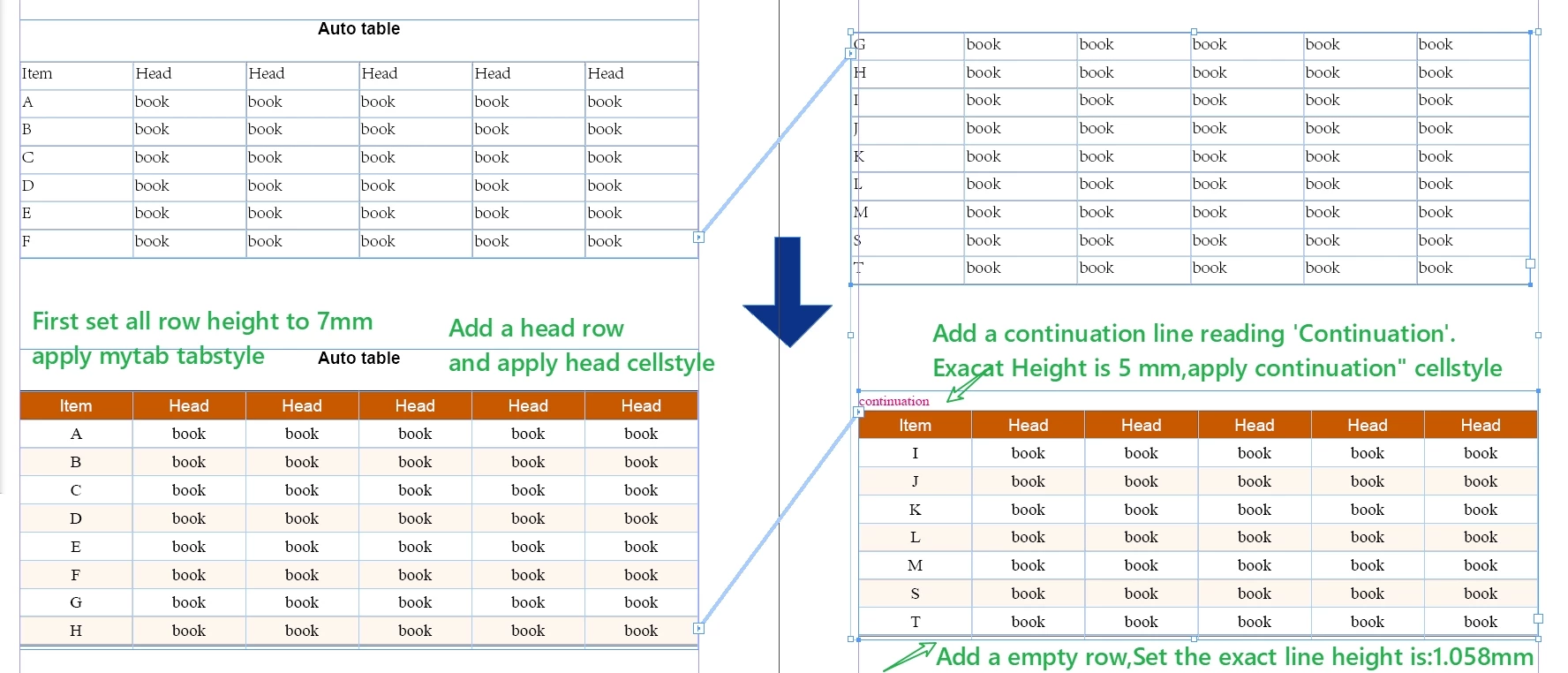
Apply table style first: mytab.
Then cell style:
Table body: set the minimum row height to 7mm.
The end of the table(tab footer?):
first judge the last line, if it is a blank line, straight should be set as the end of the table line, apply footer cell style, and go to the end of the table.
If the last line is not empty, then add a new line as the end of the table.
Set the exact line height is: 1.058mm.
Table header:
it is generally believed that there is only one line of table header.
Copy a line of the table header, at the same time in the first new line of blank lines, horizontal merge cells, fill in the ‘continuation of the table’ two words, and apply the ‘continuation of the table’ cell style.
The first two rows will be transferred to the header row, and skip the header.
Set the exact row height: 5mm;
Thank you very very very much.
 AdChoices