Answered
This topic has been closed for replies.
Hi Sandy,
use paragraph formatting Span Columns and set it to All for the headline.
From my German InDesign 2021:
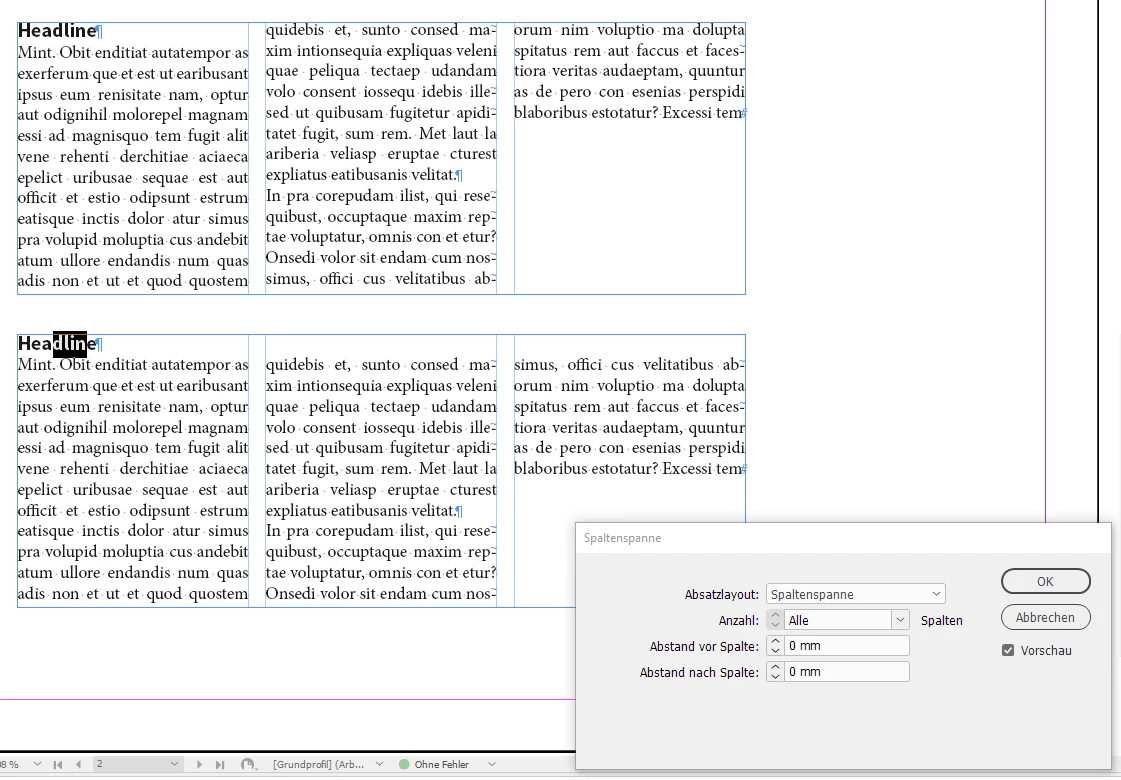
See the help page:
Create paragraphs that span or split columns
https://helpx.adobe.com/gr_en/indesign/user-guide.html/gr_en/indesign/using/aligning-text.ug.html
Regards,
Uwe Laubender
( ACP )
Sign up
Already have an account? Login
To post, reply, or follow discussions, please sign in with your Adobe ID.
Sign inSign in to Adobe Community
To post, reply, or follow discussions, please sign in with your Adobe ID.
Sign inEnter your E-mail address. We'll send you an e-mail with instructions to reset your password.
 AdChoices