Participant
February 21, 2019
Answered

Auto corrections not worked properly (imported PDF comments)

  • February 21, 2019
  • 3 replies
  • 310 views

Dear all,

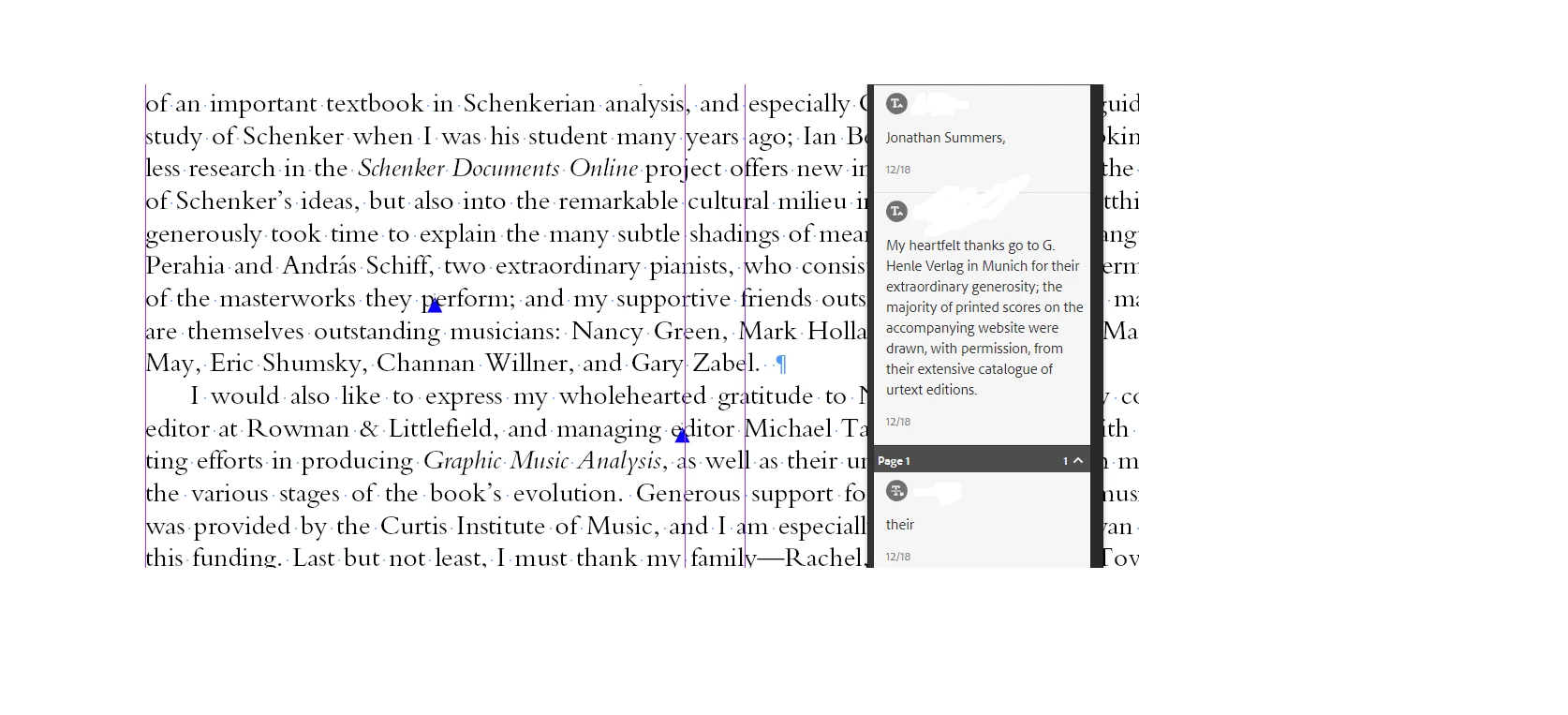
I have imported a PDF comments to InDesign but comments are not showing correct place. The corrections PDF and imported  InDesign file comments are mismatching (Example: In corrections PDF one corrections show on 10th page 5th line, the same corrections showing on imported InDesign file 10th page 6th line (corrections marked places showing differed)).

l've attached screenshot for your references.

                    PDF COMMENTS

              IMPORTED INDESIGN COMMENTS
Regards,

Manivannan M

    This topic has been closed for replies.
    Correct answer Steve Werner

    This can happen for a number of reasons. Kelly Vaughn wrote a good analysis of how the Import PDF Comments feature added in InDesign CC 2019 works in this article referenced below. Look especially at the section called "Page Reflow Problems." There are also other good suggestions about how to make the feature work the best:

    https://indesignsecrets.com/import-pdf-comments.php

    3 replies

    Participant
    March 2, 2019

    Thanking you sir,

    we will check and update the "good analysis report".

    Regards,

    Manivannan M

    JonathanArias
    Legend
    February 21, 2019

    yes, there are bugs with the feature, is it new. i have experience this and empty edits. it will improve over time i am sure.

    Participant
    March 2, 2019

    In feature we want auto text corrections and Photoshop actions for auto pagination.

    Auto pagination:

    The no elements(figure, table, box items) text books, only plain text we want align text frame but should not use "justify vertically".

    If 2000 pages plain text book (h1, h2, ext....etc) style are including but we want base align text. Any scripts and tools are available mean please let me know.    

    Regards,

    Manivannan M

    Steve Werner
    Community Expert
    Steve WernerCommunity ExpertCorrect answer
    Community Expert
    February 21, 2019

    This can happen for a number of reasons. Kelly Vaughn wrote a good analysis of how the Import PDF Comments feature added in InDesign CC 2019 works in this article referenced below. Look especially at the section called "Page Reflow Problems." There are also other good suggestions about how to make the feature work the best:

    https://indesignsecrets.com/import-pdf-comments.php