


Participating Frequently
October 31, 2024
Question

Auto Style Misuse and Missing Content in Manuscript

  • October 31, 2024
  • 3 replies
  • 667 views

It looks like someone got access to my manuscript, and used Auto Style without permission. Also I notice a few missing pages. Is this intentional misuse of access privileges, or merely a programming error?


The circle and line have been moved without permission on several pages.
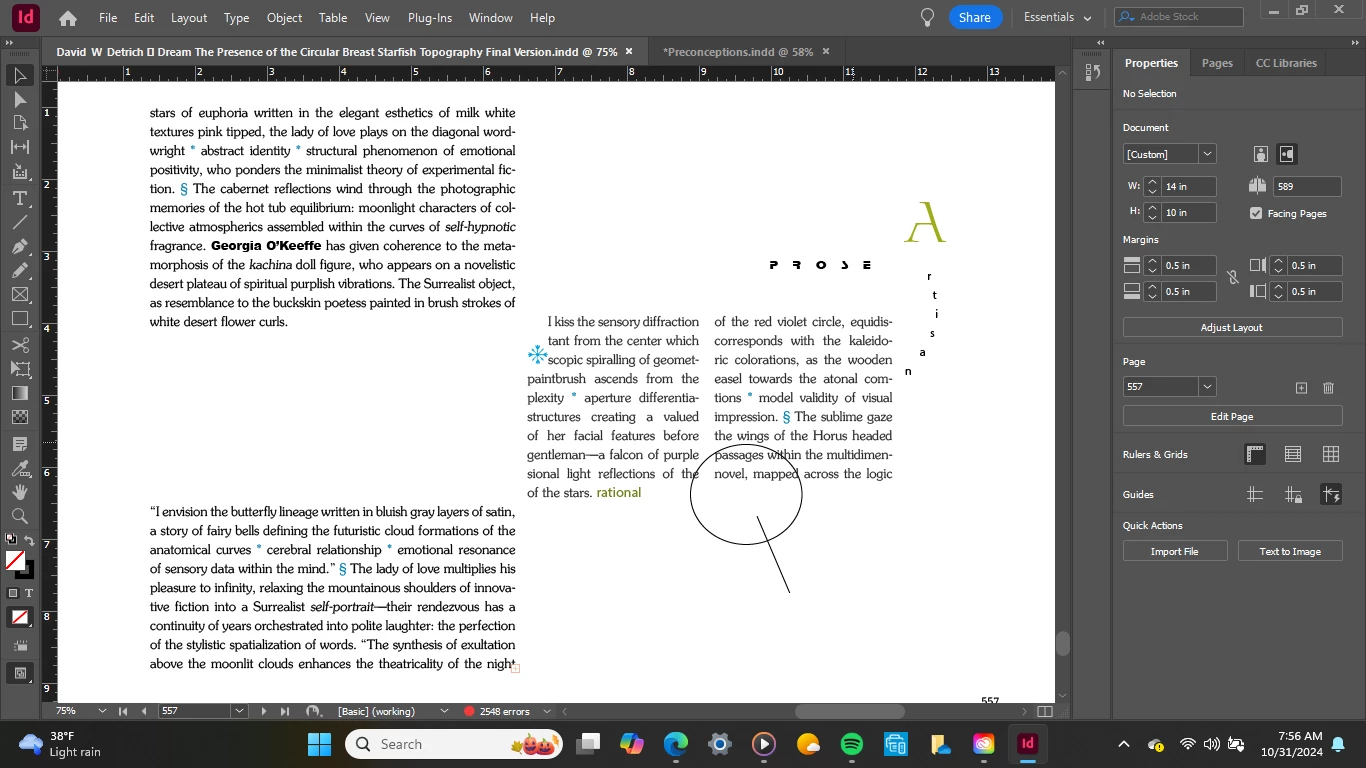


<Title renamed by MOD>

This topic has been closed for replies.

3 replies

Mike Witherell
Community Expert
Community Expert
October 31, 2024

To my awareness, the only way someone can edit your file (which I will assume is on your hard drive) is to log in to your computer and your CC account and begin to edit your file. Do you have an unseen/unknown entity under your roof? 

Mike Witherell
Participating Frequently
October 31, 2024

No. I think it may have been a memory problem, as I commented above.  The new save to Adobe is certainly helpful, and the new Fonts program is a plus.

Mike Witherell
Community Expert
Community Expert
October 31, 2024

What happens if you zoom in a step or zoom out a step. Is the missing objects still missing?

Your description is so vague, I cannot get a sense of whether you are an experienced user of InDesign or a beginner.

What happens if you close and re-open the file. Is the missing stuff still missing?

Mike Witherell
Participating Frequently
October 31, 2024

I will try your suggestion. I have been using InDesign for 24 years.

Participating Frequently
October 31, 2024

I think it may have been a memory problem with my computer, so that the work I did was not saved properly.  Thanks for your suggestions!

Mike Witherell
Community Expert
Community Expert
October 31, 2024

Who else has access to your account and your computer? Is this from a shared online document? Your question is extremely vague.

Mike Witherell
Participating Frequently
October 31, 2024

I don't know who has access. I would prefer no interactive access for my work.