
Known Participant
March 13, 2025
Answered

Automate numbered bullets in sections at numerous levels with paragraphs of text between them

  • March 13, 2025
  • 1 reply
  • 247 views

Hi all. I have a legal document that needs bullet points at numerous levels with some up to five levels deep.


The best way to describe what I require is to provide a screenshot of something that I have created manually as seen here:
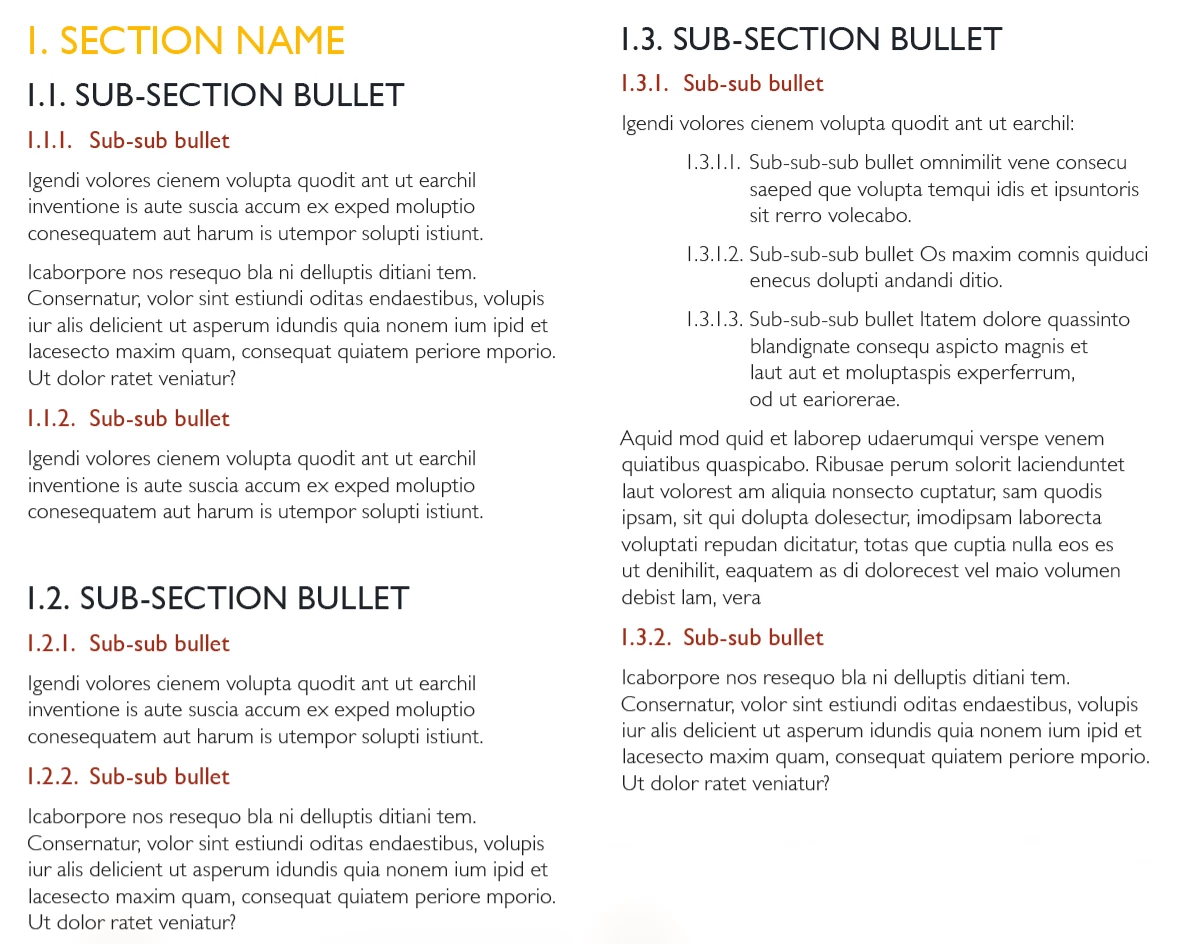


As you can see, there are a few levels, and to add to the complexity there are paragraphs of text that arern't bullets.


The document is 100+ pages long and I'd love for it to be automated because if a new sub-section or sub-sub bullet is added in the middle of content, then I'd like the following bullets to automatically update.


How can I do this in InDesign?

Correct answer James Gifford—NitroPress

The very short answer is to use named lists for each hierarchy. Leaving all lists in the [Default] space means the document has no sense of order when lists are interrupted and continued.


It will also be advantageous to have two styles for at least the top-level list item: one that continues numbering, and one that is identical/cloned/child but restarts numbering at 1.


Ask away if that's not clear enough to proceed.

1 reply

James Gifford—NitroPress
Legend
March 13, 2025

The very short answer is to use named lists for each hierarchy. Leaving all lists in the [Default] space means the document has no sense of order when lists are interrupted and continued.


It will also be advantageous to have two styles for at least the top-level list item: one that continues numbering, and one that is identical/cloned/child but restarts numbering at 1.


Ask away if that's not clear enough to proceed.

MotorIBAuthor
Known Participant
March 18, 2025

I didn't know about named lists, so I went away and searched it. Really easy to implement. Huge thanks.