
Participant
September 4, 2025
Question

Automatic Index without changing style.

  • September 4, 2025
  • 2 replies
  • 110 views

Hey,

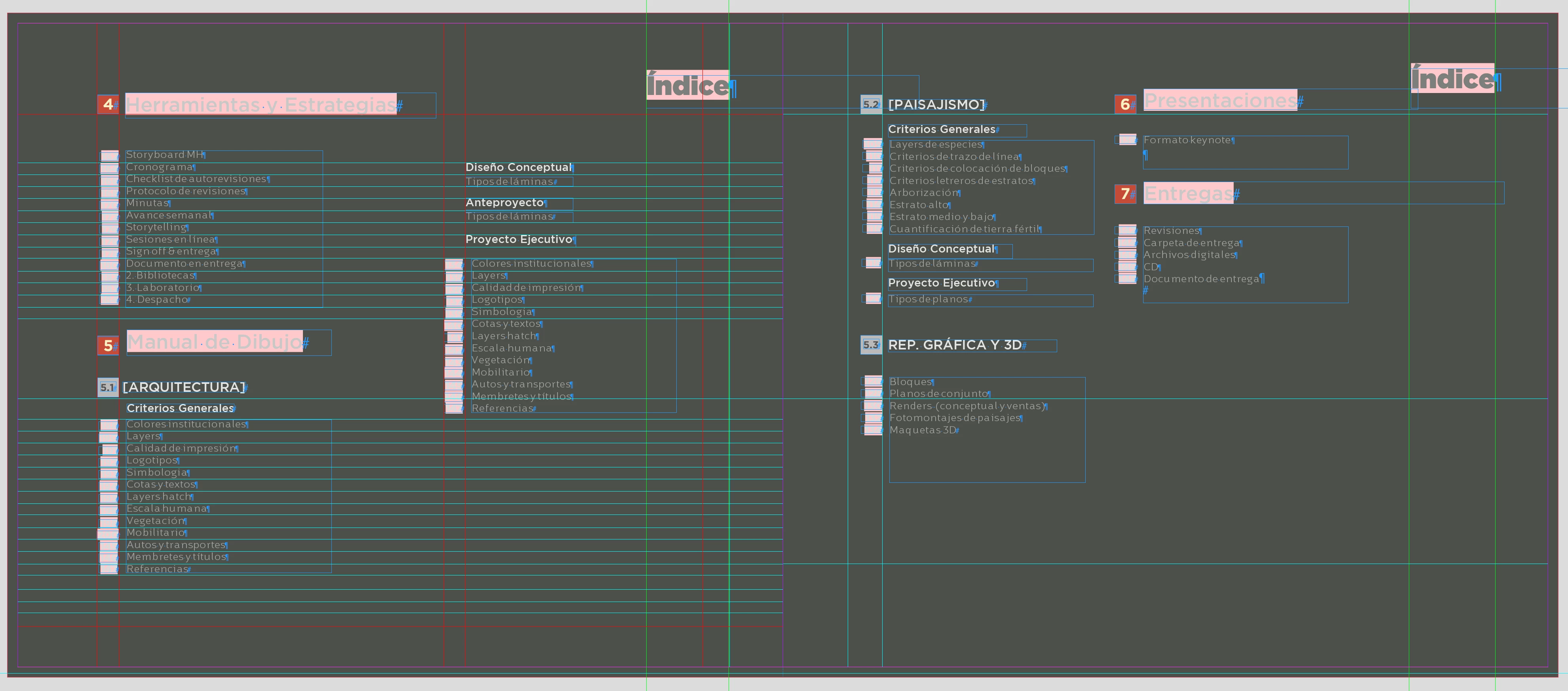
I was checking the document, and i saw that the index was created manually, and i was wondering if it was possible to create an automatic index without losing the style it has. I put this little detail, since I would love to keep they way it looks, and my fear that it might look like a table of content of a book.
2 replies

Participant
September 10, 2025

Yes, you can create an automatic index (table of contents) in Word or Google Docs and customize the style to match your current design. It doesn’t have to look like a typical book TOC

Randy Hagan
Community Expert
Community Expert
September 4, 2025

Have you updated your styles in your InDesign document to reflect type attributes for how it's laid out compared to how it is created by default?


If you want to maintain your type attributes for your layout, you need to amend the index paragraph styles brought into your InDesign document when you first create your index. Many folks create new paragraph and character styles for their laid out index, which make it easy to format how your index looks after it's brought into the document. But if you want those paragraph styles to be applied automatically, you need to amend the existing paragraph styles for your indexing before bringing in the next version. 


Though I do have to offer that I'm not a big fan of automatically replacing existing indexes. It can introduce inconsistencies as you keep replacing/updating your index. There's a lot of complex information "under the hood" when you create and place an index, and repeatedly updating your existing index can cause unexpected scrambling/results as you re-apply and re-apply updated indexes to existing ones. I would suggest you always bring in a new index, then delete the previous one, and lay the new index out and apply styles as you see appropriate.


Hope this helps,


Randy