

Automatically use first letter in page header?
For a people directory, I'm transitioning from using someone else's system to using my own database and InDesign. If possible I'd like to keep the appearance similar to how it was, and one aspect was that the top of each page displayed the first letter of the names on that page. See this example of the last page of O and first page of P from last year's directory:
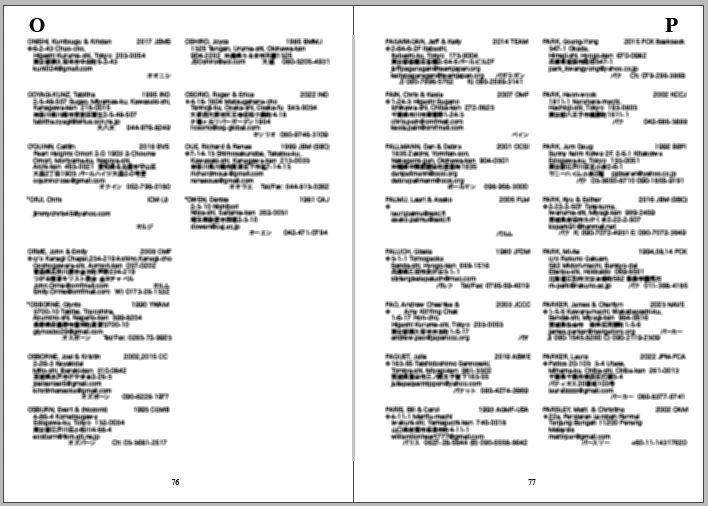
Is there a way I can populate that header letter automatically or semi-automatically? I know I can create 26 parent pages and manually apply each of those parent pages to the corresponding set of pages (and change those parent page assignments later if edits causes the flow to change). But it would be nice to make that more efficient and less error-prone. The letter I need will always be the first letter of the flowed content on the page, and if necessary, I can also delineate the first letter of all the names with a character style to help InDesign identify it. But I don't know how to get InDesign to either copy the contents of that first letter to a placeholder in the header or automatically apply a parent page based on it. I'm not afraid of scripting, although I'm new to scripting in InDesign.


 AdChoices