
tommyb15082187
Participant
April 22, 2020
Answered

Automaticly change text script

  • April 22, 2020
  • 1 reply
  • 756 views

Hello Guys!

(Sorry for my bad english)


I am making a contract with a information form, so i can put the information of the new person in easy. The problem i now have is that i have to change name/street/city info on 12 pages. Nobody wants to do that, so i made on the first page a form and on the other 12 pages comes te contract. So what i want is if i change the information in the form it will change in the whole document. 

I made an example:
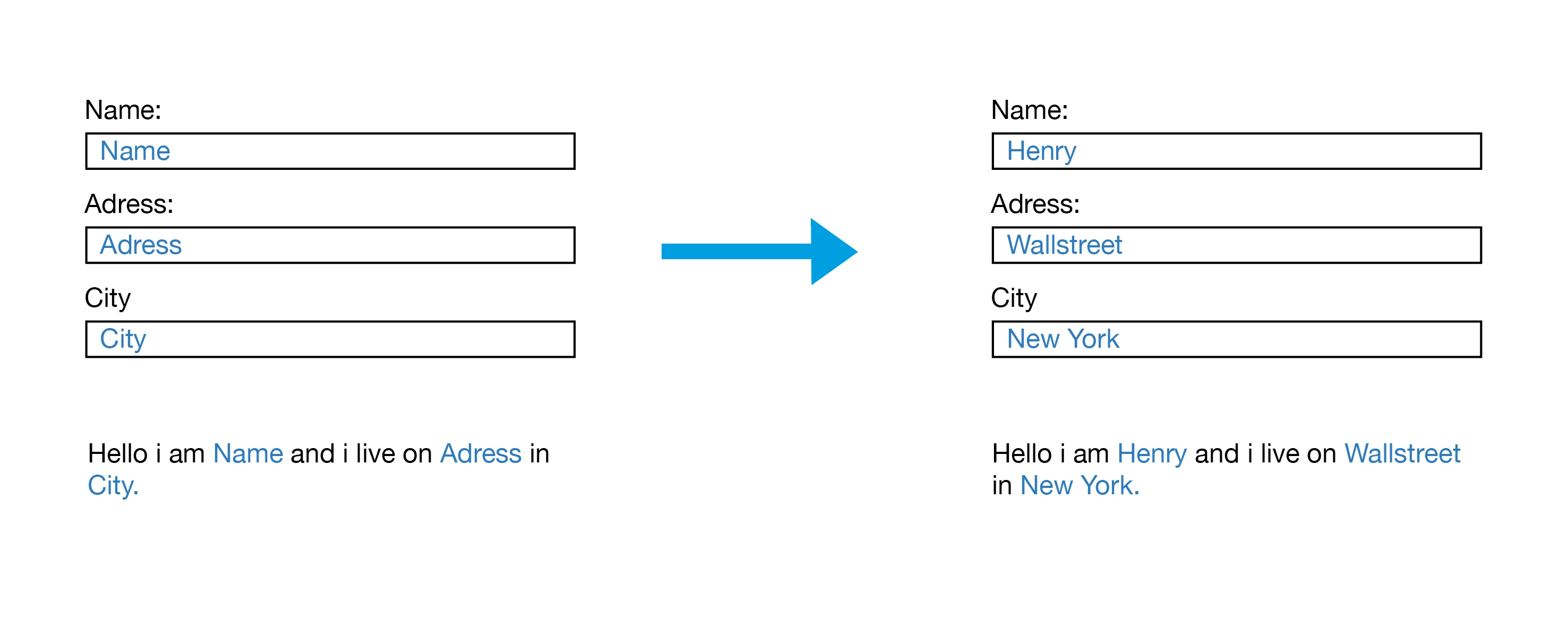
So you see the form and underneath it a text box. What i want is that when i change the text "Name/Adress/City" in the form to for example "Henry/Walllstreet/New York" it changes automaticly in the text box.


I already did this with the "Buttons and forms" tool but then the text around the blue words wont adjust to the lenght of the words. 


I hope someone can help!


Thanks in advance,


This topic has been closed for replies.
Correct answer brian_p_dts

Rather than trying to do it through scripting since it's all new to you, I'd suggest using Text Variables with Running Headers (no scripting required). You set them up with unique paragraph styles and master pages. An explainer is here: 


https://www.webucator.com/how-to/how-define-custom-text-variable-adobe-indesign.cfm

1 reply

Eric Dumas
Community Expert
Community Expert
April 22, 2020

Hi, 

Can you confirm the version of your software and the operating system you are using?

There is a good article on using scripting and variables that might help

https://www.ozalto.com/advanced-custom-text-variables/


tommyb15082187
Participant
April 22, 2020

Hello Eric,

Thanks for you're response. 


I'am using the latest version of InDesign and latest version of Mac OS.


Isn't there a easyer way to do this? I dindt quite understand the article you send me. Sorry i am a beginner in InDesign and Scripting so most of it looks like chinese for me 😞


Thanks in advance, 

brian_p_dts
Community Expert
brian_p_dtsCommunity ExpertCorrect answer
Community Expert
April 22, 2020

Rather than trying to do it through scripting since it's all new to you, I'd suggest using Text Variables with Running Headers (no scripting required). You set them up with unique paragraph styles and master pages. An explainer is here: 


https://www.webucator.com/how-to/how-define-custom-text-variable-adobe-indesign.cfm