daanir2168211
Inspiring
May 27, 2019
Answered

Automating assignment of button URLs

  • May 27, 2019
  • 1 reply
  • 393 views

I work with multi-page document with a lot os buttons which open files. I need a way to easy manage my URLs. I found this script that can assign URLs from csv-file, but I can't install it. I tried several methods (Adobe extension manager, Anastasiy's Extension Manager) but nothing helps. Maybe there is some way to make it work? Or some another script that can help?

This topic has been closed for replies.
Correct answer Laubender

Hi daanir2168211 ,

what's your operating system?

What's your version of InDesign?

When on Windows 10 you simply could regard the zxp package file as a kind of zip file and unpackage its contents.

There is no need for Extension Manager. You could also rename the zxp package with suffix zip and see into its contents that I listed below:

includes > xmlui.jsx

META-INF > signatures.xml

Scripts Panel > Ajar Productions > Batch Assign URLs to Buttons.jsx

assignButtonURLs.jsx

assignButtonURLs.jsxbin

com.ajarproductions.assignButtonURLs.mxi

metainfo

mimetype

Move that structure into a subfolder of your Scripts panel.

Start the script with a double-click of assignButtonURLs.jsx in the Scripts panel.
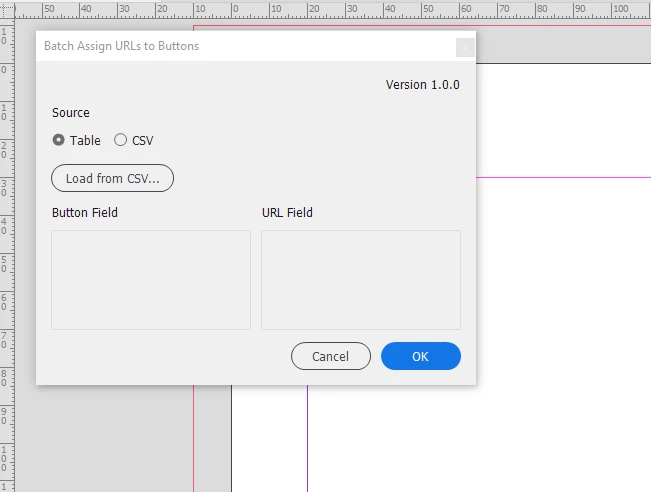
If something will not work as expected directly contact Justin Putney of Ajar Productions.

I did not test all this, just started assignButtonURLs.jsx from the Scripts panel.

How to install scripts:

Indiscripts :: Indiscripts for Dummies

Regards,
Uwe

1 reply

LaubenderCommunity ExpertCorrect answer
Community Expert
May 27, 2019

Hi daanir2168211 ,

what's your operating system?

What's your version of InDesign?

When on Windows 10 you simply could regard the zxp package file as a kind of zip file and unpackage its contents.

There is no need for Extension Manager. You could also rename the zxp package with suffix zip and see into its contents that I listed below:

includes > xmlui.jsx

META-INF > signatures.xml

Scripts Panel > Ajar Productions > Batch Assign URLs to Buttons.jsx

assignButtonURLs.jsx

assignButtonURLs.jsxbin

com.ajarproductions.assignButtonURLs.mxi

metainfo

mimetype

Move that structure into a subfolder of your Scripts panel.

Start the script with a double-click of assignButtonURLs.jsx in the Scripts panel.

If something will not work as expected directly contact Justin Putney of Ajar Productions.

I did not test all this, just started assignButtonURLs.jsx from the Scripts panel.

How to install scripts:

Indiscripts :: Indiscripts for Dummies

Regards,
Uwe

daanir2168211
Inspiring
May 28, 2019

I actually tried to unzip script but it turn out I plased it in the wrong folder. So I revield right folder directly from Indesign and it works.Thank you!