Question
Automation for continuous text flow using paragraph styles - possible?
Hello everyone,
Using Indesign CC 2018.
This is what I would like to achieve (with some minor corrections):
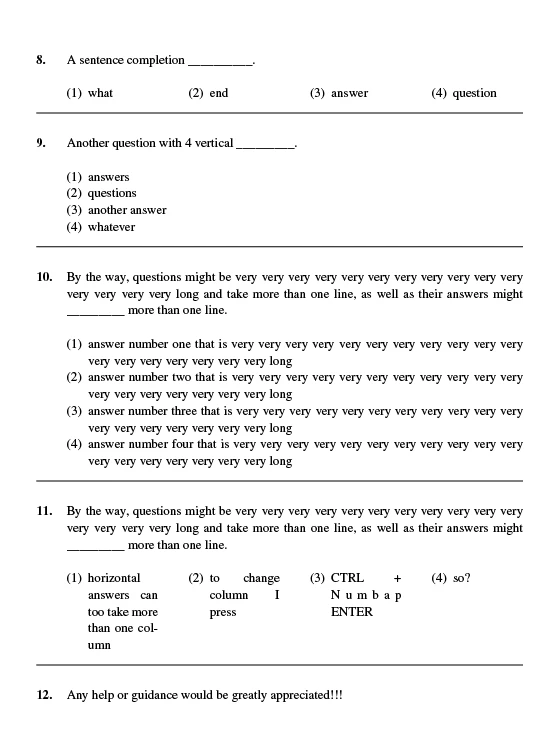
This is the closest I got to what I would like to achieve:
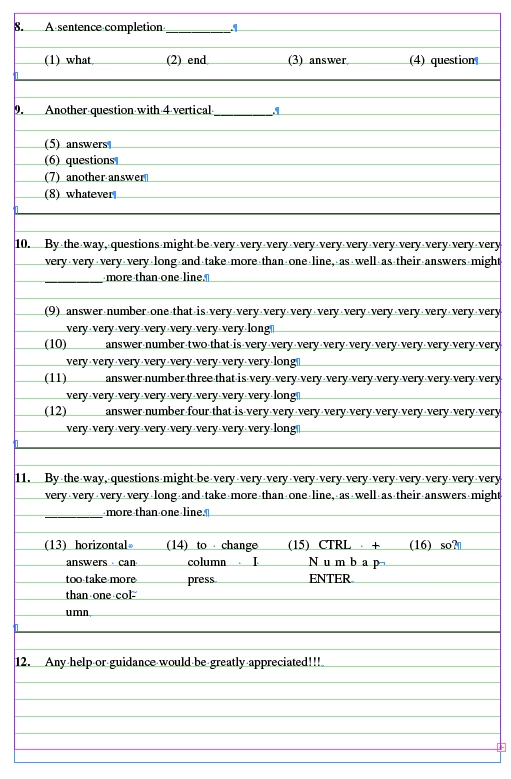
The way I got to the closest result is by having 4 Paragraph Styles:
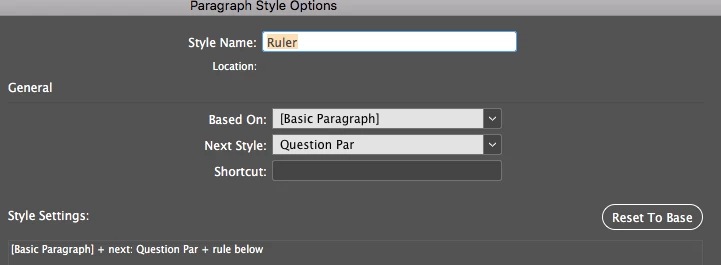
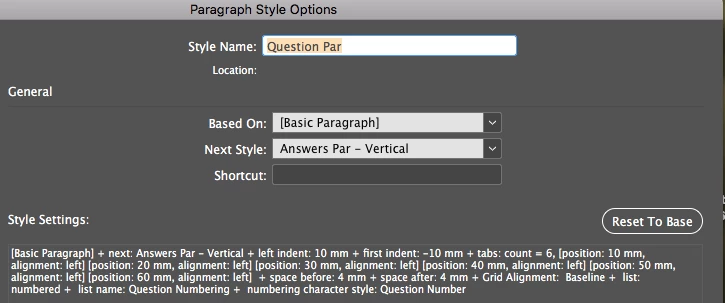
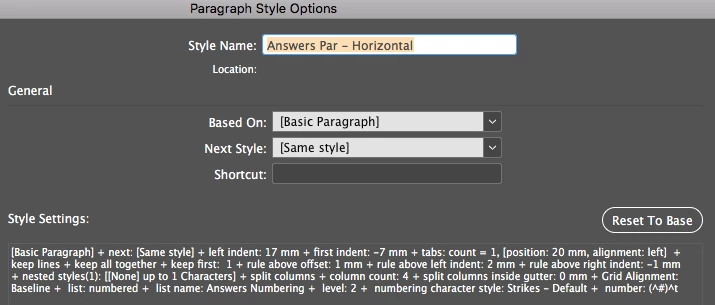
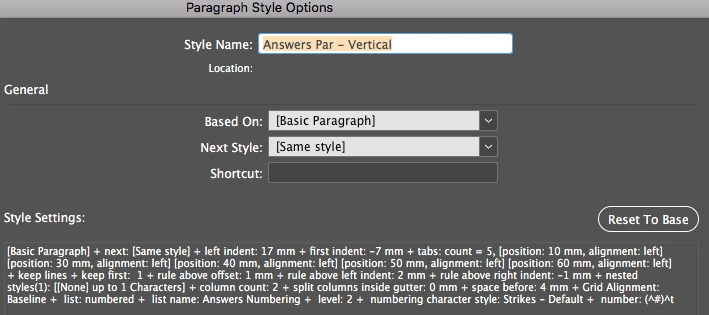
As well as:
- For each numbered bullets: Right-click & select "Restart Numbering".
- After every "Question Par" style, manually select the "Answers Par - Horizontal" style if needed (I realize this necessary).
- After every horizontal question press "ctrl + Enter (Numpad)" in order to jump to the next column.
- After every 4th answer: jump to next column --> manually apply the "Ruler" style.
Is there a way to achieve this by using only Enter (& maybe other keyboard commands) & Paragraph Styles (other than typing the text itself)? I will attach a short video to illustrate a very basic example of what I am aiming for...
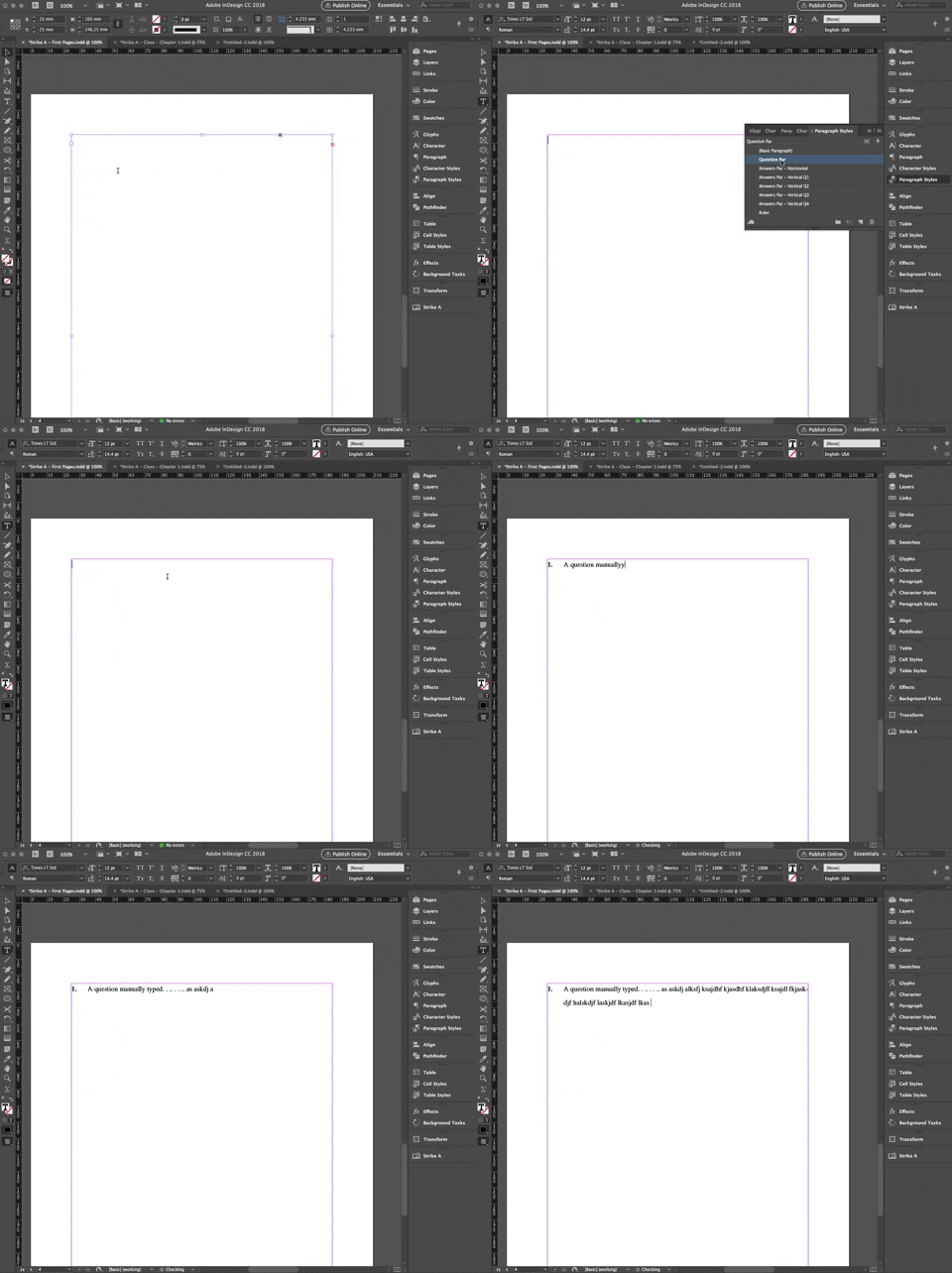
P.S. I accomplished this by having 4 of the same style (for questions) with the 1st having a "restart numbering" and the last pointing to the "Ruler" style. This is easy as there are no columns & splits.
Thank you in advance.
 AdChoices