
Baffled by PDF file size increase
I'm using Mac OS 10.13.6 and have created a print PDF from an InDesign file containing 520 linked images. That resulted in a 57.9 MB PDF. I am now trying to reduce the size of the PDF to create a fixed page ebook. The images in the original ID doc were all 600 ppi and usually 2–3 times the dimensions that they ended up in the layout, so I cropped the unaltered images within ID for the fit I needed in the layout for the print version of the book.
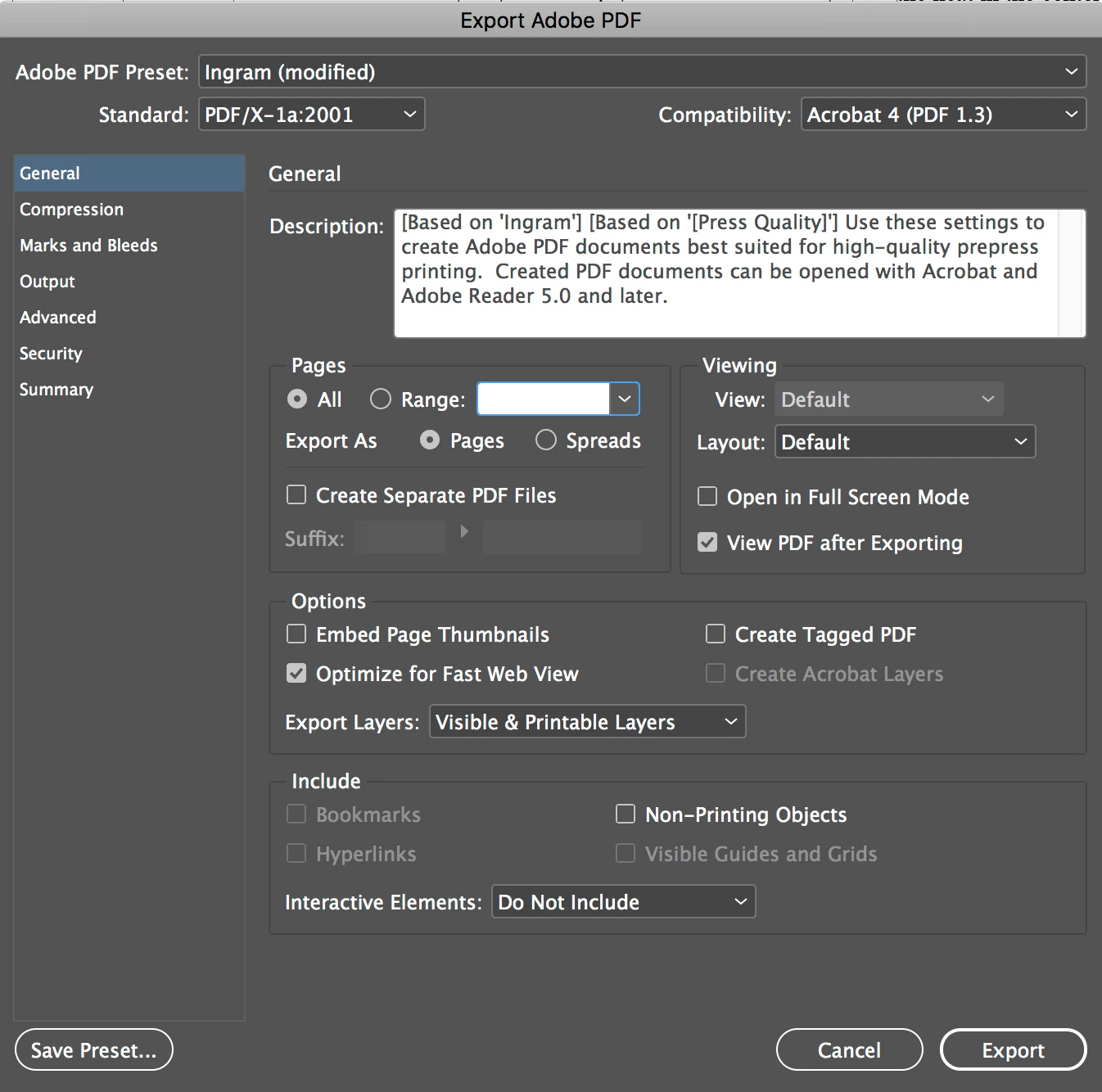
For the ebook version, I duplicated the set of links and saved as a new ID doc, then painstakingly cropped each image in Photoshop to the size it appeared in the ID file at 100% and reduced the ppi to 300. The original links folder was 4.17 GB in size. After cropping and downsizing, the new links folder is 240 MB—a huge reduction in file sizes; however, after relinking to the reduced-sized images, my new PDF (using the exact same presets as the print version) has grown to 79.9 MB!
Please help me understand why this is happening.


 AdChoices