Mona Howell
Known Participant
February 19, 2021
Answered

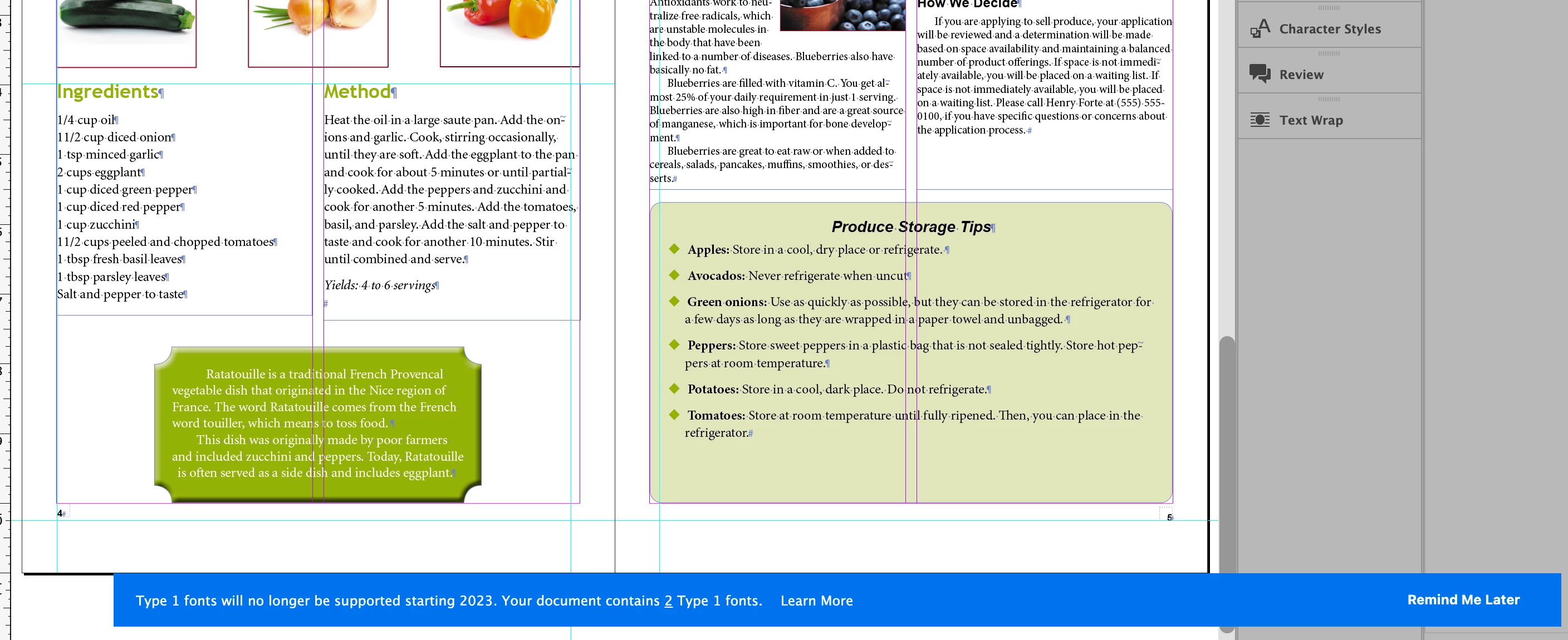
Banner about Type 1 fonts no longer being supported blocks my view of InDesign.

  • February 19, 2021
  • 2 replies
  • 2036 views

That blue banner in InDesign about Type 1 fonts no longer being supported after 2023 goes all the way across my laptop screen and blocks access to some of my tool bar and a whole swath of my text. I've clicked on the "Learn More" to see if that would make it go away, but it still persists. Is there a way to dismiss it? Surely it won't be there till 2023.


Thank you in advance for any help you can provide!



This topic has been closed for replies.
Correct answer Steve Werner

If you zoom back futher, you can click the Remind Me Later at the right to make it go away:


2 replies

Barb Binder
Community Expert
Community Expert
February 22, 2021

Hi @mccbaum:


This DID NOT WORK! 

This is the Adobe community support forum – users helping other users in their spare time. We don't have any control over the software and we can't fix bugs—our role is to help explain the InDesign feature set to other users. This banner is new and if resetting preferences doesn't work for you, then you might want to let the Adobe InDesign team know, using this link: https://indesign.uservoice.com/.


~Barb

~Barb at Rocky Mountain Training
Known Participant
March 24, 2021

So annoying!! I'm having the same problem on a Windows maching. Huge waste of time!

Adobe needs to stop outsourcing coding to other countries.

Dov Isaacs
Legend
March 24, 2021

Has absolutely nothing to do with “outsourcing coding to other countries.” 


- Dov Isaacs, former Adobe Principal Scientist (April 30, 1990 - May 30, 2021)
Steve Werner
Community Expert
Steve WernerCommunity ExpertCorrect answer
Community Expert
February 19, 2021

If you zoom back futher, you can click the Remind Me Later at the right to make it go away:


Mona Howell
Known Participant
February 19, 2021

I can't figure out how to zoom back further. I can "zoom out" all the way to thumbnails, nothing changes the size of the banner. I can make the window smaller, banner remains exactly where it was relative to my laptop screen (not the window). I even tried swiping the whole windoe to the left to see what would happen...the right edge of the banner is just cut off. Here is a screenshot of the break between desktop1 and desktop2.


Steve Werner
Community Expert
Community Expert
February 19, 2021

Are you on Windows? On my Mac laptop, viewing the spread shows the entire bar (as shown).