
Inspiring
November 16, 2022
Answered

baseline grid

  • November 16, 2022
  • 3 replies
  • 1140 views

Hi,


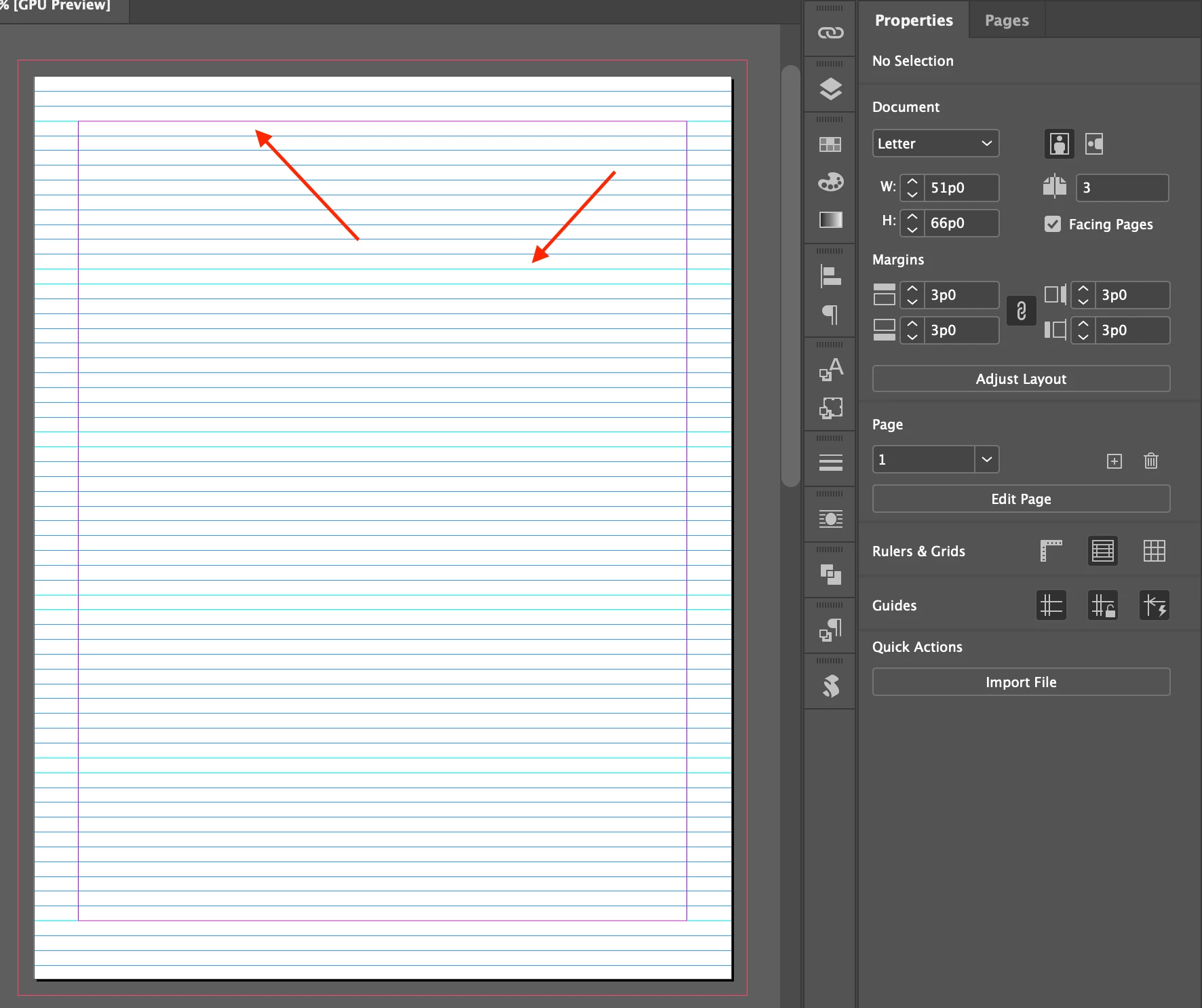
I made the baseline grid aligned on page 1. (Screenshot 1)

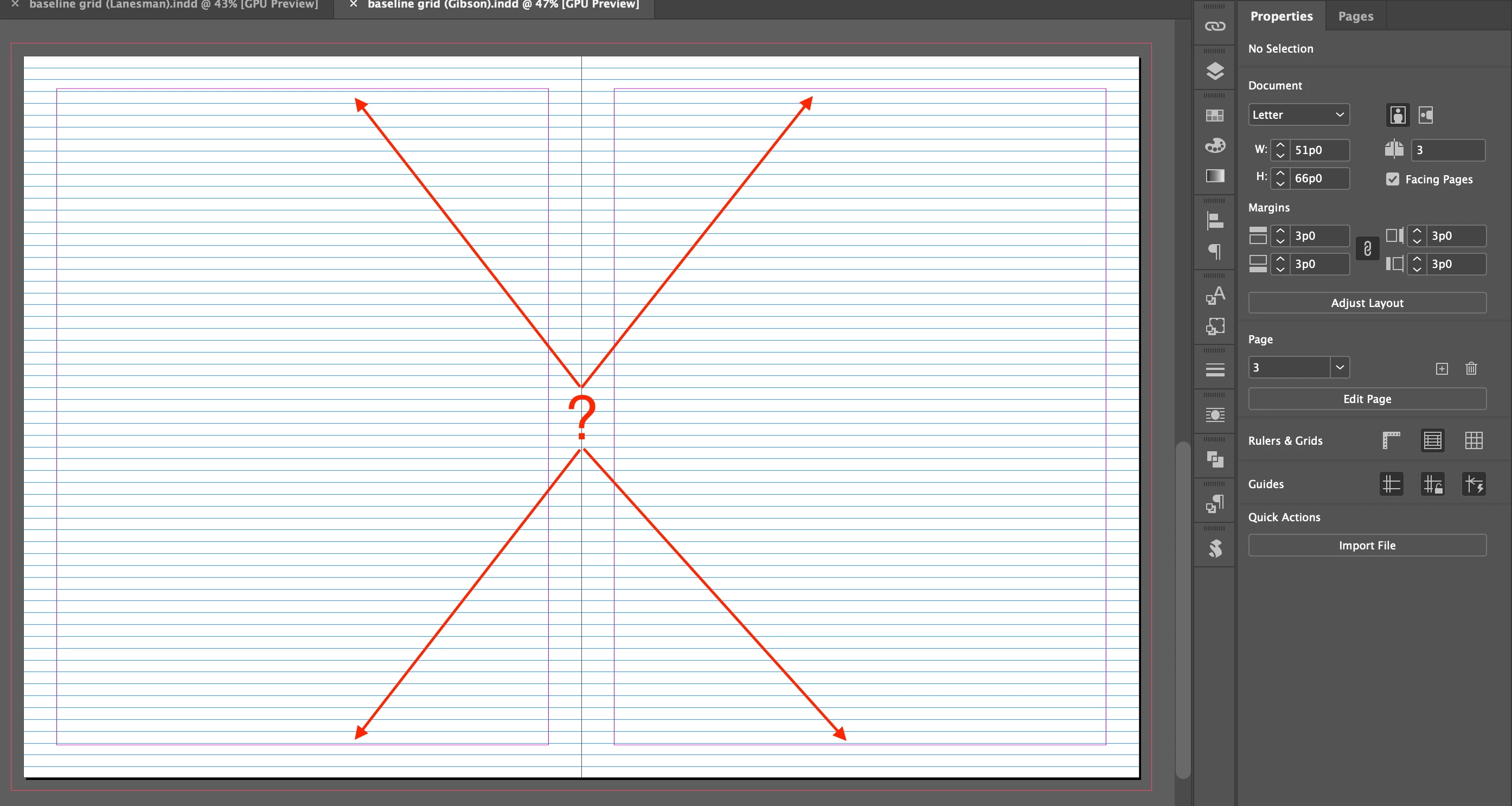
After I created pages 2 and 3, the baseline grid is not aligned and "guides with 13pt gutter" disappeared.


Should I do the work on master page?


Hosun


Screenshot 1


Screenshot 2
This topic has been closed for replies.
Correct answer Mike Witherell

Yes, it would be well to set it up on the Parent pages so that they are on each page.

1. Go to Preferences > Grids and define the Baseline Grid spacing

2. Use paragraph styles to control the text and also make it stick to the baseline.

3. The Leading should be the same amount as defined in Preferences. IOW, they should agree.

4. View > Grids & Guides > Hide or Show Baseline Grid

5. View Threshold zoom percentage is also setup in Preferences > Grids.

3 replies

Mike Witherell
Community Expert
Mike WitherellCommunity ExpertCorrect answer
Community Expert
November 16, 2022

Yes, it would be well to set it up on the Parent pages so that they are on each page.

1. Go to Preferences > Grids and define the Baseline Grid spacing

2. Use paragraph styles to control the text and also make it stick to the baseline.

3. The Leading should be the same amount as defined in Preferences. IOW, they should agree.

4. View > Grids & Guides > Hide or Show Baseline Grid

5. View Threshold zoom percentage is also setup in Preferences > Grids.

Mike Witherell
Inspiring
November 17, 2022

I did it on master page and typed some text.

Leadings are 13pt.


On the first line, character and baseline grid don't snap.

On the last line, they do snap.


What did I do wrong?


Hosun


Inspiring
November 17, 2022

I forgot one thing to tick.


Hosun


jmlevy
Community Expert
Community Expert
November 16, 2022

In complement to @pixxxelschubser answer, it seems that the page 2 and 3 margins are different than page 1.

pixxxelschubser
Community Expert
Community Expert
November 16, 2022

Show us your Pages Panel please.

Inspiring
November 17, 2022

As jmlevy said, margins are differnt.

In InDesign, spreads are different worlds in a single document.


Hosun