Inspiring
November 17, 2022
Answered

baseline grid

  • November 17, 2022
  • 3 replies
  • 812 views

Hi,


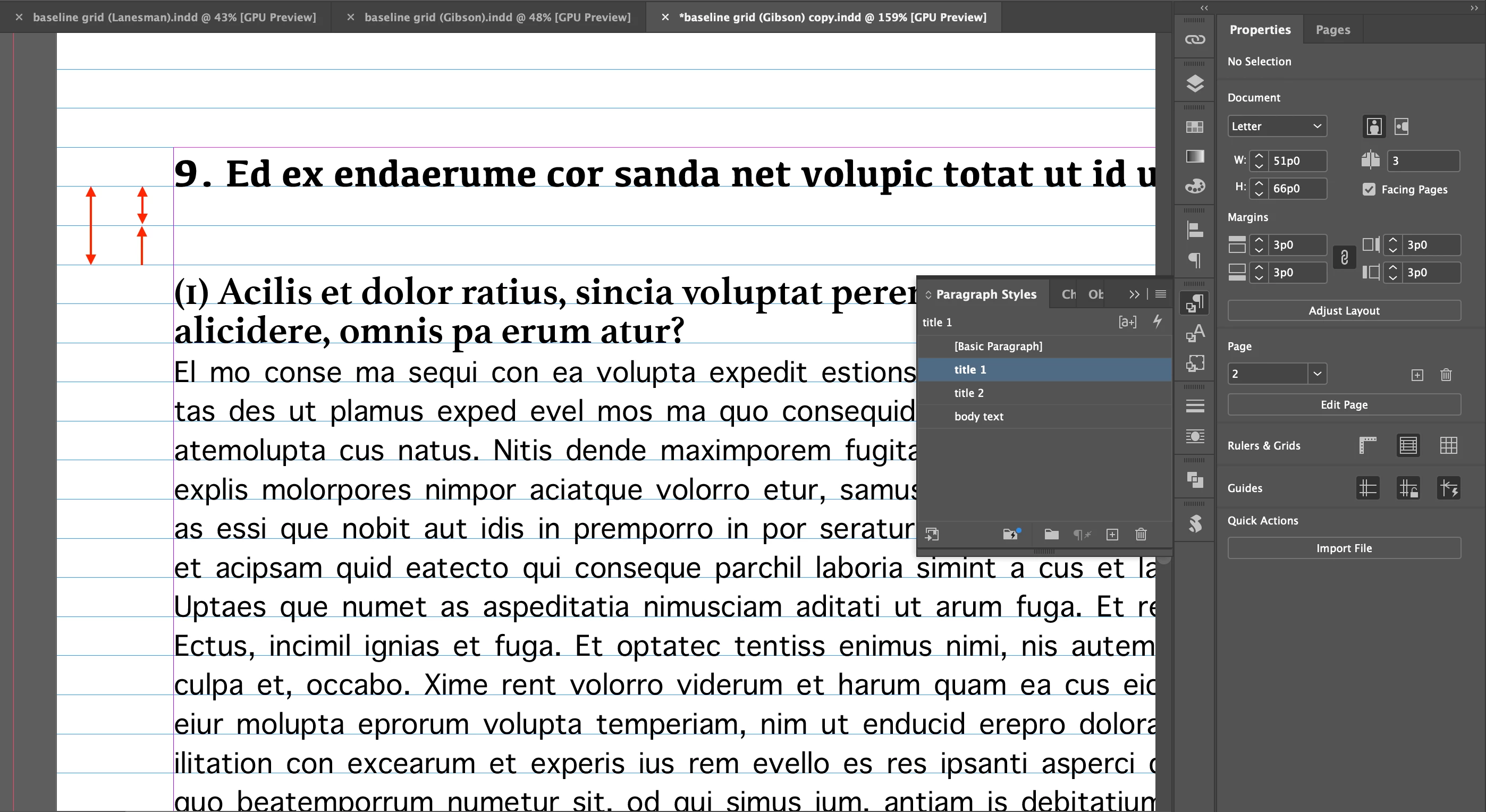
Currently, there are 2 baseline grids.

How can I reduce it to 1 baseline grid.


Hosun


This topic has been closed for replies.
Correct answer Hosun26059267k946

All the leadings are 13pt.


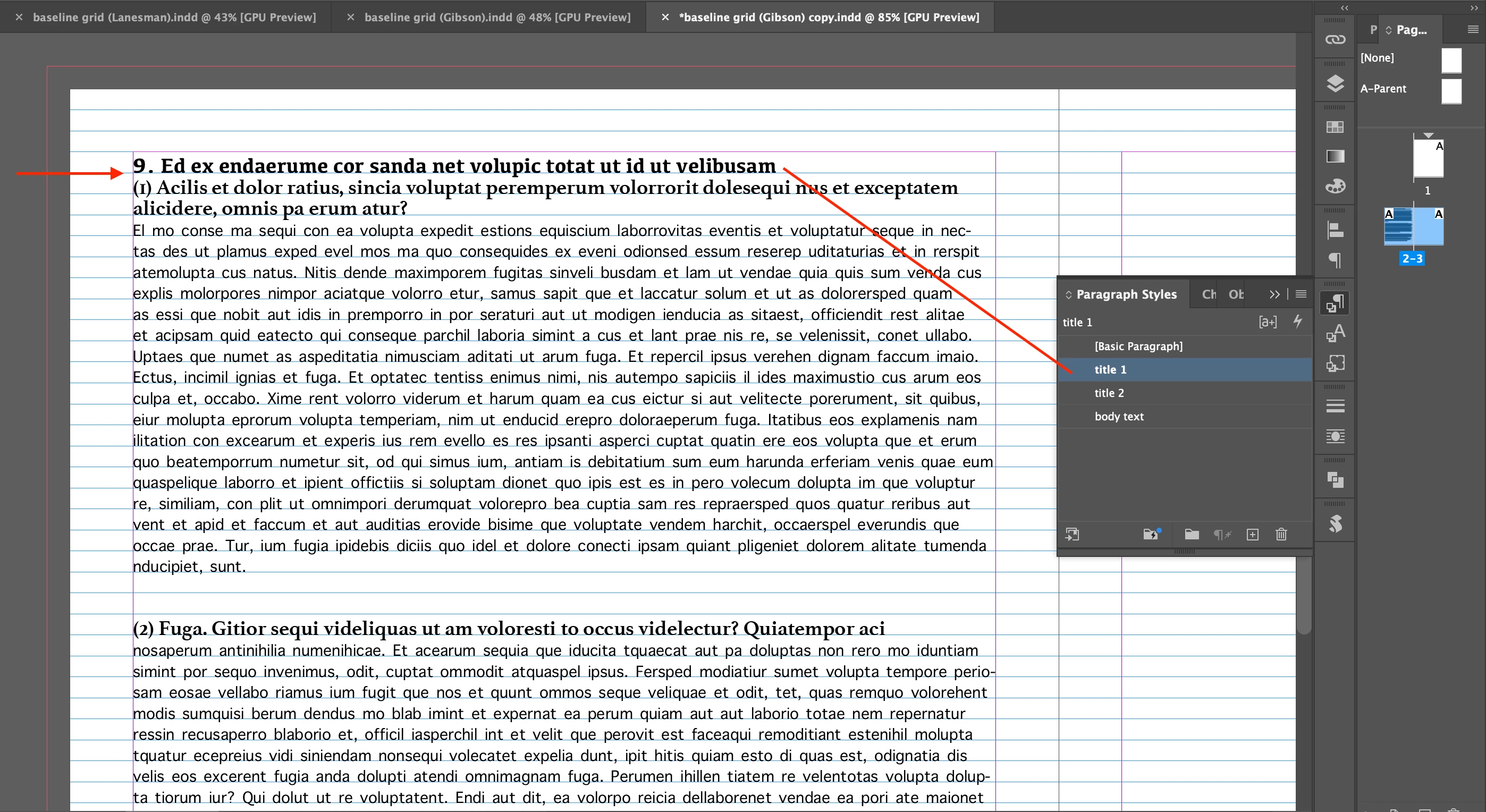
I removed line space with the backspace key.

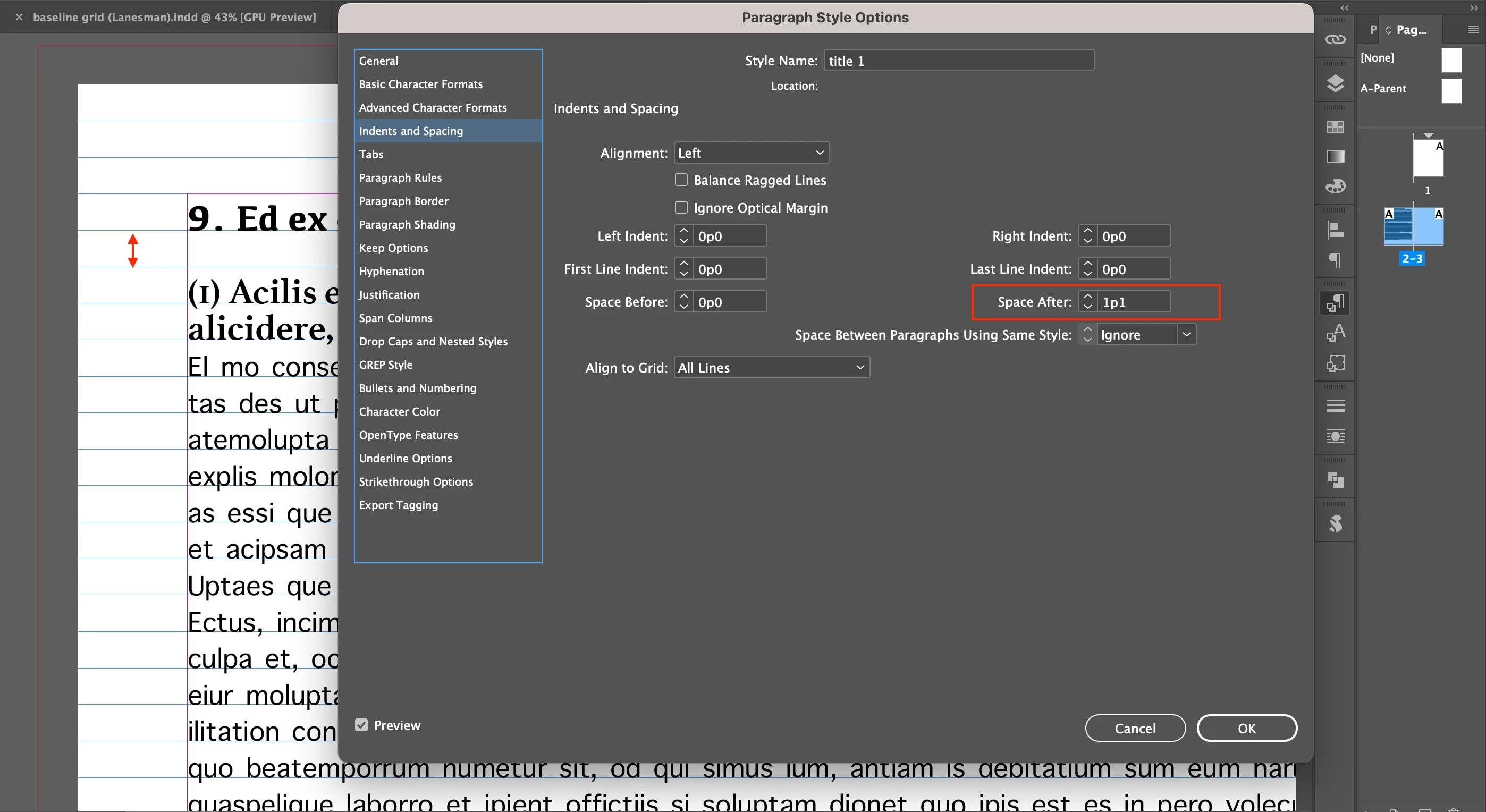
And I gave 13pt (1p1) to Space After.


It looks OK.


Thank you very much.


Hosun
 

3 replies

Barb Binder
Community Expert
Community Expert
November 17, 2022

Always happy to help, @Hosun26059267k946 .


~Barb

~Barb at Rocky Mountain Training
Barb Binder
Community Expert
Community Expert
November 17, 2022

The way a baseline grid works is that if you add space above that is less than or equal to the baseline grid value, the text will jump to the next baseline.


So let's say that your baseline grid is 14 points and you add between 0 and 14 points space above that Head2, it will jump to the next grid line. But if you add between 15 and 28 points space above that Head2, it will jump to the next grid line after that.


I suspect that's what's happening here. You can either reduce the space above that Head2 or you could take it off the grid.


~Barb


~Barb at Rocky Mountain Training
Hosun26059267k946AuthorCorrect answer
Inspiring
November 17, 2022

All the leadings are 13pt.


I removed line space with the backspace key.

And I gave 13pt (1p1) to Space After.


It looks OK.


Thank you very much.


Hosun
 

pixxxelschubser
Community Expert
Community Expert
November 17, 2022
quote

All the leadings are 13pt.


I removed line space with the backspace key.

And I gave 13pt (1p1) to Space After.


It looks OK …


By @Hosun26059267k946


This is the right way.

Do not work with superfluous blank lines - but with a "space after" in paragraph style.

😉

Inspiring
November 17, 2022