
Known Participant
February 8, 2024
Question

Baseline problem in exporting indesign to html

  • February 8, 2024
  • 2 replies
  • 672 views

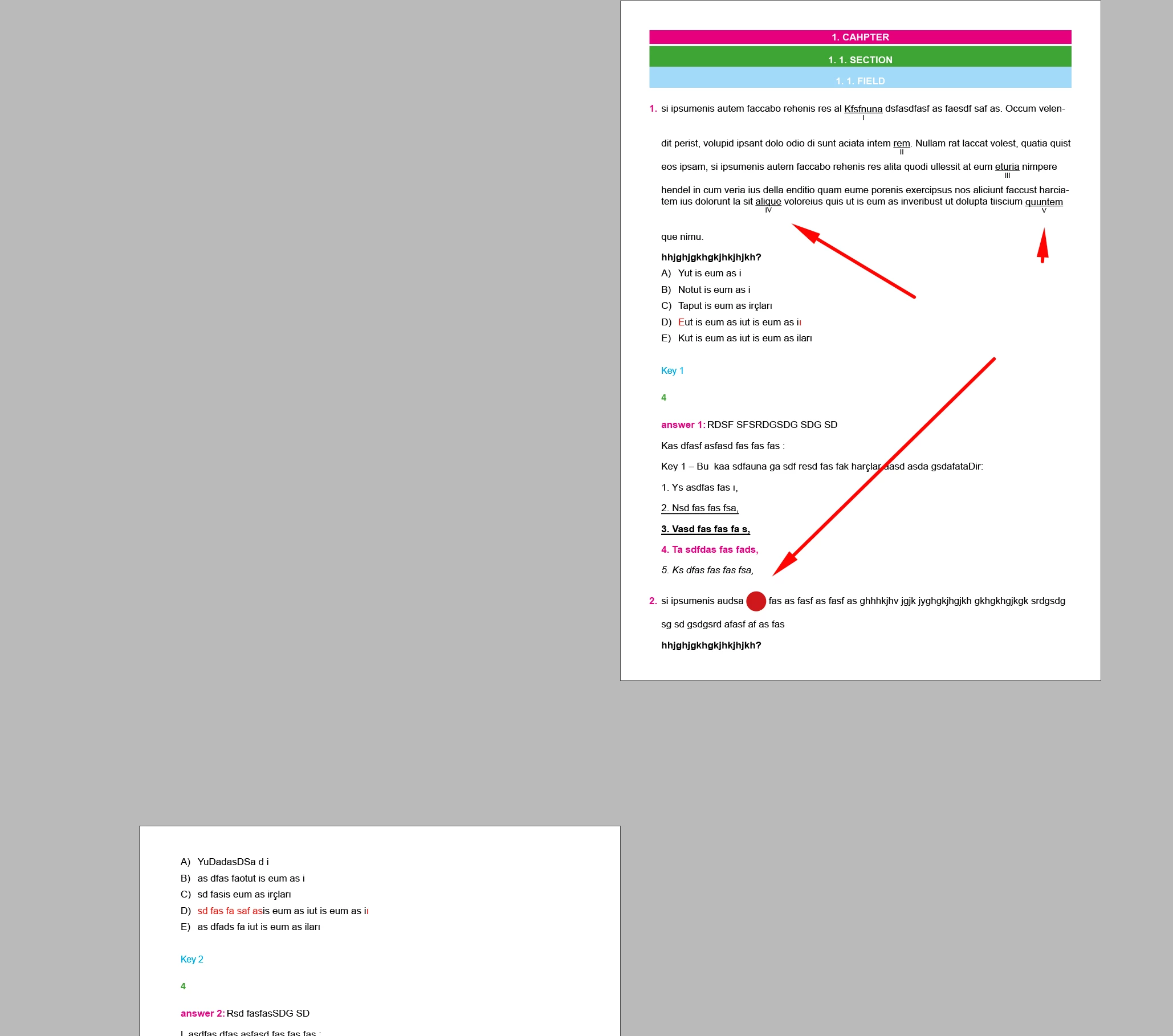
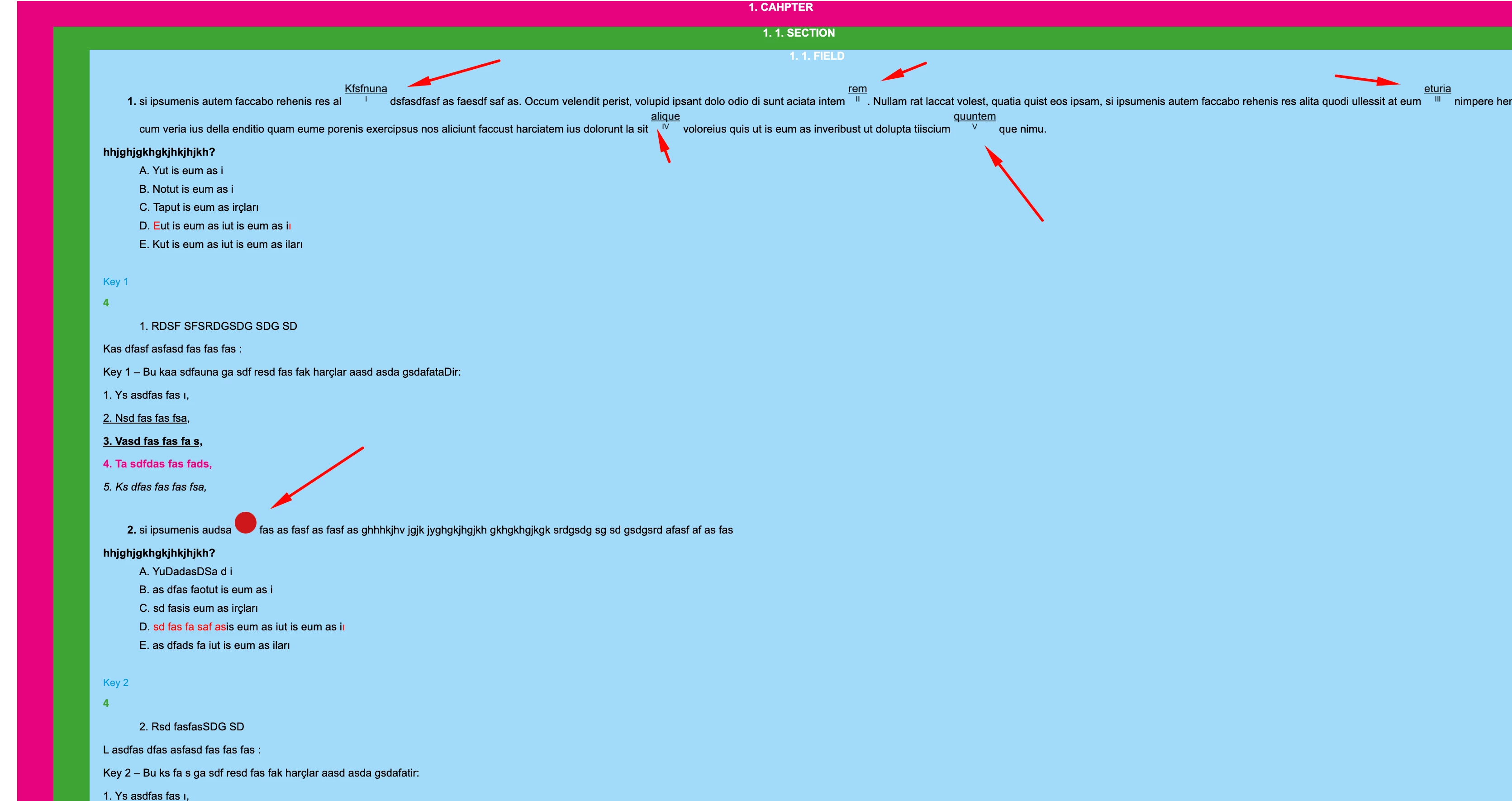
I publish the document I exported from the Indesign program on the web. Everything exports as I want. Except for one. Objects in my document are not aligned on the baseline. I am sending the sample indesign file as attachment.
(The suggestions here did not solve my problem: https://creativepro.com/exporting-from-indesign-to-html5-amazing-free-script/)
2 replies

uniq1Author
Known Participant
February 9, 2024

Hi,
Thank you for your answer. I'm having baseline issues in all browsers...
I cannot send the zipped file as an attachment because it is not supported.

James Gifford—NitroPress
Legend
February 9, 2024

Sorry, ouf of the 100-odd file types accepted for attachment here, I don't know (1) why ZIP isn'g among them and (2) why I persist in thinking it is.


Well, attach an HMTL file of reasonable size or, if you want to keep it private, attach it to a DM to me. I can't do more than hazard a guess without seeing the actual export code.


uniq1Author
Known Participant
February 9, 2024

Hi @James Gifford—NitroPress 


Is there a need for an html file? I added the indesign file in the first post. I exported html with default settings

James Gifford—NitroPress
Legend
February 8, 2024

I'm not completely clear what the fault is, here.


A starting point: check the HTML in more than one browser. Although web browsers are long past their 'wild west' days of having wildly divergent ideas about how to render code, there are subtle differences. But if you see different results on, say, Chrome, Firefox and Bing, it would be a clue to what's going on.


ID's HTML export is generally good, if not fancy. There is one serious bug in the export, though — if you specify your own CSS file, it gets written to the output BEFORE the base CSS, meaning it's filtered if not negated. (Fault happened with v18; I've been annoying Adobe about it with each unfixed release since.) If you're not adding your own CSS, this is moot.


The real solution is in looking at the HTML/CSS code, not (necessarily) the ID source. Can you zip up an export showing this fault and post it here?