
Baseline Shift Issues? Maybe?
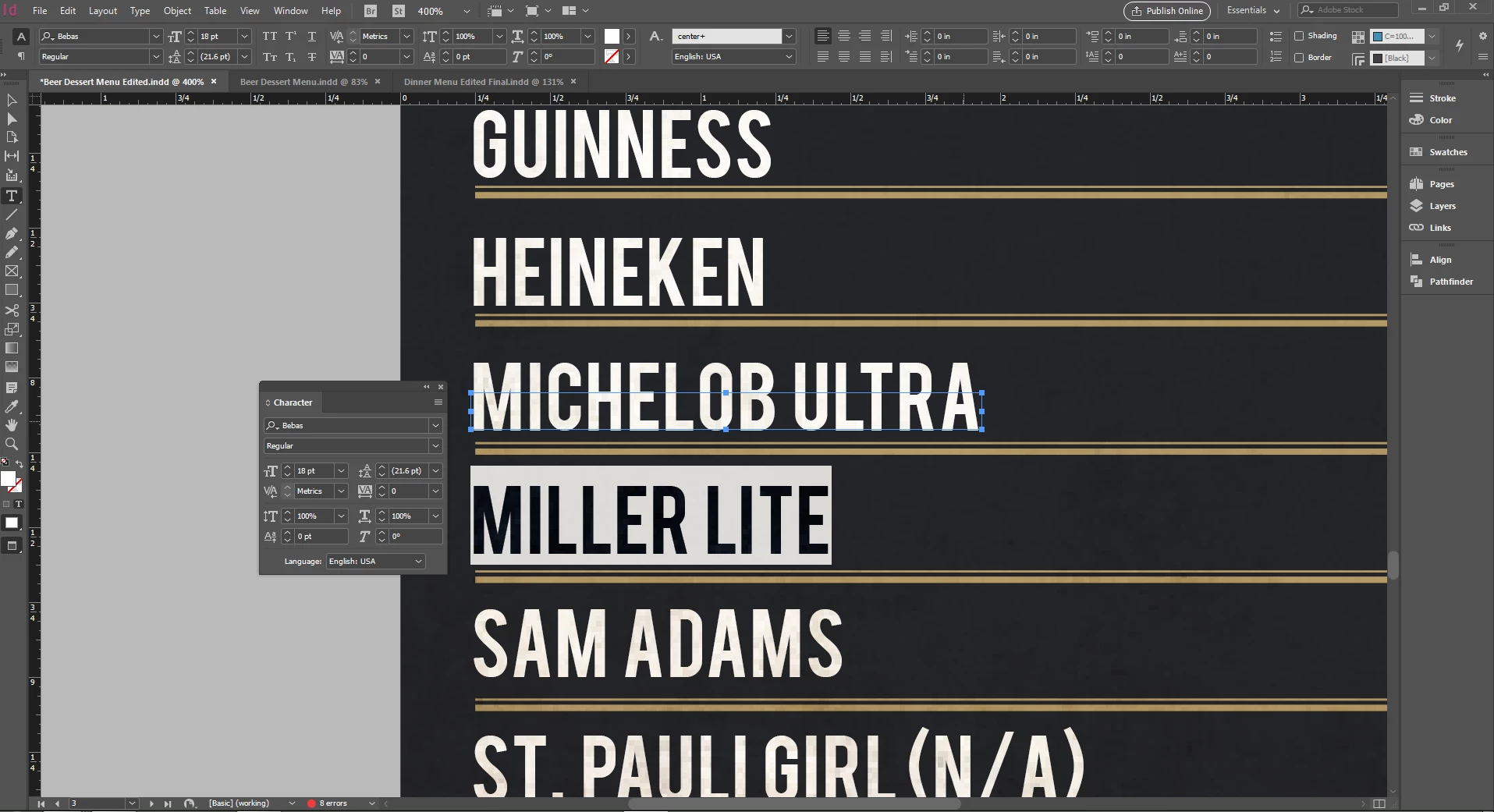
I was having some issues with a font that has text showing outside of the text box. I did a search and found that someone else was having the same issues (Text outside of text box? ) and it was fixed by changing the baseline shift in the character palette back to zero. Delighted to see this I checked out my values in the character palette and it was already at zero. I can change the size of the text box but that also moves the position of the text. If I resize the text box and change the baseline shift value to -7.5 that seems to fix it, but that just doesn't seem right.... The issue is also fixed if I change the font (obviously I haven't checked all the fonts I own). Below is a screen of what I am talking about. all the text boxes are that size and I have highlighted some text to show the character settings. Thanks for any help!
 AdChoices