

littlelady40
Known Participant
August 16, 2022
Answered

Basic Problem with an en dash and alignment

  • August 16, 2022
  • 3 replies
  • 682 views

I am setting financials and when I set them from scratch the enashes in the tables align to the numbers using an tab align to bracket. I have picked up an existing job and the dashes seem to be inset and I can not work out why. Any of you clever people have the answer I just can not seem to find. Tab is in correct position, no indents on cell and no paragraph or charater style is applied. As you can see in the image they just dont want to line up. But if I create a new table mine line up. What am I missing?
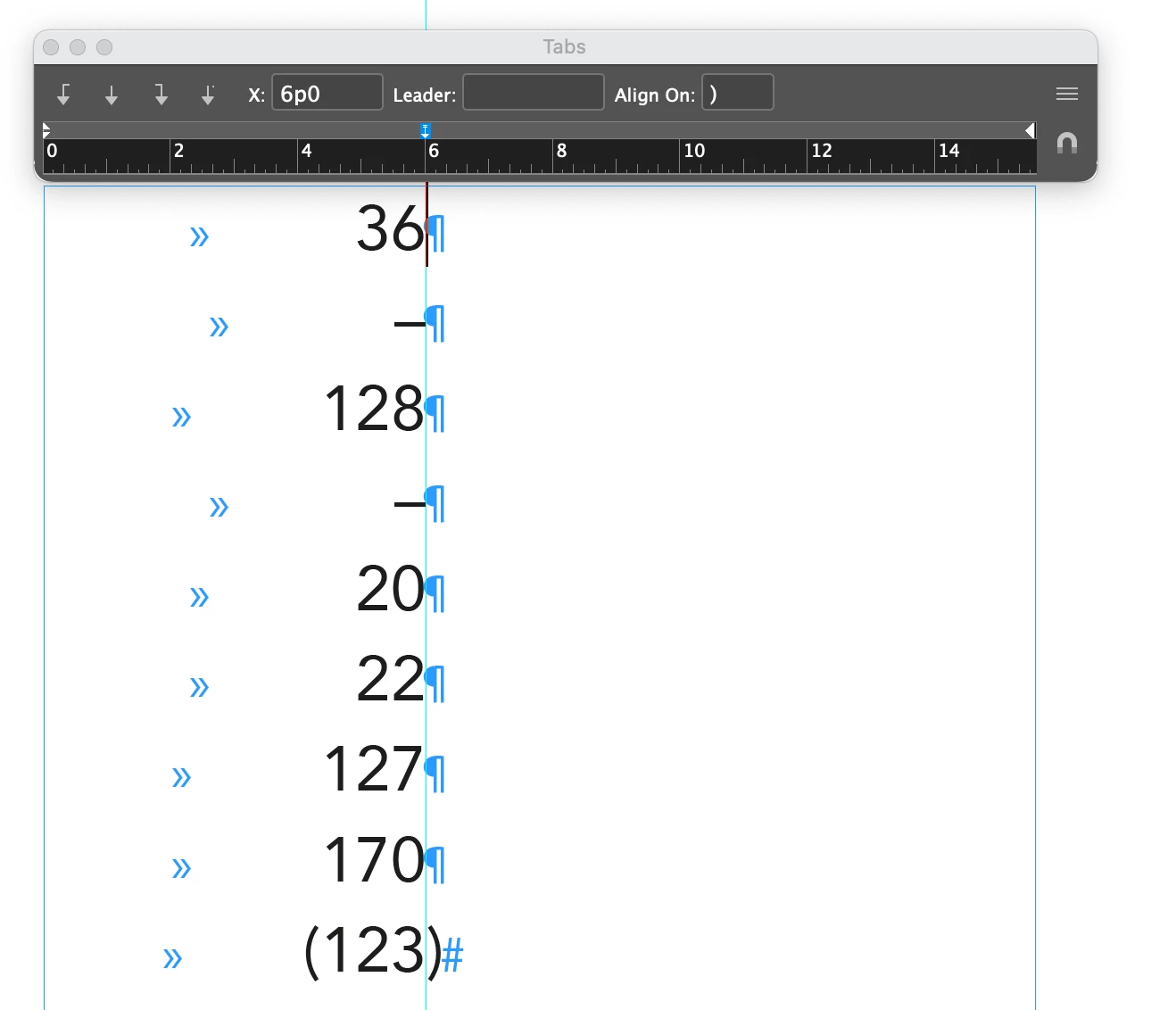
This topic has been closed for replies.
Correct answer Scott Falkner

Are you sure there is no space after the en-dash?

Here I have a tab aligning on a closed parenthesis (which I assume you are using). My en dashes are aliging with the numbers.

3 replies

Scott Falkner
Community Expert
Scott FalknerCommunity ExpertCorrect answer
Community Expert
August 17, 2022

Are you sure there is no space after the en-dash?

Here I have a tab aligning on a closed parenthesis (which I assume you are using). My en dashes are aliging with the numbers.

littlelady40
Known Participant
August 18, 2022

thank you all. 

it was story!!!! applied to all the cells. Made me go slightly insane.

Dave Creamer of IDEAS
Community Expert
Community Expert
August 16, 2022

Can you do a screen shot with your hidden text characters on?


David Creamer: Community Expert (ACI and ACE 1995-2023)
James Gifford—NitroPress
Legend
August 16, 2022

Are the dashed entries forming a bullet paragraph?


littlelady40
Known Participant
August 16, 2022

I have removed all styling on the cell in the cell and paragraph styles and it still indented, Im sure its something simple just cant seem to work out what they did. 

James Gifford—NitroPress
Legend
August 16, 2022

Have you checked the cell style settings?