Why it's scale 15.9% ?
Because you placed the file, and scaled it down on the page. A 1000px x1000px image at 72ppi has an output dimension of 13.8889 x 13.889 inches (1000/72=13.8889):
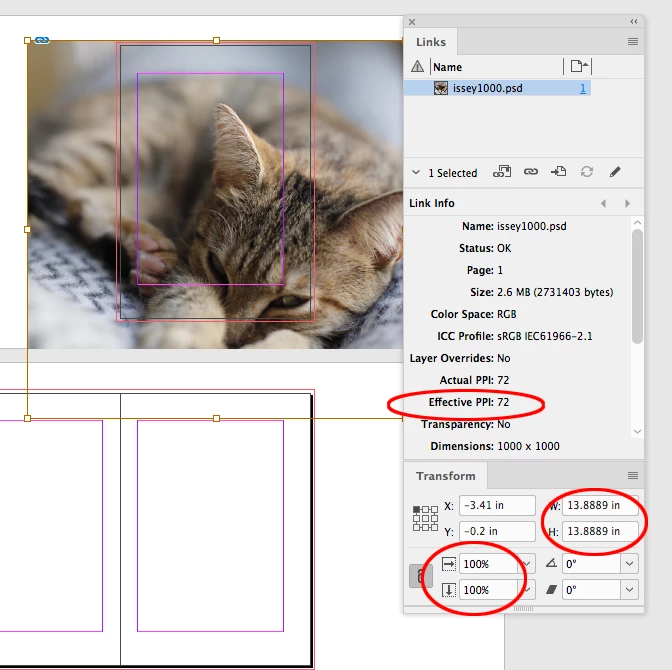
Scaling the image to 15.84% scales both the output dimensions (13.889 down to 2.2") and the output pixel size (1/72" down to 1/455")
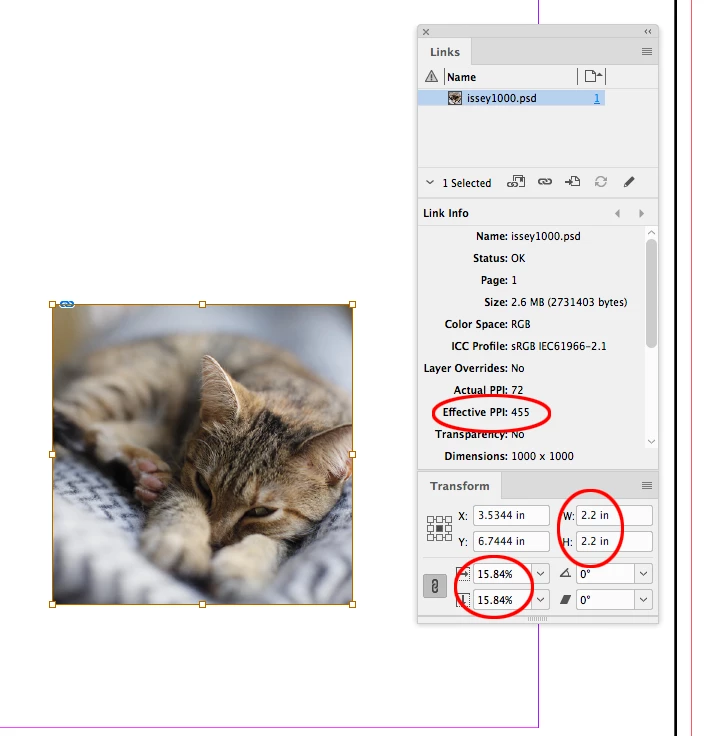
And why exported 144ppi looks much worse than the original file of 72ppi?
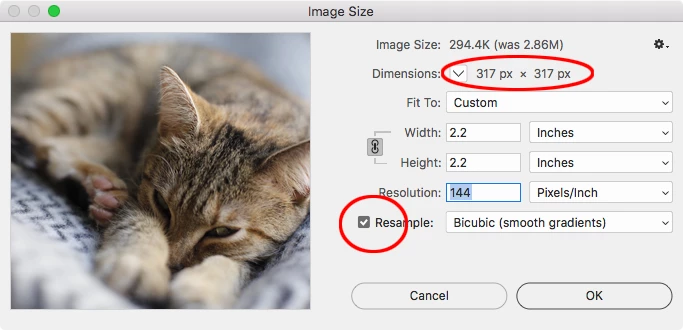
Your export of the 455ppi image to 144ppi resamples the original 1000px x 1000px image to 317px x 317px. You can see an example of that export resample in Photoshop’s Image Size dialog:
Thank you @rob_day for your incredible knowledge and detailed explanations with pictures! I learned so many new things that would help me in the future!
After playing with all the settings, I found a solution that worked for me and my original 10mb file, went to 2.31mb.
The solution was kinda simple. While exporting, in the Compression tab I selected an Automatic compression method instead of default JPEG 2000 (Lossless)... and JPEG Quality from Maximum, I set it to High.
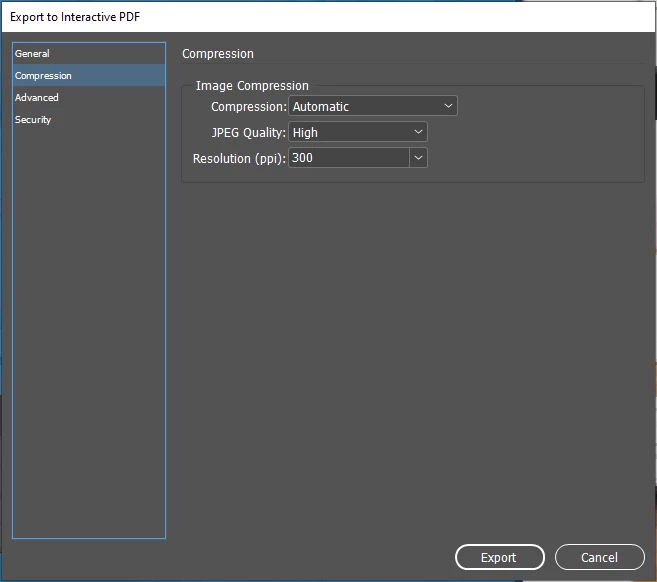
Now you can barely see the difference! And the size became 4 times smaller!
JPEG 2000 (Lossless) - Maximum - 300
Automatic - High - 300


 AdChoices