_e_s
Known Participant
March 8, 2026
Answered

Best Practice for Starting Chapters with a Double-Page Spread in InDesign Book

  • March 8, 2026
  • 1 reply
  • 48 views

I’m using an .indb to create a guidebook that is both text and photo heavy, with separate .indd docs for the chapters. Each new chapter will start with a double page photo spread – what’s the best practice method to do this? Do I have to place half the photo at the end of the previous document? Thanks
    Correct answer rob day

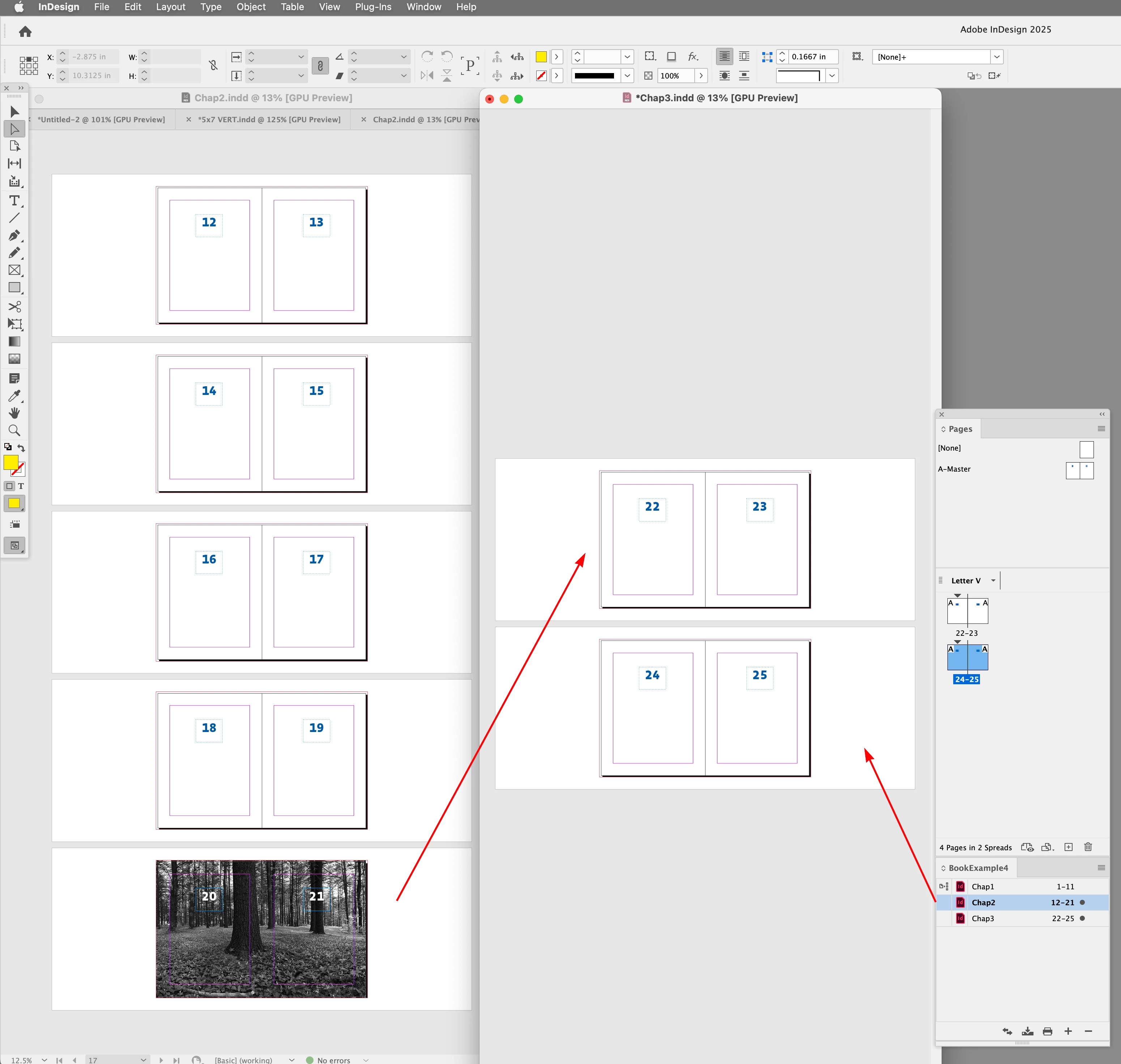
    Hi ​@_e_s , You can start and end book sections with a spread.


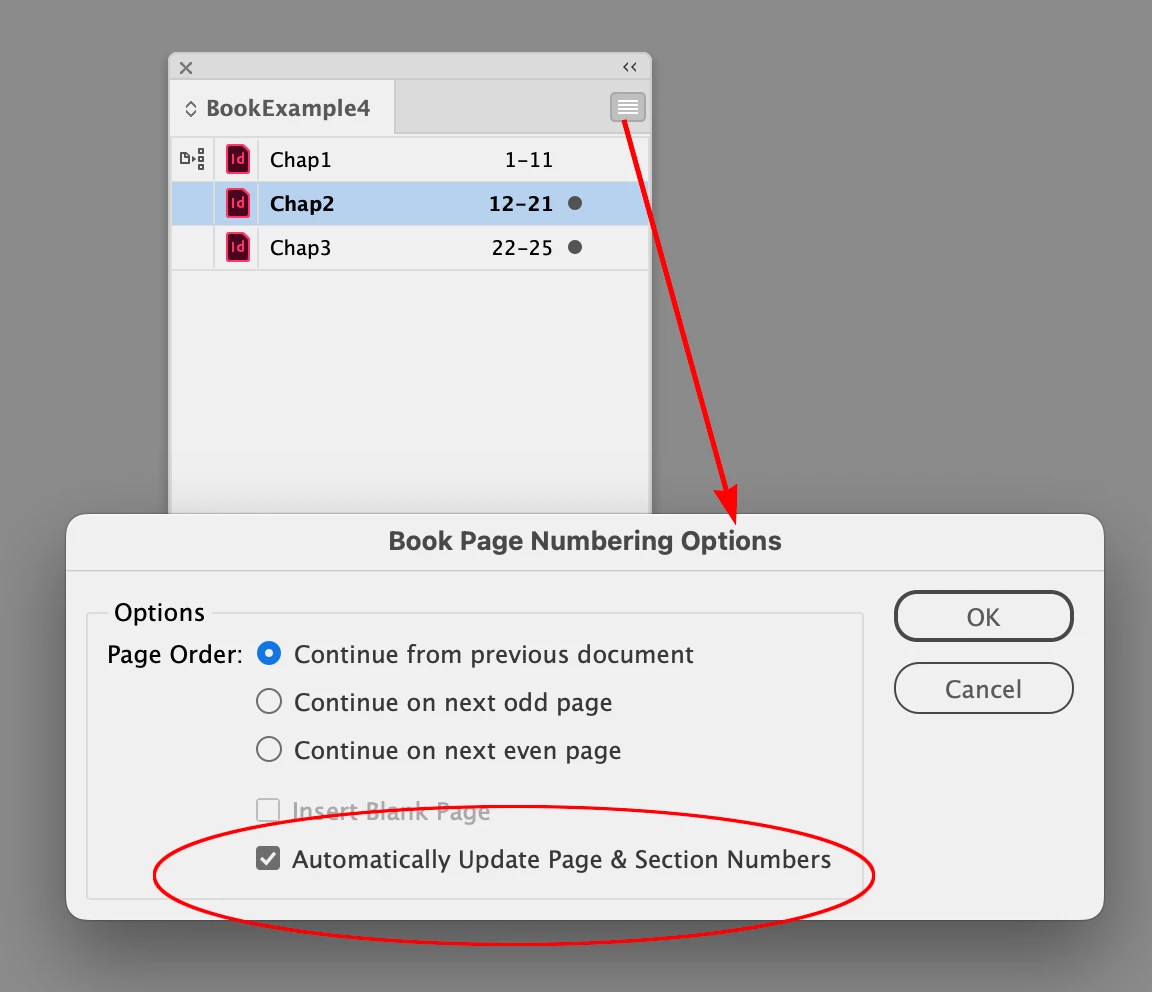
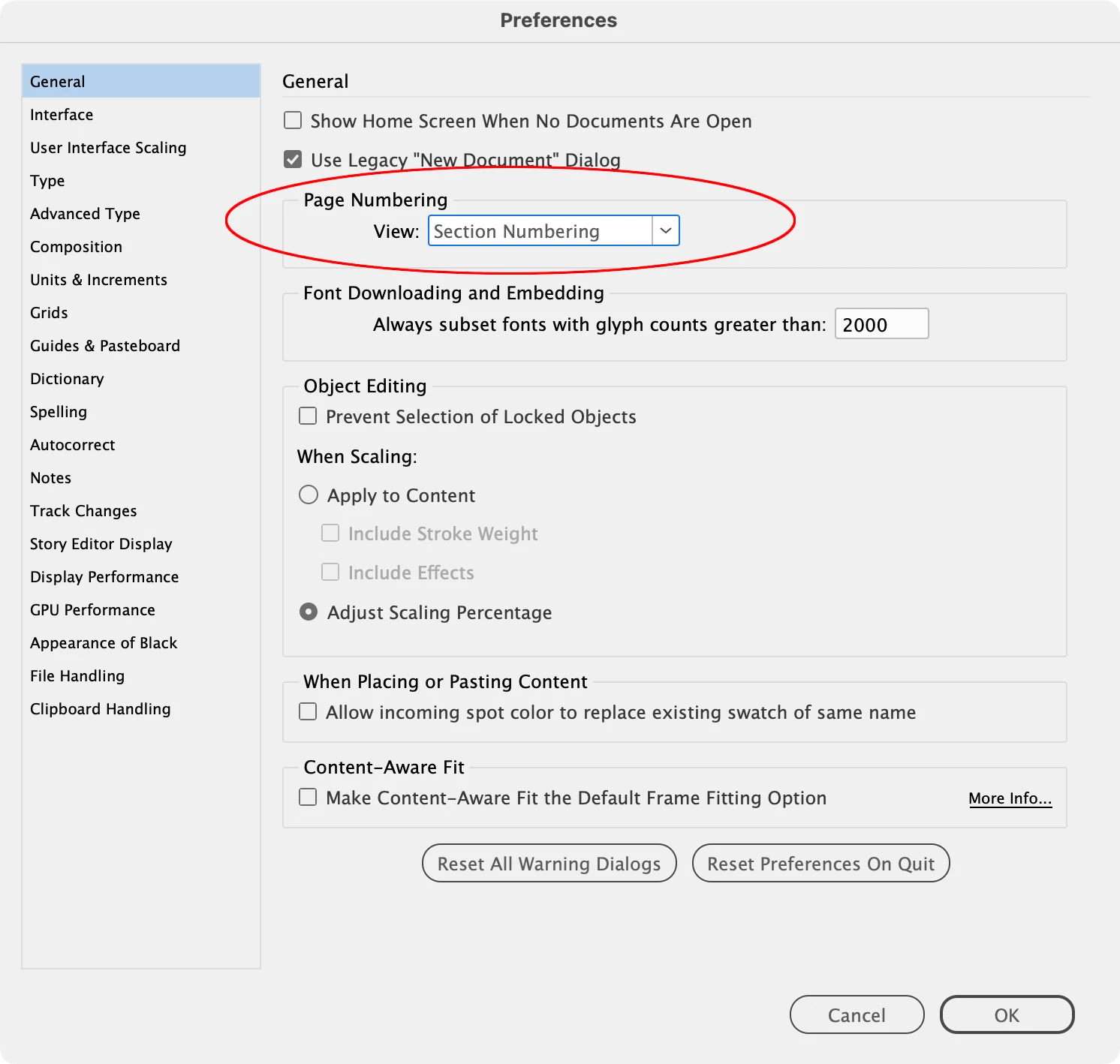
    When you set up the book documents make sure your General>Page Numbering>View Preferences are set to Section Numbering and not Absolute Numbering. Also set the Book’s Book Page Numbering Options to Continue from previous document and Automatically Update Page & Section Numbers is checked:


    1 reply

    rob day
    Community Expert
    rob dayCommunity ExpertCorrect answer
    Community Expert
    March 8, 2026

    Hi ​@_e_s , You can start and end book sections with a spread.


    When you set up the book documents make sure your General>Page Numbering>View Preferences are set to Section Numbering and not Absolute Numbering. Also set the Book’s Book Page Numbering Options to Continue from previous document and Automatically Update Page & Section Numbers is checked:


    _e_s
    _e_sAuthor
    Known Participant
    March 8, 2026

    THANK YOU!  So simple, I just couldn’t find the answer by Googling.