
Known Participant
August 4, 2025
Answered

Best way to create angled/rotated (not skewed/slanted) text

  • August 4, 2025
  • 2 replies
  • 627 views

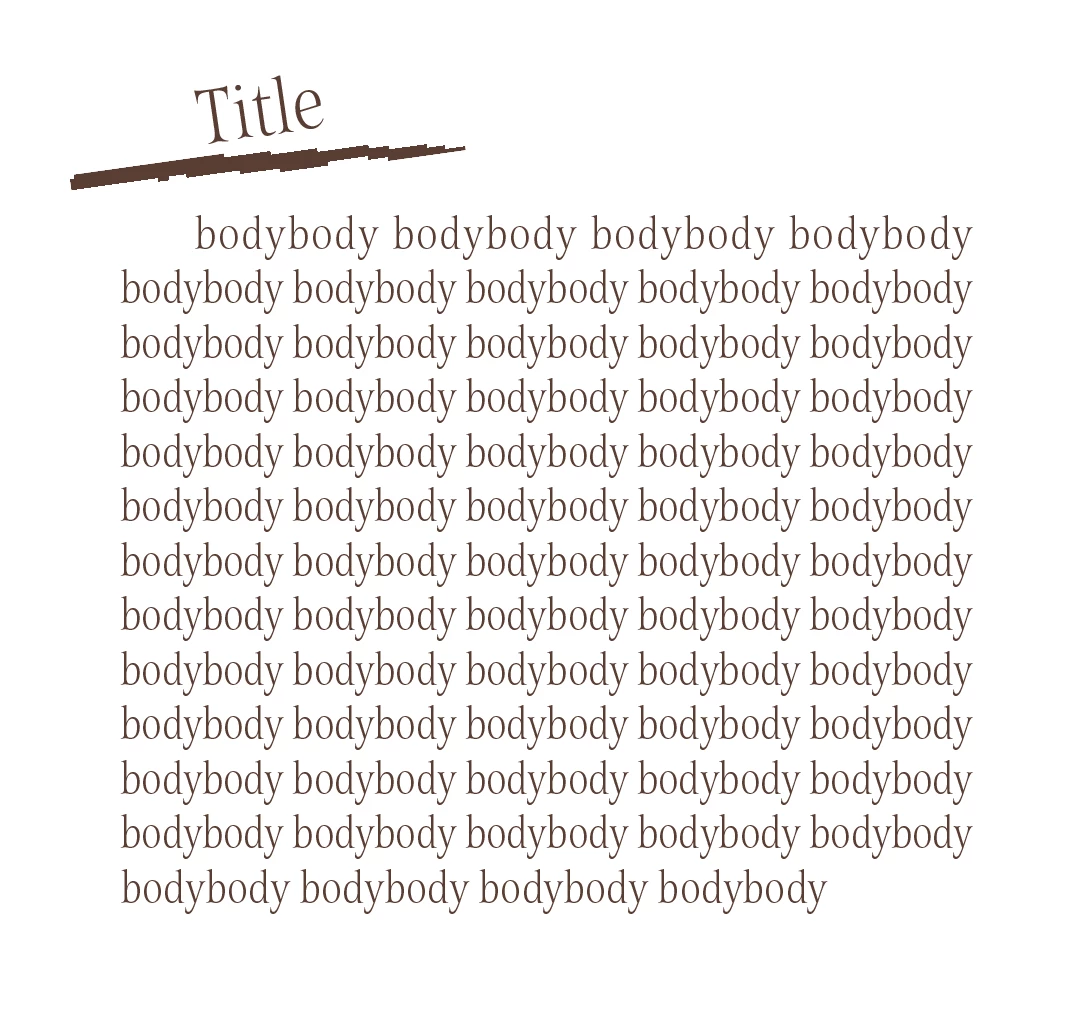
I'm trying to create something like the below for all the titles and possibly subtitles in a book. There is no way I'm aware of to do this using a paragraph style. At the moment I think my best bet would be to create all the titles in illustrator or photoshop and export them as pngs, then anchor them into the text boxes - especially as the line under the title text would need to be an anchored object too.


Checking if anyone has a better, easier to edit way to do this? Maybe there is some crazy script out there that someone knows about or something. Or just a different way of going about it than the only one I can think of.  


Thanks!


Correct answer Willi Adelberger

Create the rectangle for text, an ordinary text frame. 
Draw a small text frame above. It must be smaller than the firstone. 
Turn the second frame the angle you want to have the text turned. 
Select both frames, use the pathfinder command add. 
Fill it with the text. 

2 replies

Willi Adelberger
Community Expert
Willi AdelbergerCommunity ExpertCorrect answer
Community Expert
August 4, 2025

Create the rectangle for text, an ordinary text frame. 
Draw a small text frame above. It must be smaller than the firstone. 
Turn the second frame the angle you want to have the text turned. 
Select both frames, use the pathfinder command add. 
Fill it with the text. 

IsoneryumAuthor
Known Participant
August 4, 2025

oh now that is some exceptional sorcery, thank you! With some trial and error it works a treat. Much appreciated!

Participating Frequently
August 4, 2025
You can also use a rotated text frame and anchor it to your original text frame
IsoneryumAuthor
Known Participant
August 4, 2025

Thanks, I couldn't seem to get this to work, I'm using a double anchor so that the underline can go outside of the main text frame but the title text just kept disappearing. I couldn't see any text wrap issues and eventually realised it wasn't disappearing but going to like 1 or 2pt text. Again, shouldn't see any reason for it, was still set to the correct paragraph style, wasn't saying it had any overrides. I'll check the object style again, or the anchor settings, maybe there was something in there I missed. I could only get it to work by outlining the text which means I may as well do it as a link so it can still be edited and relinked 😕😕