
Answered
Blacks turn dark grey after exporting to pdf from InDeign cs6
Exactly what the title says. The one on the right is from Indesign....the left one is after exporting (the same in preview and acrobat reader).Anyone know why this happens?
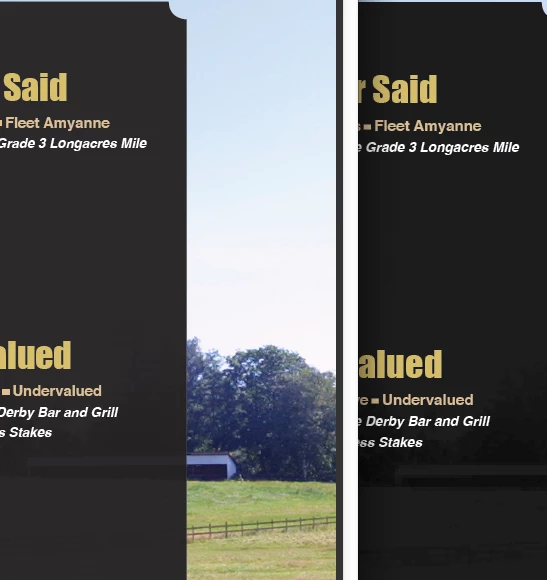

Exactly what the title says. The one on the right is from Indesign....the left one is after exporting (the same in preview and acrobat reader).Anyone know why this happens?
How is the age of the thread relevant?
If it were simple there'd be no people looking for solutions!
Why on earth would there be an array of confused and quite random suggestions here from fraught people - including unchecking tick boxes and all sorts - WELL within the last 8 years if no issue!
Because not all users completely understand how color management, or offset printing works. Offset inks are not opaque, and that is reflected in the InDesign and Acrobat soft proofing of [Black] and Black+CMY. Proofing the appearance variations of black ink combinations on coated and uncoated paper stocks is not a bug it’s a color management feature.
If the output is to an offset press, and you want an absolute black for large areas of ink coverage, you need to add CMY to the mix without exceeding the output profile’s total ink limit—something like 65|50|50|100 is a typical rich black value.
If your output is for screen display, or composite printing, use an RGB 0|0|0 black swatch. Almost all composite print drivers are RGB, and the final output color convsersions are made by the driver.
Already have an account? Login
No account yet? Create an account
Enter your E-mail address. We'll send you an e-mail with instructions to reset your password.


 AdChoices