AB30001
Participant
July 31, 2026
Question

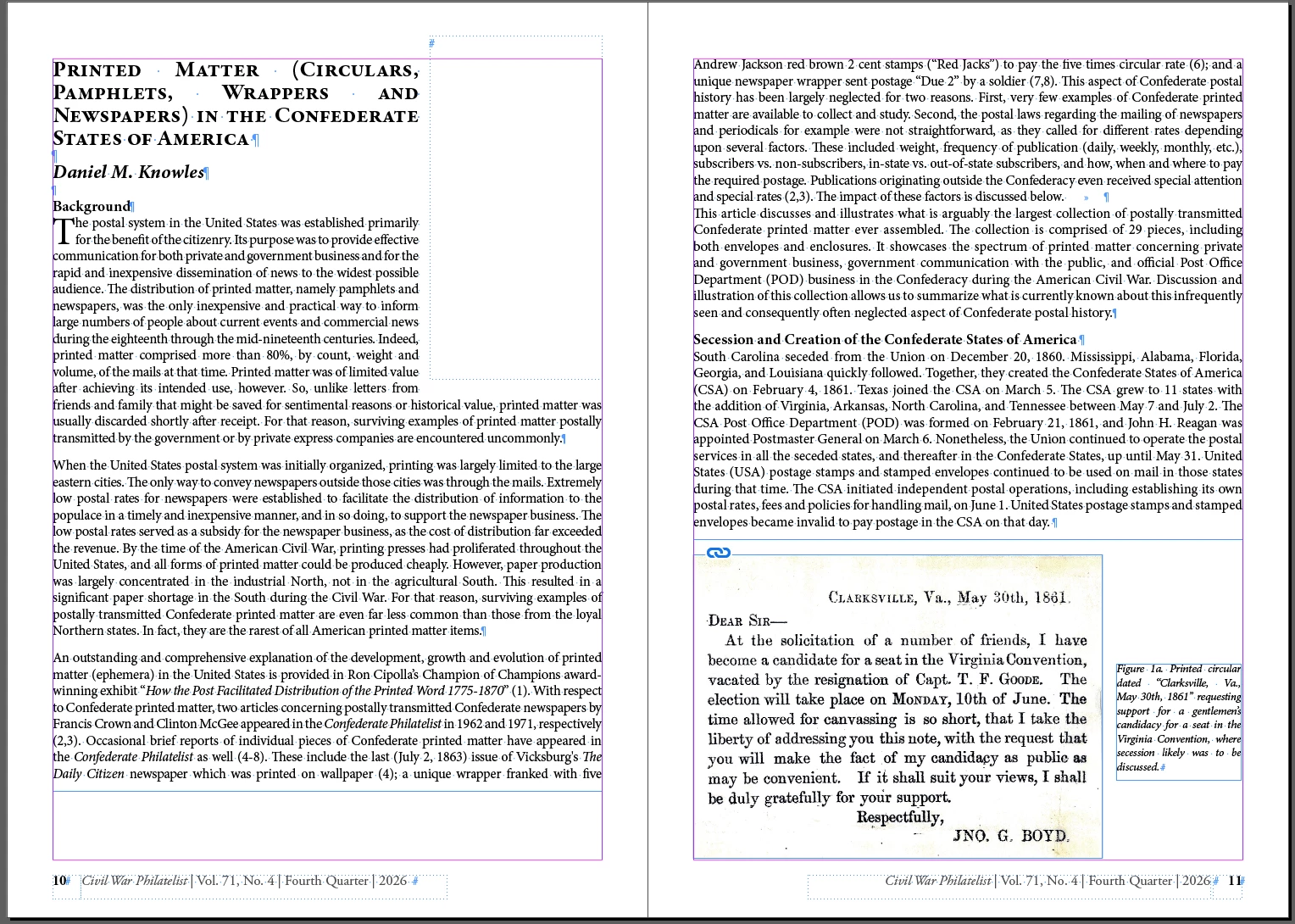
Blank part-column spaces have appeared on every left-hand page of my InDesign file - from nowhere! I've checked layouts, columns, styles - nothing. Plus (despite the dotted line that appears on the attached screencap, I cannot highlight it. Help!!!!

  • July 31, 2026
  • 3 replies
  • 26 views
One of the affected spreads. The blank column does not appear when images are pasted over it. I need to know how to remove this. I created an idml version - no difference. 


    3 replies

    Mike Witherell
    Community Expert
    Community Expert
    July 31, 2026

    Likely, this object has text wrap turned on and likely exists on a Parent page. You might go to the Parent page and consider whether you would delete this empty frame that has text wrap applied to it.

    Mike Witherell
    AB30001
    AB30001Author
    Participant
    July 31, 2026

    You’re a star, Abhishek!

    Problem now fixed, but I’m unclear as to upw it happened. 

    Abhishek Rao
    Community Manager
    Community Manager
    July 31, 2026

    Hi @AB30001,


    Thanks for reaching out, and I'm sorry you're experiencing this issue.

    From your screenshot, it looks like InDesign may be reserving space for a text wrap object rather than there being an issue with the columns or margins. Since the blank area appears on every left-hand page, can't be selected, and persists in the IDML file, could you please try selecting the affected text frame and enabling Object > Text Frame Options > Ignore Text Wrap to see if the space disappears?

    If not, please check for any hidden or locked objects, including those on the Parent page, that may have Text Wrap applied. You could also try hiding each layer one at a time to identify whether a wrap object exists on a particular layer.


    Please let us know what you find, and we'll be happy to investigate further.

    Abhishek