Participant
November 29, 2020
Answered

Blue Highlight on Text, it is not style or paragraph override, or local formatting.

  • November 29, 2020
  • 3 replies
  • 4824 views

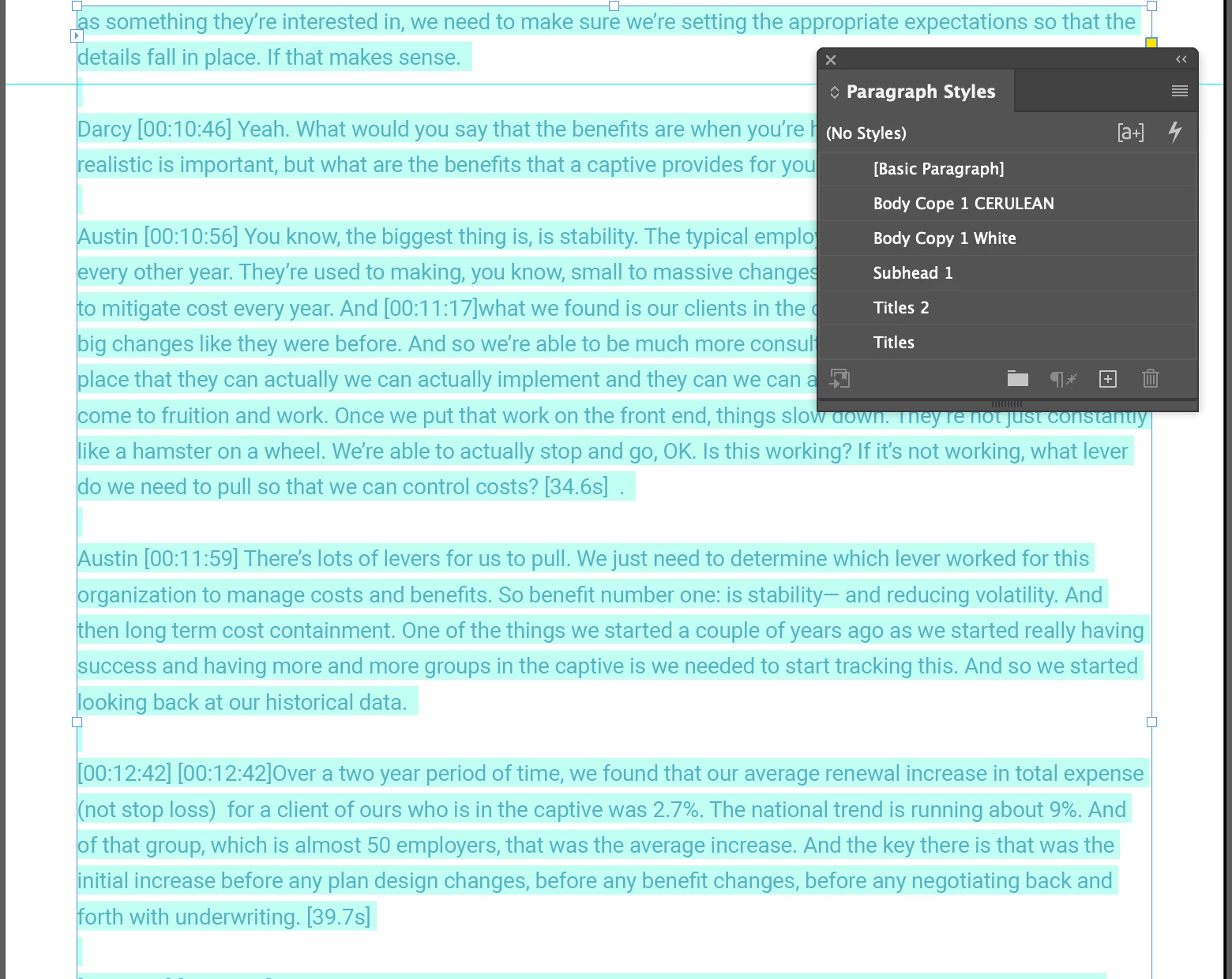
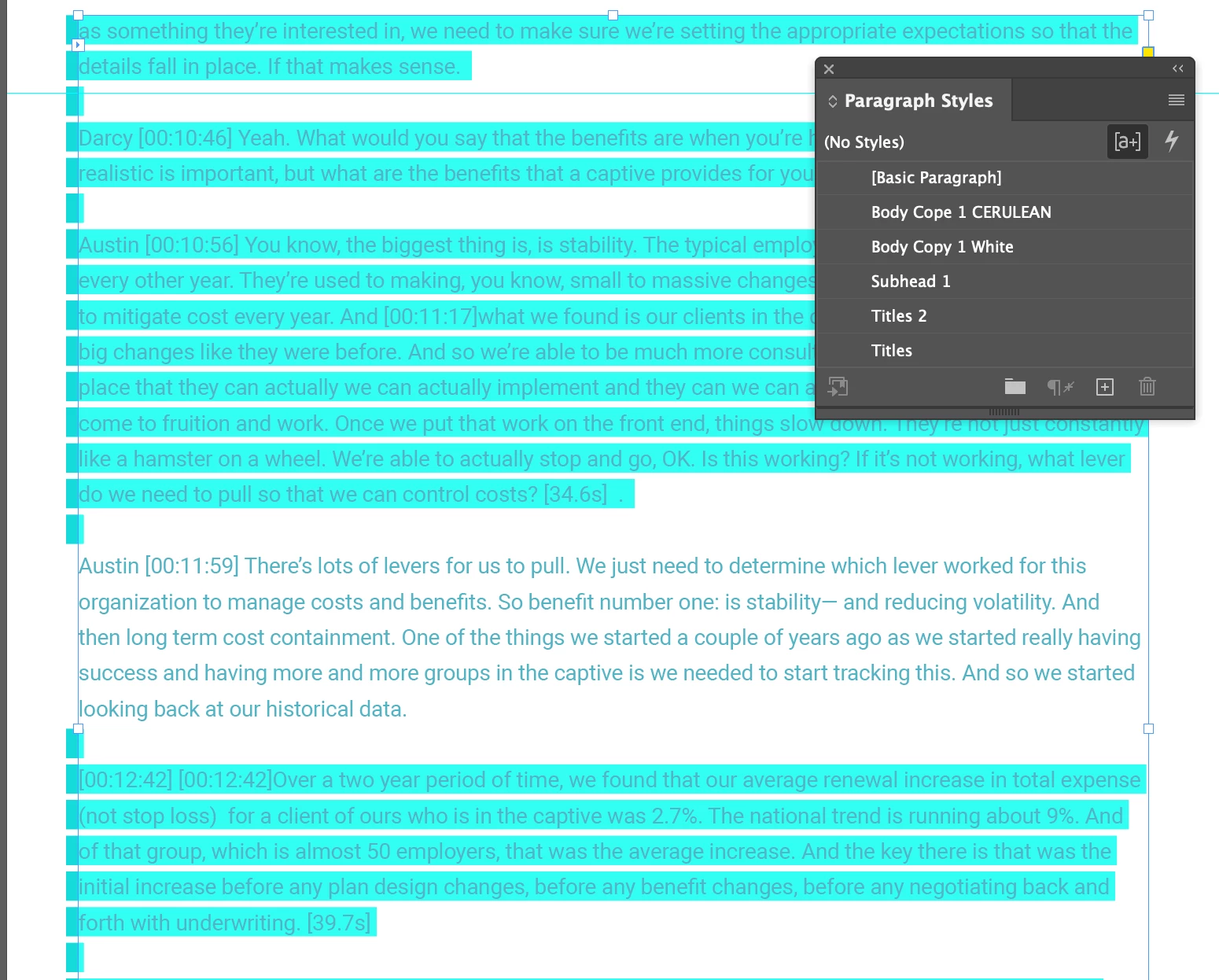
Please help me turn off this blue highlighting that seems to be the default view when I'm in normal view mode. It's not the override hightlight (see screen grabs). The first is my view in Normal view without the override highlighter selected, the second is the same view with the override highlighter selected. I want all of the blue hightlight to go away in all of my view modes. Please help!
This topic has been closed for replies.
Correct answer Steve Werner

Thanks for posting the file. I figured it out:


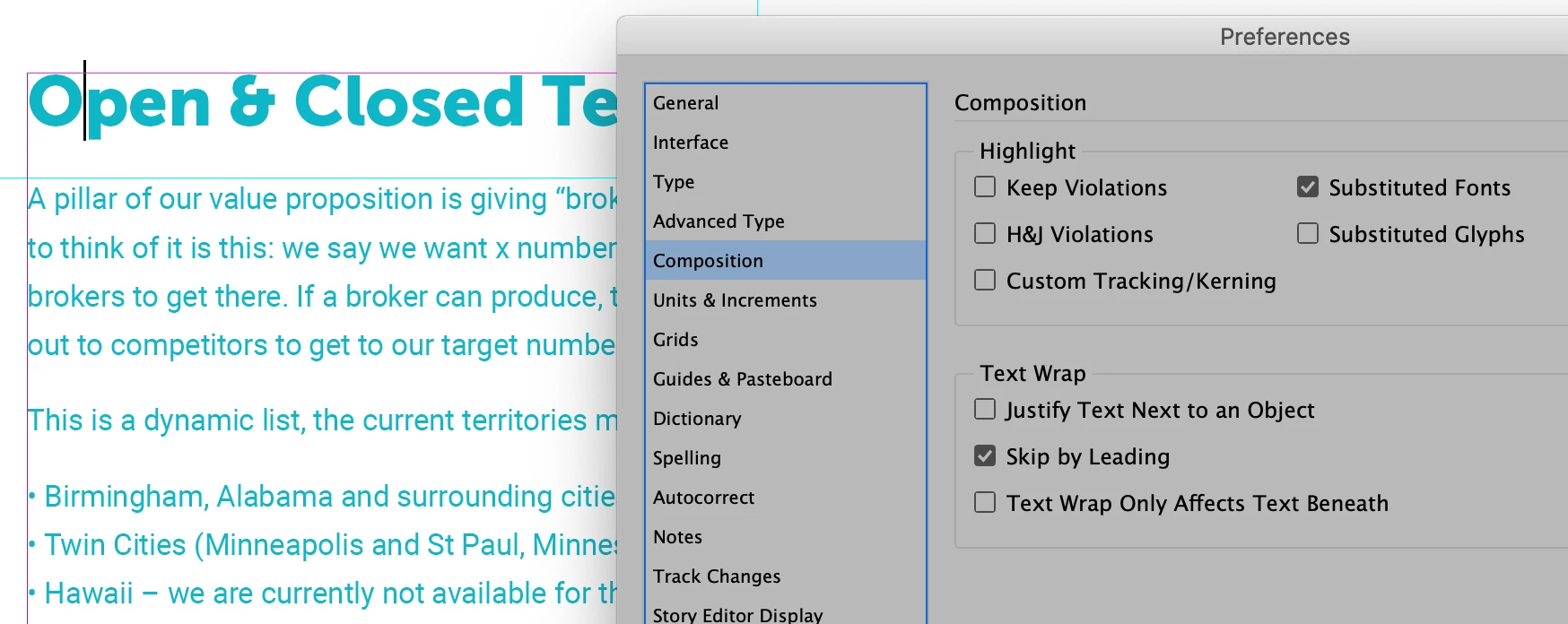
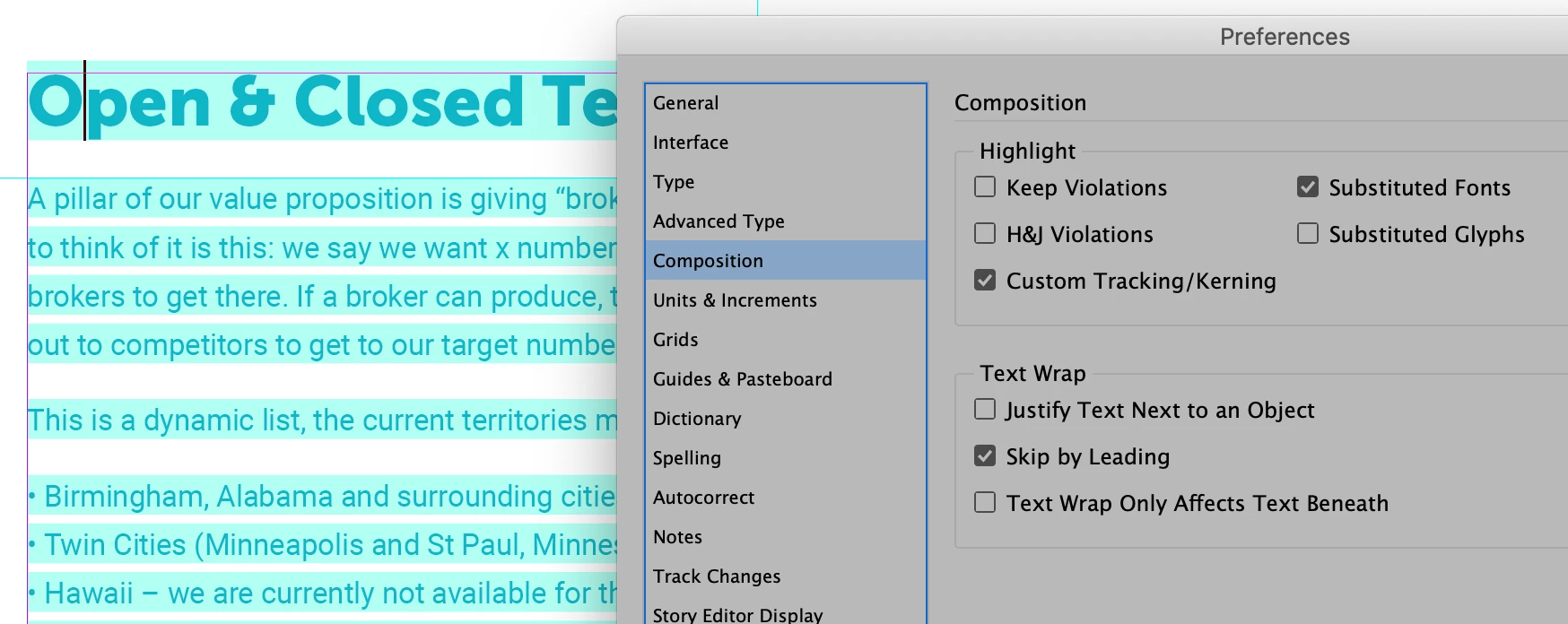
For some reason, an obscure preference (Composition > Highlight Custom Tracking/Kerning) has been turned on. It highlights in that color.


Here the feature turned on:


Here it is turned off:


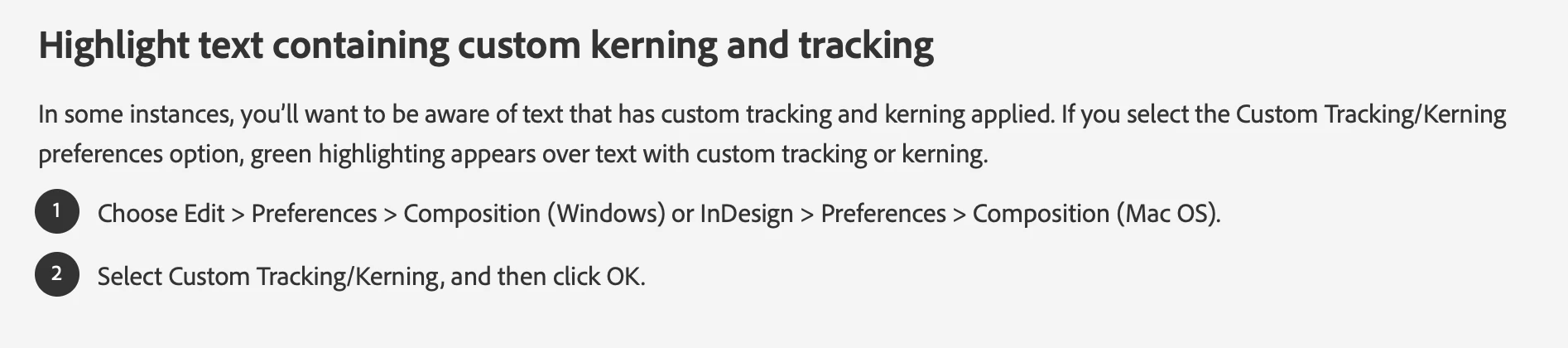
Here's the description of how the feature is used from InDesign Help:


3 replies

Community Expert
November 30, 2020

Hm… Well. On a second thought, I don't think it's the Style Override Highlighter.

Very strange, in that paragraph starting with "Austin…" the "highlighting" you are showing in the first screenshot goues away if you turn on the Style Override Highlighter.


Don't think that paragraph shading is enabled.

Could you share one page of that document with us? Put it on Dropbox or a similar service and post the download link.


Thanks,
Uwe Laubender

( ACP )

Joe5EE6Author
Participant
December 3, 2020

https://www.dropbox.com/t/tBzVpszJoEU5YCmc


There is the link. Hope you can help.

Steve Werner
Community Expert
Steve WernerCommunity ExpertCorrect answer
Community Expert
December 3, 2020

Thanks for posting the file. I figured it out:


For some reason, an obscure preference (Composition > Highlight Custom Tracking/Kerning) has been turned on. It highlights in that color.


Here the feature turned on:


Here it is turned off:


Here's the description of how the feature is used from InDesign Help:


Community Expert
November 30, 2020

Hi Joe,

you turned on the Style Override Highlighter.

The marks at the side of your text frame indicate paragraph style overrides, the other ones indicate character style overrides.


Scroll down to section:
Highlight character and paragraph style overrides

https://helpx.adobe.com/indesign/user-guide.html/indesign/using/paragraph-character-styles.ug.html


Regards,
Uwe Laubender

( ACP )

Steve Werner
Community Expert
Community Expert
November 29, 2020

You might have paragaph shading turned on: