
Inspiring
May 4, 2018
Answered

Book pagination problem

  • May 4, 2018
  • 1 reply
  • 578 views

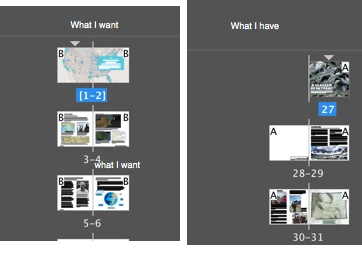
I have a InDesign Book file (indb) which contains a 7-page section of front matter and then 5 chapters of 16-20 pages each. Each chapter starts on the left side so my chapter documents are all 2-pages spreads. Everything was fine until I started messing with page numbering (at least i think that's what caused it). Now all my documents start with a single right side page where they used to  be. I had this problem once before and can't recall how i solved it.
 

    This topic has been closed for replies.
    Correct answer Christian Harder

    I figured it out. On the pages panel fly-out menu there is a setting that allows Pages to shuffle. Once I turned this off I could click and drag the pages around to get them back where they need to be.

    1 reply

    Christian HarderAuthorCorrect answer
    Inspiring
    May 4, 2018

    I figured it out. On the pages panel fly-out menu there is a setting that allows Pages to shuffle. Once I turned this off I could click and drag the pages around to get them back where they need to be.