Participant
August 17, 2018
Answered

Bookmarks Not Exporting?

  • August 17, 2018
  • 1 reply
  • 2753 views

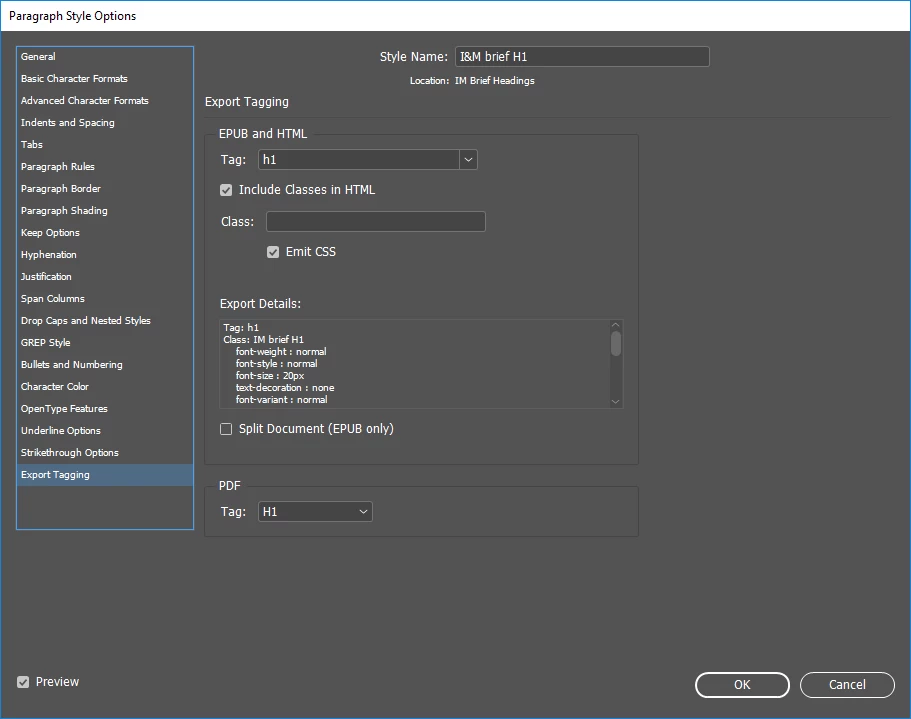
With at least a couple of computers at my office, bookmarks are not being exported to PDF even when we have the following boxes checked on the Export Adobe PDF screen (see the first image below).

Include → Bookmarks

and

Include→ Hyperlinks boxes

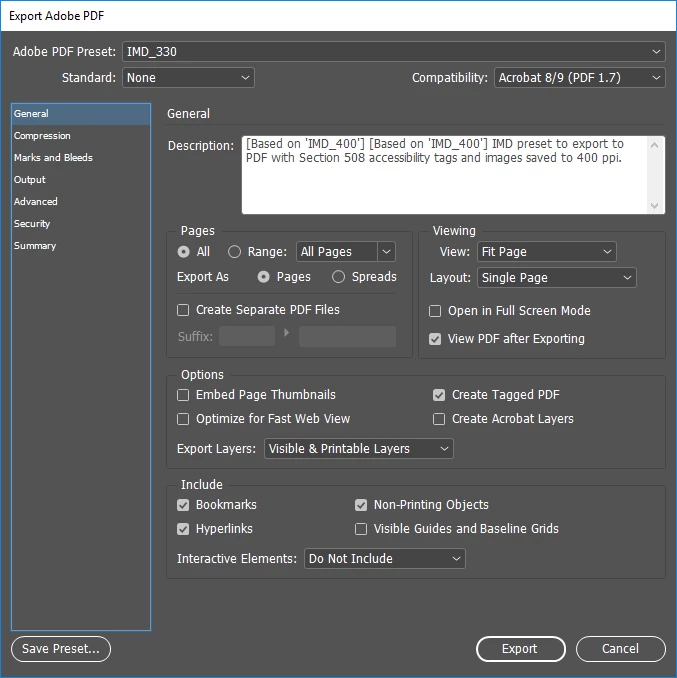
Additionally, all Paragraph Styles for first through sixth order headings are set to export with the correct heading tags (see the second image below).

Any idea what is causing this problem and how to fix it?

We produce documents for the U.S. National Park Service, and are mandated to include bookmarks in all final PDFs that are released to the public.

Thanks.
    This topic has been closed for replies.
    Correct answer CFaganJ

    Yes, it was a TOC problem.

    We had a corrupted TOC that had to be completely replaced, and then the bookmarks exported just fine.

    Thanks!

    1 reply

    Barb Binder
    Community Expert
    Community Expert
    August 17, 2018

    In InDesign, bookmarks are tied to the Table of Contents (TOC). Did you generate a TOC for the document? If you don't want a TOC but want the bookmarks, generate it anyway but place it on the pasteboard.

    ~Barb

    ~Barb at Rocky Mountain Training
    CFaganJAuthorCorrect answer
    Participant
    August 17, 2018

    Yes, it was a TOC problem.

    We had a corrupted TOC that had to be completely replaced, and then the bookmarks exported just fine.

    Thanks!

    Barb Binder
    Community Expert
    Community Expert
    August 19, 2018

    Great! Glad you are back on track.

    ~Barb

    ~Barb at Rocky Mountain Training