Hosun
Inspiring
December 17, 2022
Answered

border of the cell

  • December 17, 2022
  • 1 reply
  • 459 views

Hi,


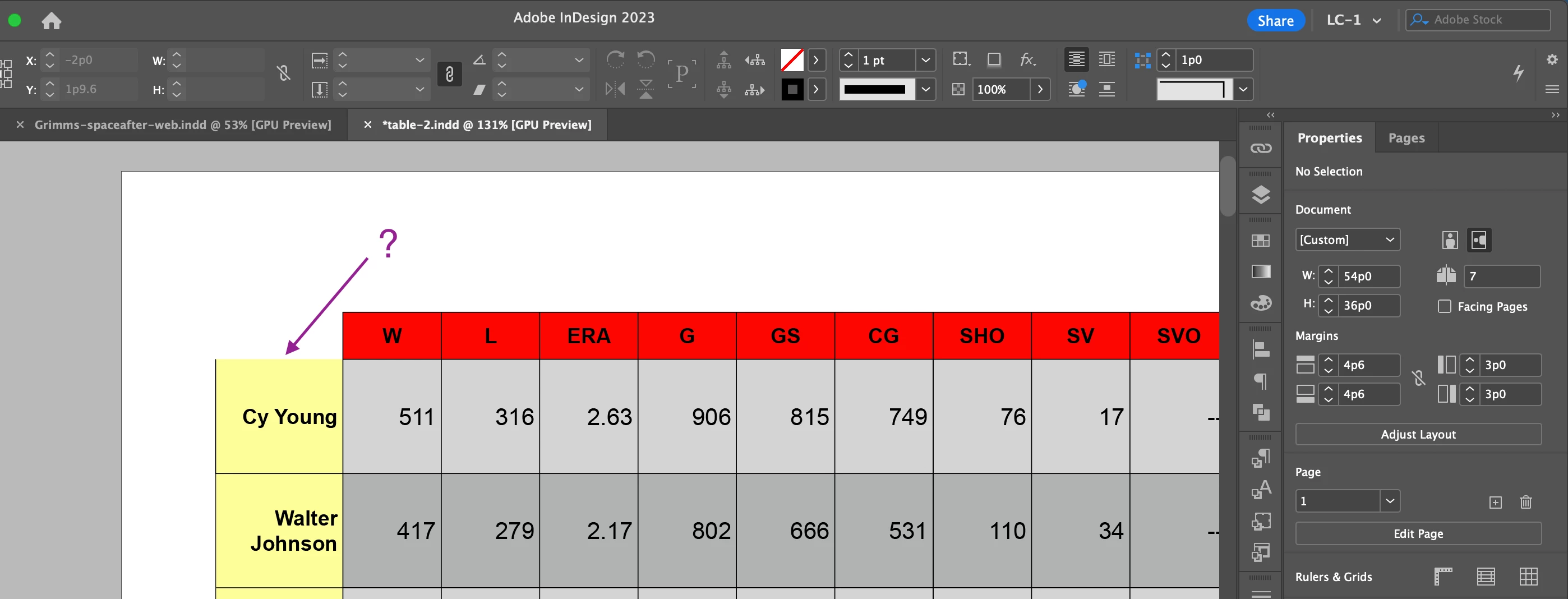
I can't draw the top border of the cell.

Is there any solution?

It should be there.


Hosun
 

This topic has been closed for replies.
Correct answer Laubender

Hi @Hosun ,

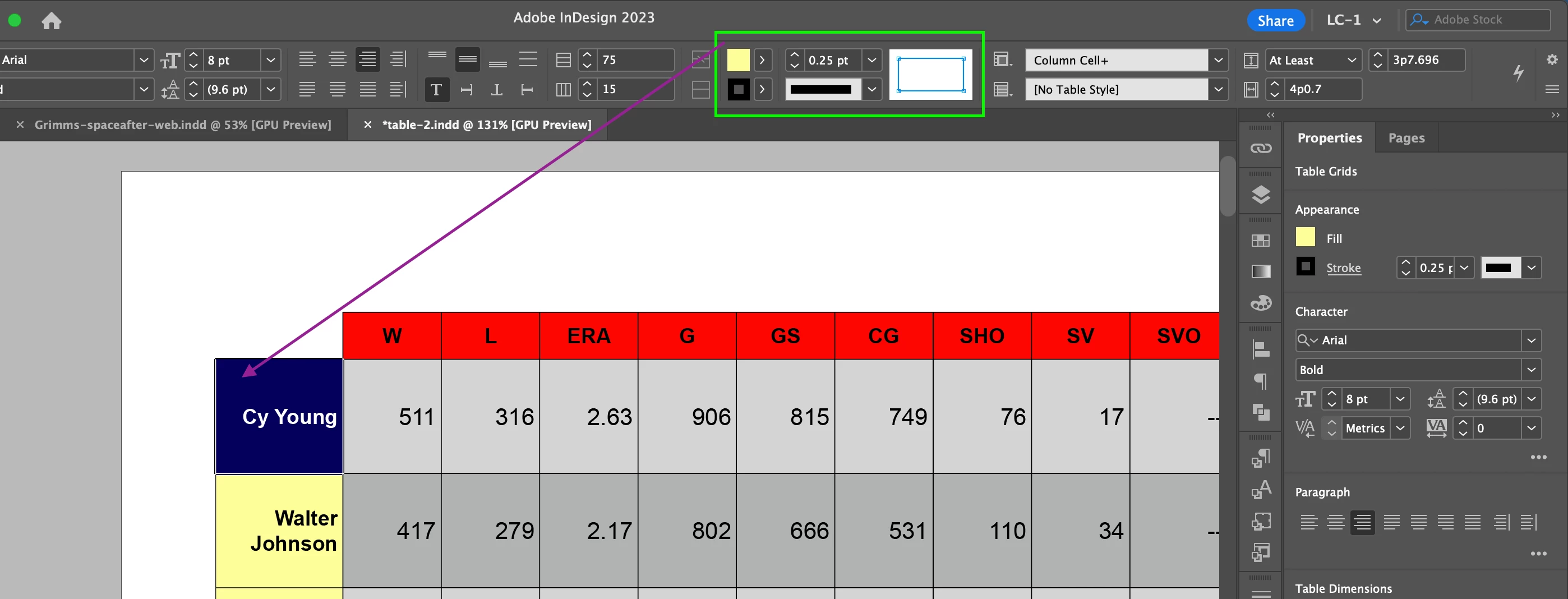
in the widget just select the left outer border plus the one at the top of your selected cell and apply color [None] to it. Also 0 Pt for the weight.


Regards,
Uwe Laubender
( Adobe Community Expert )

1 reply

Community Expert
December 17, 2022

Hi @Hosun ,

instead, draw the bottom border of the cell above.

That one is overriding the top border of the cell below.


Regards,
Uwe Laubender
( Adobe Community Expert )

Hosun
HosunAuthor
Inspiring
December 17, 2022

I tried and the top border appears in the cell.

The issue is three other borders of the cell above.


Hosun


LaubenderCommunity ExpertCorrect answer
Community Expert
December 17, 2022

Hi @Hosun ,

in the widget just select the left outer border plus the one at the top of your selected cell and apply color [None] to it. Also 0 Pt for the weight.


Regards,
Uwe Laubender
( Adobe Community Expert )