davecourtemanche
Inspiring
May 13, 2025
Answered

Border / Shading Paragraph Style malfunction

  • May 13, 2025
  • 6 replies
  • 2235 views

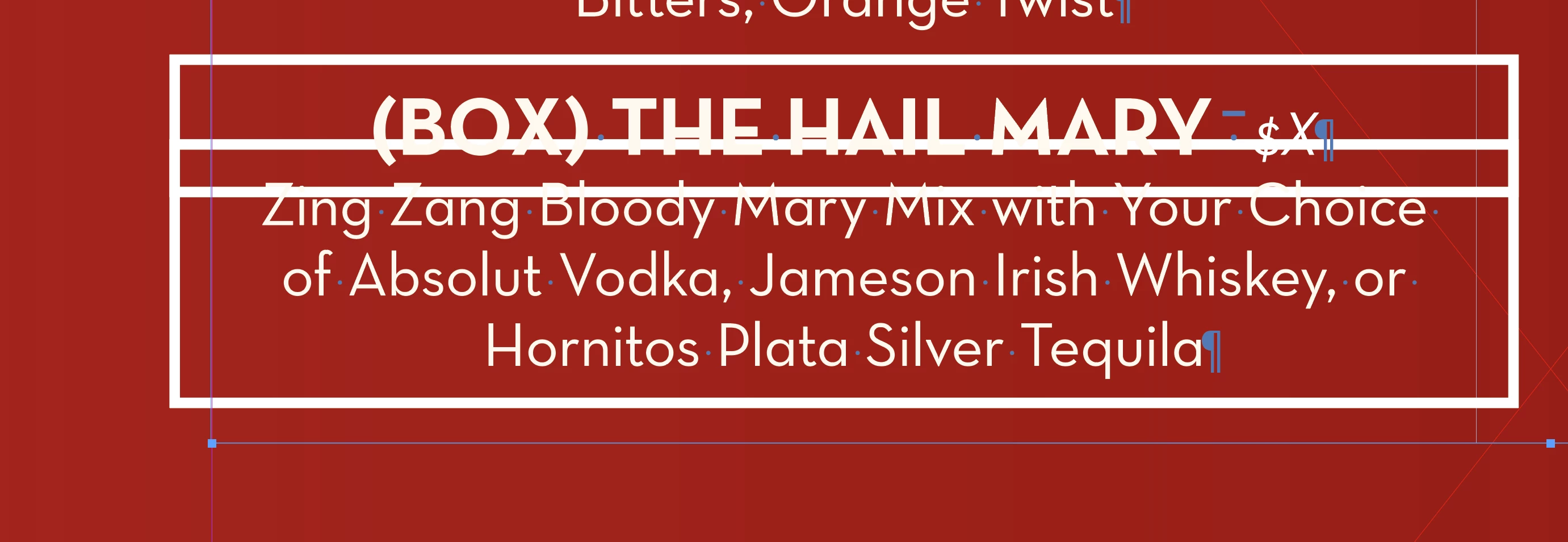
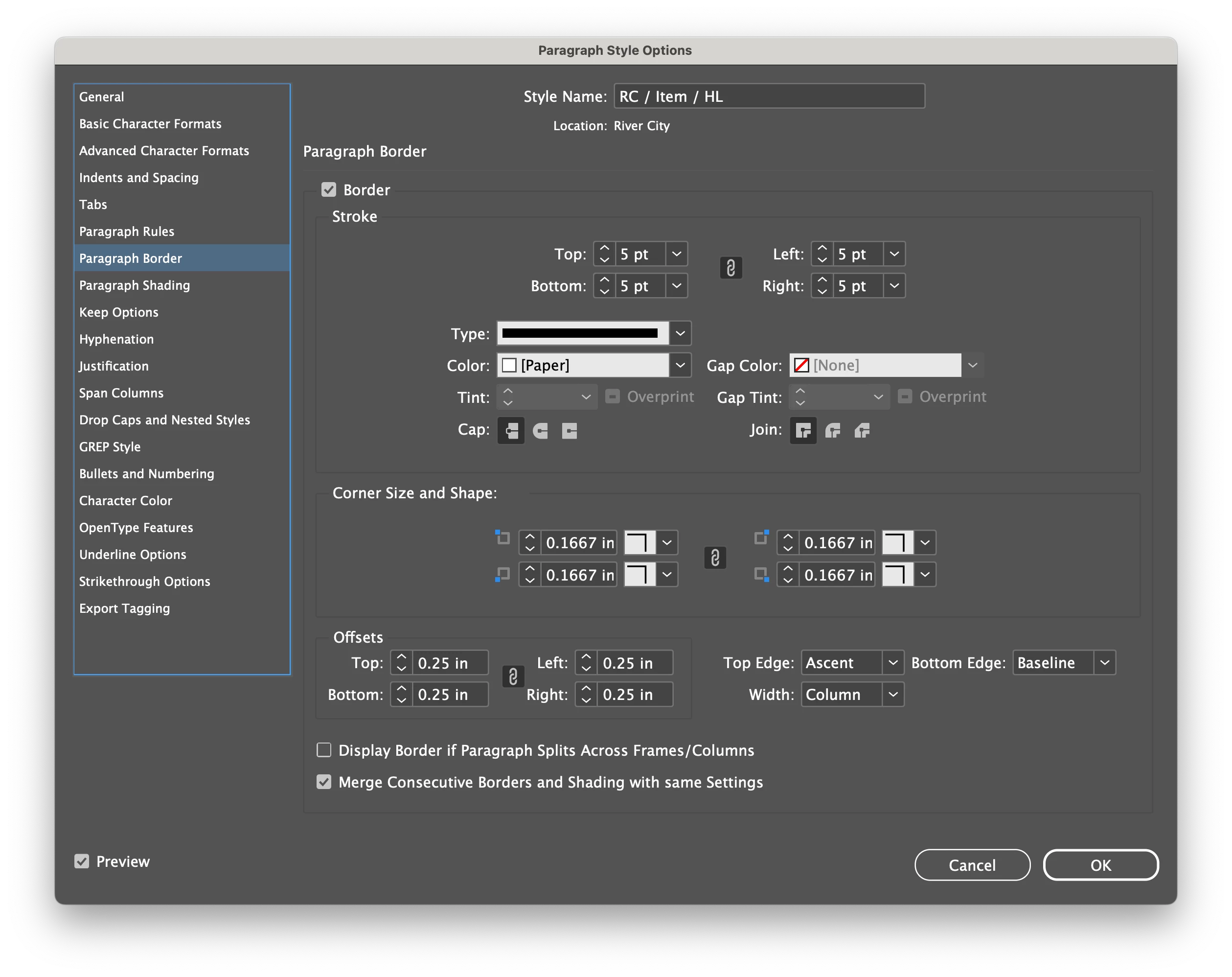
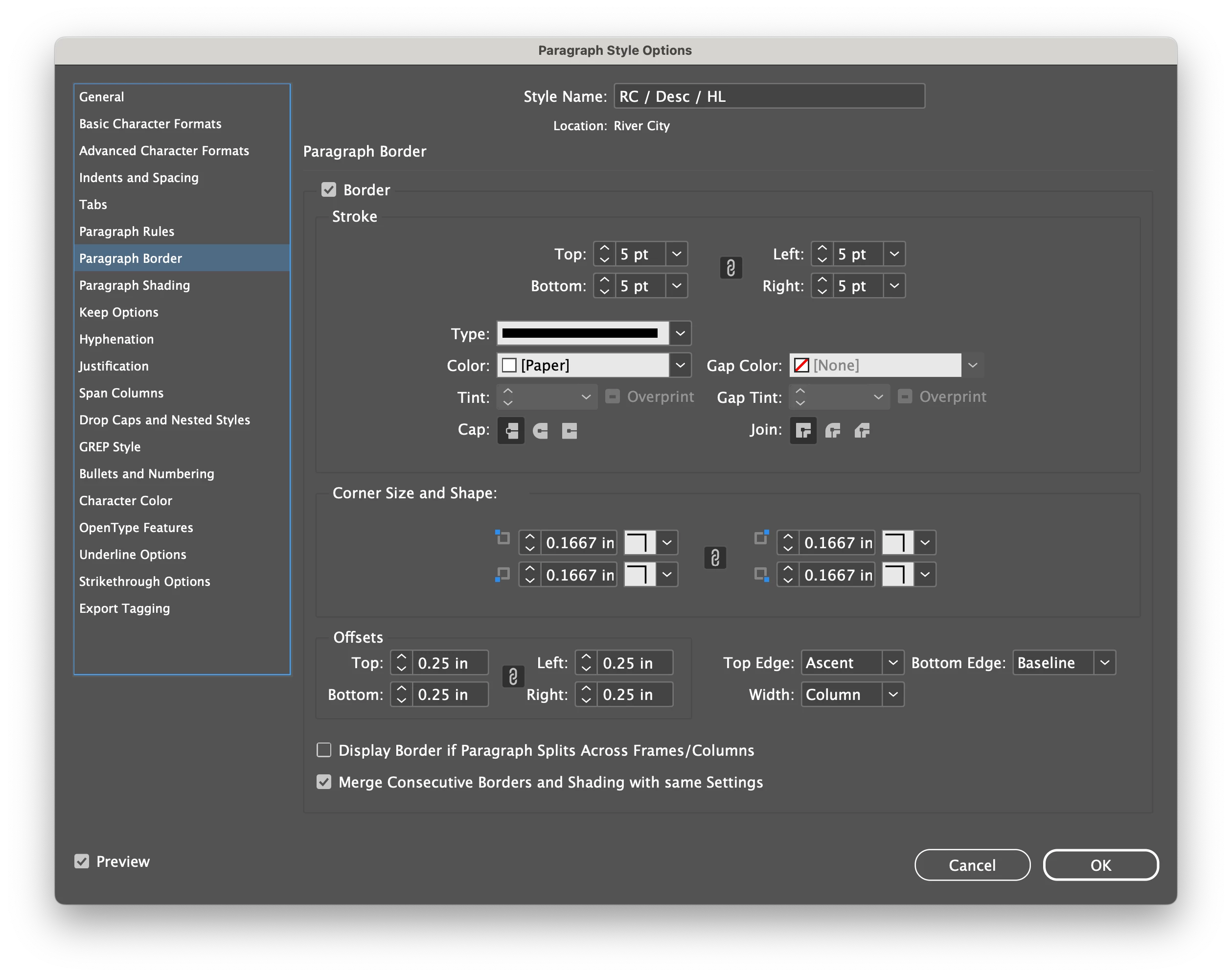
Not sure why this does this. Same border settings for both Item & Description, yet the block does not merge. There is clearly overlap, so they should merge. Other styles in this document merge fine. Just this particular one does not. Styles are based on Item & Desc. If I change the Desc style to be based on Item / HL, it will work, but then it doesn't update properly should I change the base Desc style. 


Thoughts?
Correct answer Robert at ID-Tasker

@davecourtemanche 


OK - FIXED IT 😄 😄 😄 😄


@davecourtemanche 


You need to RESET applied ObjectStyle... 


Either "clear overrides" or apply a different one - then set number of TextColumns again.


6 replies

Robert at ID-Tasker
Legend
May 14, 2025

@davecourtemanche 


I think that's the culprit - "extra" properties in the TextFrame's definition:


First line - contents from the "fixed" file - Second line - contents from the original file.


And you can delete your shared file.


Barb Binder
Community Expert
Community Expert
May 13, 2025

Darn! Well, I'm also happy to review your file if that's an option for you. I understand if it isnt't.


~Barb

~Barb at Rocky Mountain Training
Barb Binder
Community Expert
Community Expert
May 13, 2025

Hi Dave:


The command is Merge Consecutive Borders and Shading with the same settings. We're all looking at your border settings and they seem to be the same. Did you check your shading settings? Do the settings for both match too?


~Barb


~Barb at Rocky Mountain Training
davecourtemanche
Inspiring
May 13, 2025

shade settings for both items are off.

Robert at ID-Tasker
Legend
May 13, 2025
quote

shade settings for both items are off.


By @davecourtemanche


Can't check it right now - but maybe there is a bug - and even if it's OFF - values are still being compared... 


rob day
Community Expert
Community Expert
May 13, 2025

Hi @davecourtemanche , Looks like you have the text frame selected, do the Paragraph Border setting act and look the same if you select the text:


davecourtemanche
Inspiring
May 13, 2025

specs the same if I select the text of the 2 different para styles

rob day
Community Expert
Community Expert
May 13, 2025

Maybe duplicate copies?


Mike Witherell
Community Expert
Community Expert
May 13, 2025

Hey Dave, the settings look identical. Are the styles based on "No Paragraph Style"? Can you try to rename the styles leaving out the forward slashes (wild guess)?

Mike Witherell
davecourtemanche
Inspiring
May 13, 2025

Other styles named with slashes perform fine. Just this particular one. Maybe an issue with the font, though I don't know how that would come into play.

Robert at ID-Tasker
Legend
May 13, 2025

@davecourtemanche


Maybe try setting everything again? 


Was the numerical values always in inches? Or converted from mm - and even when they display rounded "correctly" - internally, there aren't identical? 


Internally, InDesign keep all values as doubles to 9 or even more places... 


That's why I've asked for a sample file - just Styles - I'll run it through my tool and compare raw values. 


Robert at ID-Tasker
Legend
May 13, 2025

Can you share - a sample of - your document?