Inspiring
February 18, 2022
Answered

Bug with new sections, prefix and page numbers

  • February 18, 2022
  • 2 replies
  • 962 views

I think I have found a bug in InDesign 2022.

In the Pages panel, right-click a page, hit Numbering & Section Options.

Start a new section, add a Section Prefix and make sure that "Include Prefix when Numbering Pages" is unchecked.

I would expect page numbers to continue as usual, yet they show the Section Prefix before it. 

Can you reproduce it? 

Thank you
This topic has been closed for replies.
Correct answer rob day

I would expect page numbers to continue as usual,


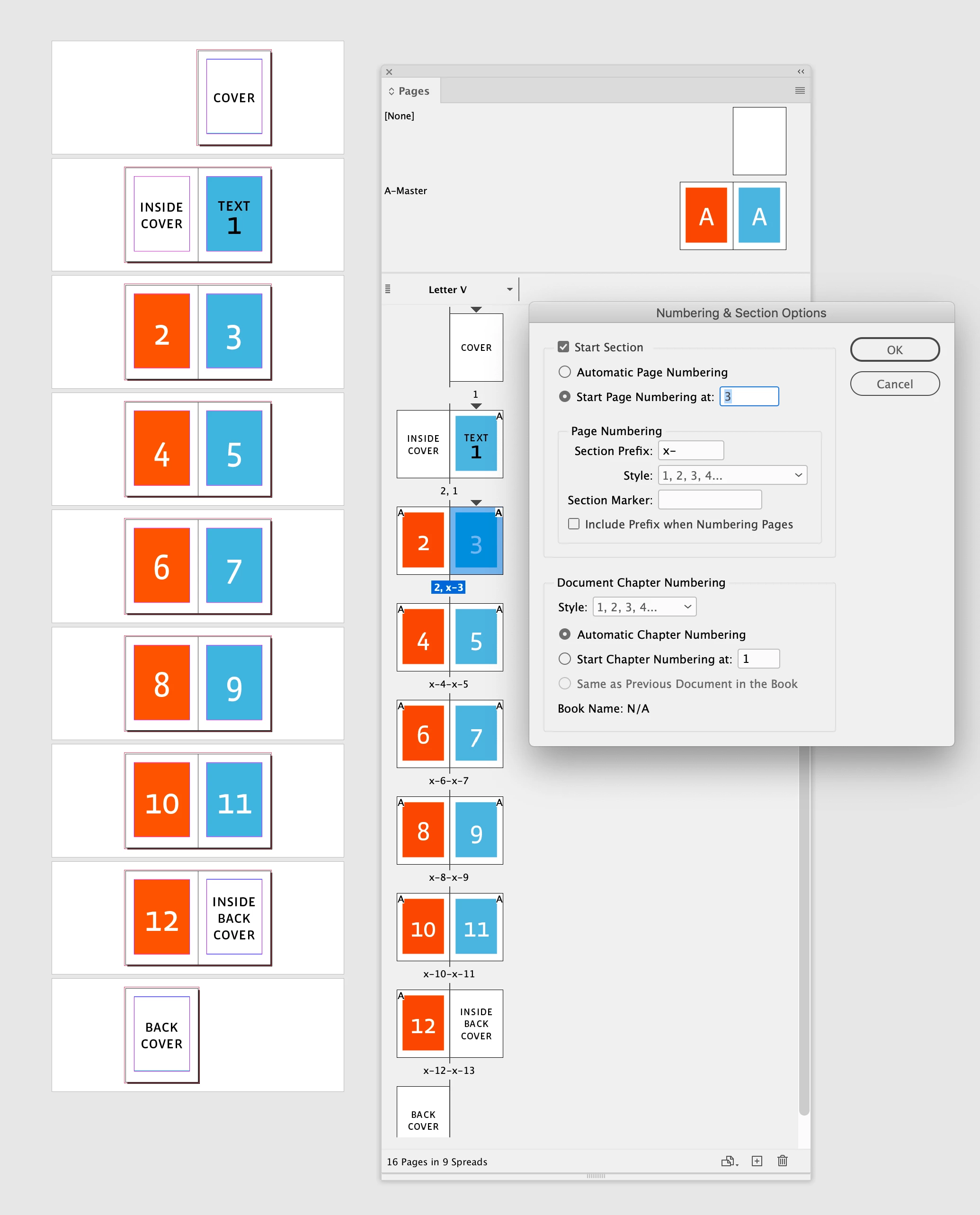
Also, if you are referring to the page label in the Pages panel, it is affected by your General Preferences Page Numbering setting. This is Absolute Numbering:


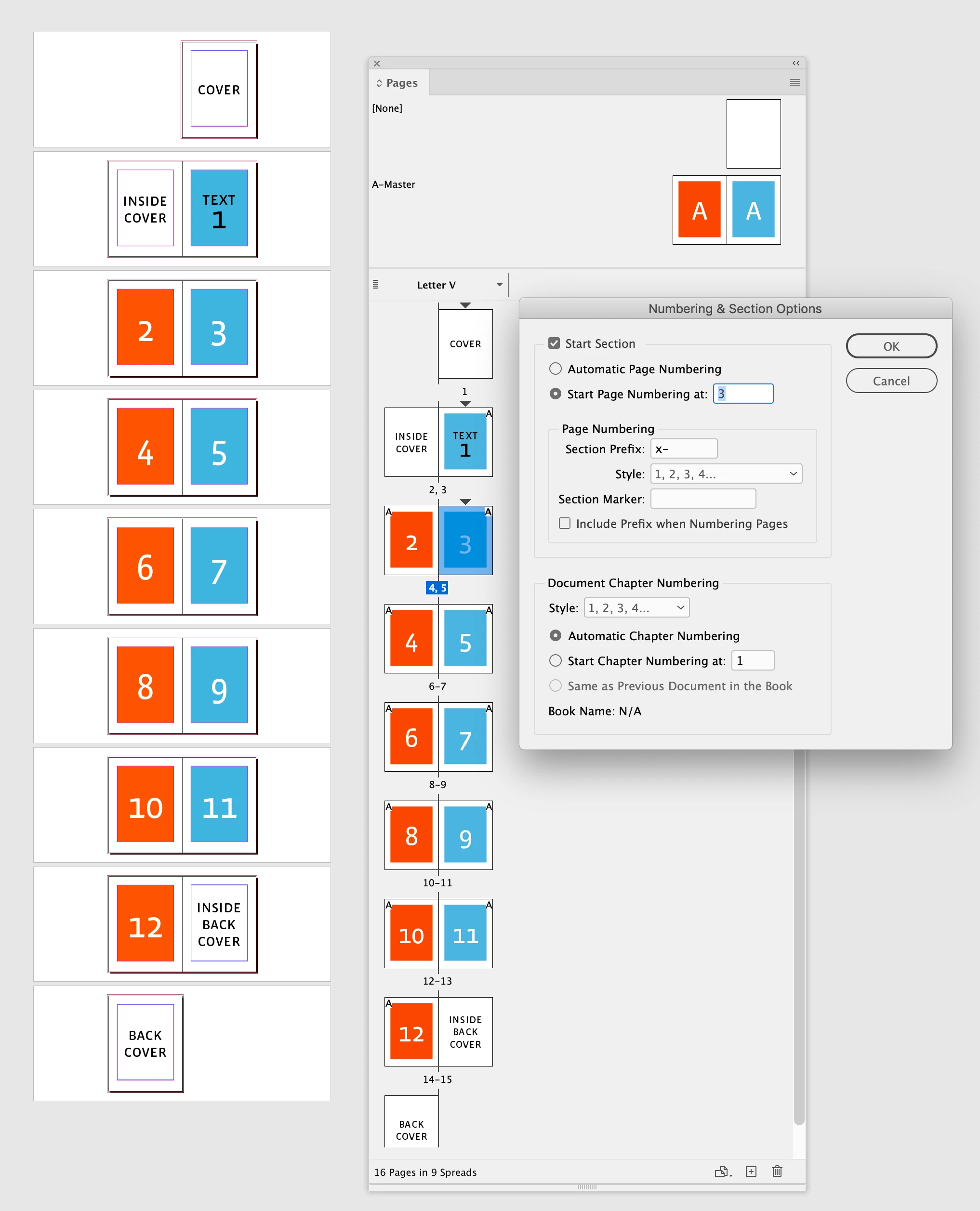
And this is Section Numbering:


2 replies

rob day
Community Expert
rob dayCommunity ExpertCorrect answer
Community Expert
February 18, 2022

I would expect page numbers to continue as usual,


Also, if you are referring to the page label in the Pages panel, it is affected by your General Preferences Page Numbering setting. This is Absolute Numbering:


And this is Section Numbering:


Inspiring
February 19, 2022

That's it!

I assume resetting the preferences in the past changed this to show the section marker in the labels.

I do not (generally) like it, so I will revert it back!

Thanks to @Barb Binder as well for chiming in!

Barb Binder
Community Expert
Community Expert
February 18, 2022

Hi @Inélsòre:


When you start a new section and enter a section prefix, I would expect the prefix to show in the Pages Panel, but not on the page when Include Prefix when Numbering Pages is disabled:


If yours is different, please let us know what version of InDesign you're using, exactly, and what operating system you are using. It would also be helpful to share a similar screenshot.


~Barb

~Barb at Rocky Mountain Training
Inspiring
February 22, 2022

I have found a new issue with this.

When exporting to PDF and opening the result in Acrobat, I get the prefix in the page number! Why? 

In this case I am exporting a fraction of the document, so I would expect it to restart the numbering, but mostly to NOT include the section marker in the page number!

How can I do that?


PS: in Numbering & Section Options when right-clicking on a page in the Pages Panel, the "Include Prefix when Numbering Pages" is unchecked, which should give the result I expect. 

rob day
Community Expert
Community Expert
February 22, 2022

Can you show a screen capture from ID and Acrobat?