25138587sj55
Participant
January 20, 2024
Answered

bullet

  • January 20, 2024
  • 1 reply
  • 565 views

Hello!

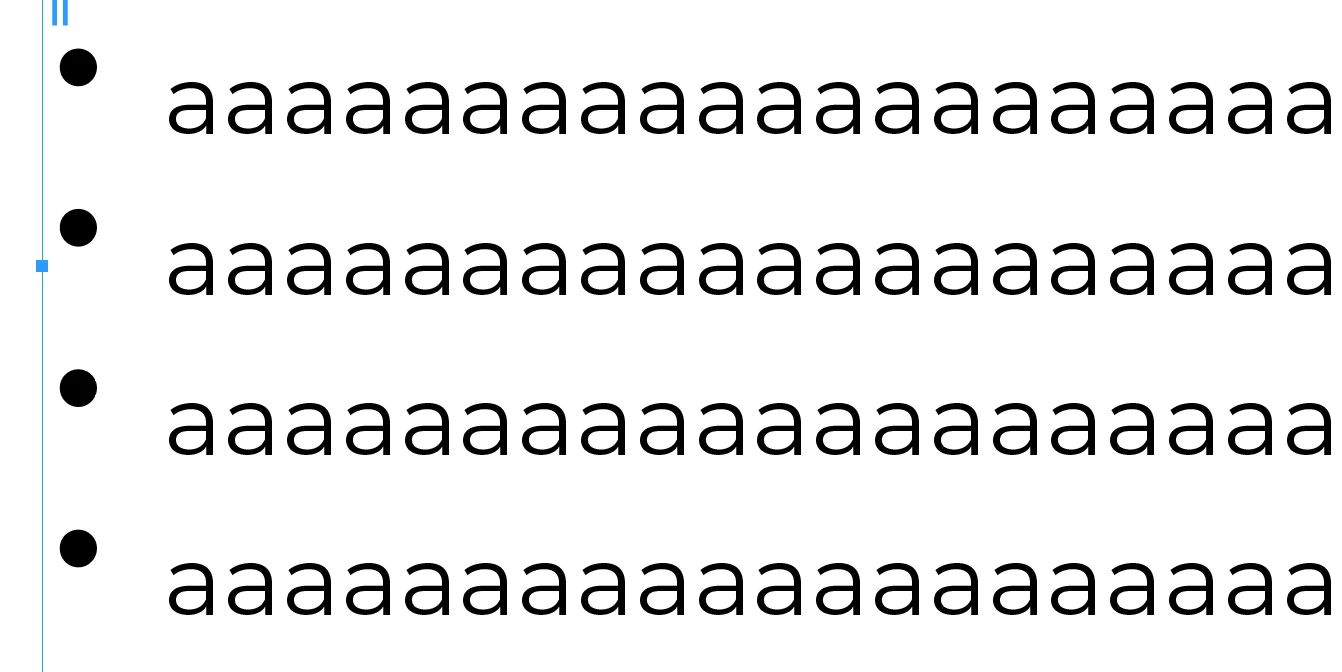
I have a question about organizing bullets in Adobe InDesign. I created a character style for bullets and nested it in a paragraph style. Later, I changed the bullet size from the character style. Currently, it seems that the bullets are positioned at the top of the text. How can I center the bullets in the middle of the first line? I would appreciate any help.
This topic has been closed for replies.
Correct answer James Gifford—NitroPress

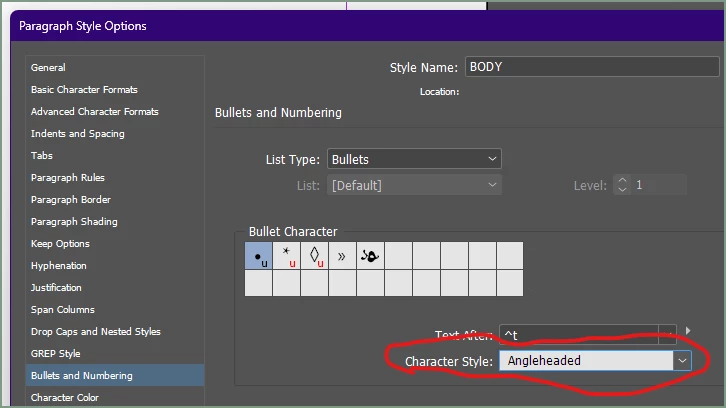
You have to apply a Character Style to the bullet, in Bullets & Numbering setup.


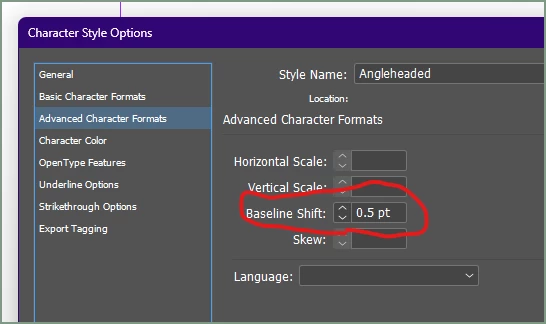
Then you can adjust that style to change font, color, size and many other things. To align a bullet with the text, use the Baseline Shift. You typically want to adjust it in fractions of a point, rarely more than 2 points overall:


Just to be clear, you don't usually use Nested Styles for bullets — maybe you meant the above, assigning a Char Style, but I wanted to make sure.

1 reply

James Gifford—NitroPress
Legend
January 20, 2024

You have to apply a Character Style to the bullet, in Bullets & Numbering setup.


Then you can adjust that style to change font, color, size and many other things. To align a bullet with the text, use the Baseline Shift. You typically want to adjust it in fractions of a point, rarely more than 2 points overall:


Just to be clear, you don't usually use Nested Styles for bullets — maybe you meant the above, assigning a Char Style, but I wanted to make sure.

25138587sj55
Participant
January 20, 2024

Hi James,

Thank you so much for the explanation. I was able to solve this. Also, yes, I meant applying a Character Style to the bullet.

Thanks again, and have a great weekend!